52
PRONTOBAR TOUCH
IT
Le procedure di aggiornamen-
to soware, importazione ed
esportazione file, dosi e/o impo-
stazioni necessitano del collega-
mento con un supporto USB.
• Inserire il supporto USB
nell’apposita fessura dietro
la porta.
• Seguire la procedura
descritta sul display.
Il supporto USB deve essere
vuoto o contenere solo i file da
caricare.
Il riconoscimento del file è auto-
matico solo se i file presenti sul
supporto USB hanno il nome
e/o formato corretto.
EN
Soware update, file import
and export procedures, doses
and / or settings require con-
nection with a USB support.
• Insert the USB holder into
the slot behind the door.
• Follow the procedure
described on the display.
The USB storage medium must
be empty or contain only the
files to be uploaded.
The recognition of the file is au-
tomatic only if the files on the
USB support have the correct
name and / or format.
FR
Les procédures de mises à jour
du logiciel, importation et ex-
portation de fichiers, doses et/
ou configurations exigent la
connexion par un support USB.
• Introduire le support USB
dans la fente prévue à cet
eet derrière le portillon.
• Suivre la procédure décrite
sur l'aicheur.
Le support USB doit être vide
ou ne contenir que les fichiers à
télécharger.
La reconnaissance du fichier est
automatique si les fichiers pré-
sents sur le support USB ont le
nom et/ou format correct.
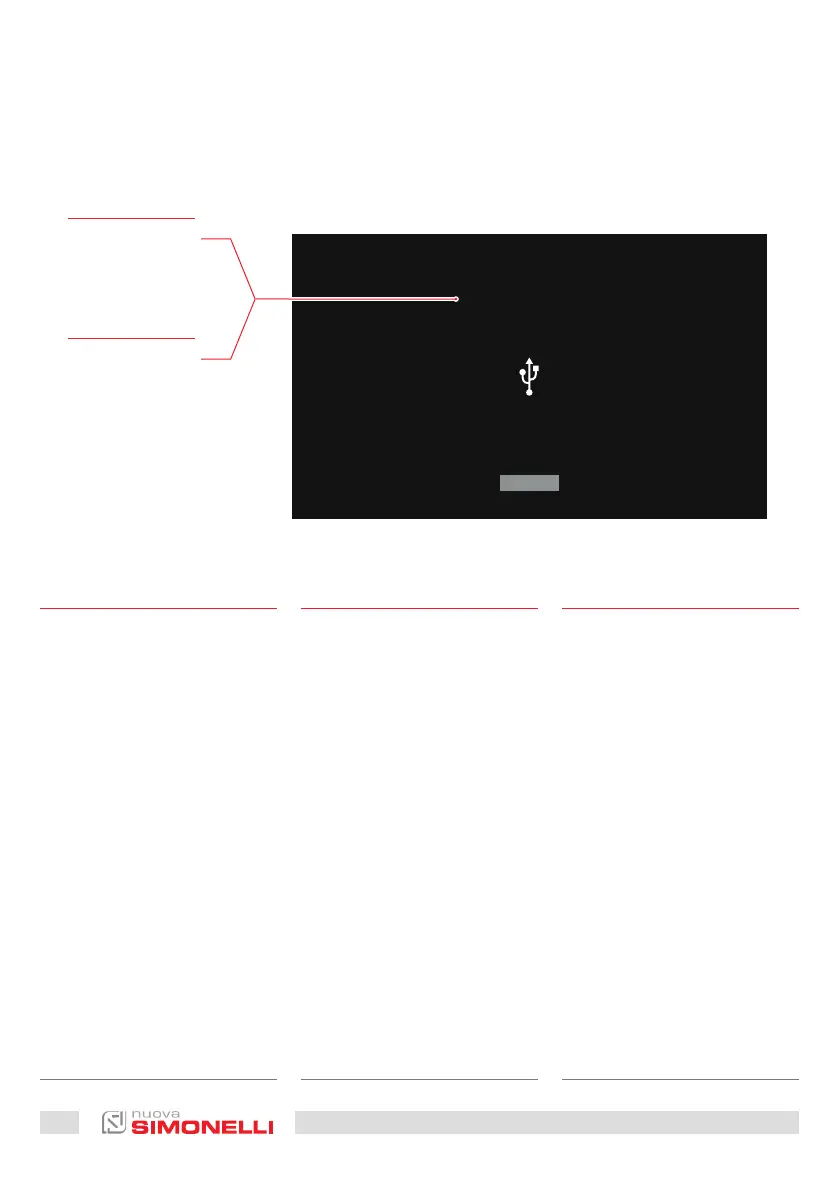
Immagini Esemplificative
Exemplifying Images
Images à titre d’exemple
UPDATE DISPLAY FIRMWARE
Insert the USB sck where
you want to update the firmware
NEXT
IT
Inserire la chiavetta
USB per aggiornare il
firmware.
FR
Insérez la clé USB
pour mettre à jour le
firmware.











 To Next Page