48
EN
Functions that can “ONLY” be accessed from the
TECHNICIAN mode.
2. COUNTERS
3. PROG DOSES
4. SETTINGS
5. SAVE DATA
7. PROGRAMMING
LIST OF PROGRAMMABLE FUNCTIONS
Functions that can be accessed from the USER and
TECHNICIAN modes.
1. LANGUAGE (LANGUAGE SELECTION)
1 . LANGUAGE
Press the keys to select the
required language.
The possible languages are as follows: ENGLISH,
ITALIANO, FRANCAIS, DEUTSCH, ESPANOL.
onfirm your selection and move to the next function
by pressing ENTER
.
7.2 PROGRAMMING IN
USER MODE
7.1 ENTERING THE
PROGRAMMING MODE
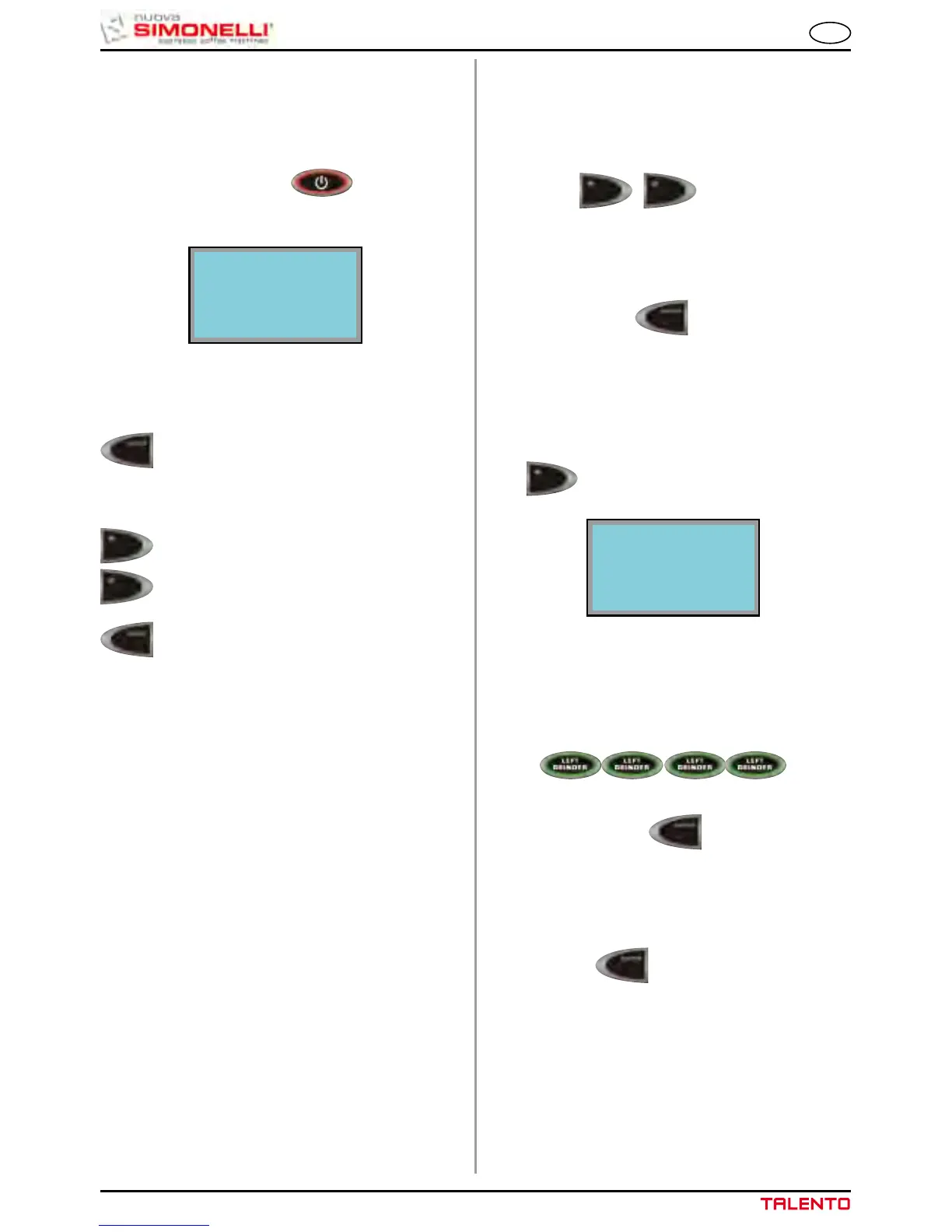
Hold down the ON/OFF key with the
machine switched off (approx. 5 seconds) until the
display shows the first programming function:
The keys available during the programming stage
are:
ENTER key: To enter the menu and/or
confirm the setting.
CURSORI keys: To scroll through the
menu and increase/
reduce settings.
RESET keys: To go back to the previous
step.
LANGUAGE
7.3 PROGRAMMING IN
SERVICE ENGINEER MODE
To access the functions that can only be programmed
in SERVICE ENGINEER MODE, press the up arrow
key
from the SELECT LANGUAGE menu
and the display will read as follows:
Enter the correct password to access the first item
on the programming menu that can be accessed in
SERVICE ENGINEER MODE.
The default PASSWORD setting is 4 times the LEFT
GRINDER key:
2. COUNTERS
Pressing the ENTER key it is possible to
enter the submenu.
2.1 DRINK COUNT
(Beverage count)
Press ENTER to enter the sub menu; all of
the beverage keys (1-10) will start to flash.
PASSwORD












 To Next Page