NUVO
®
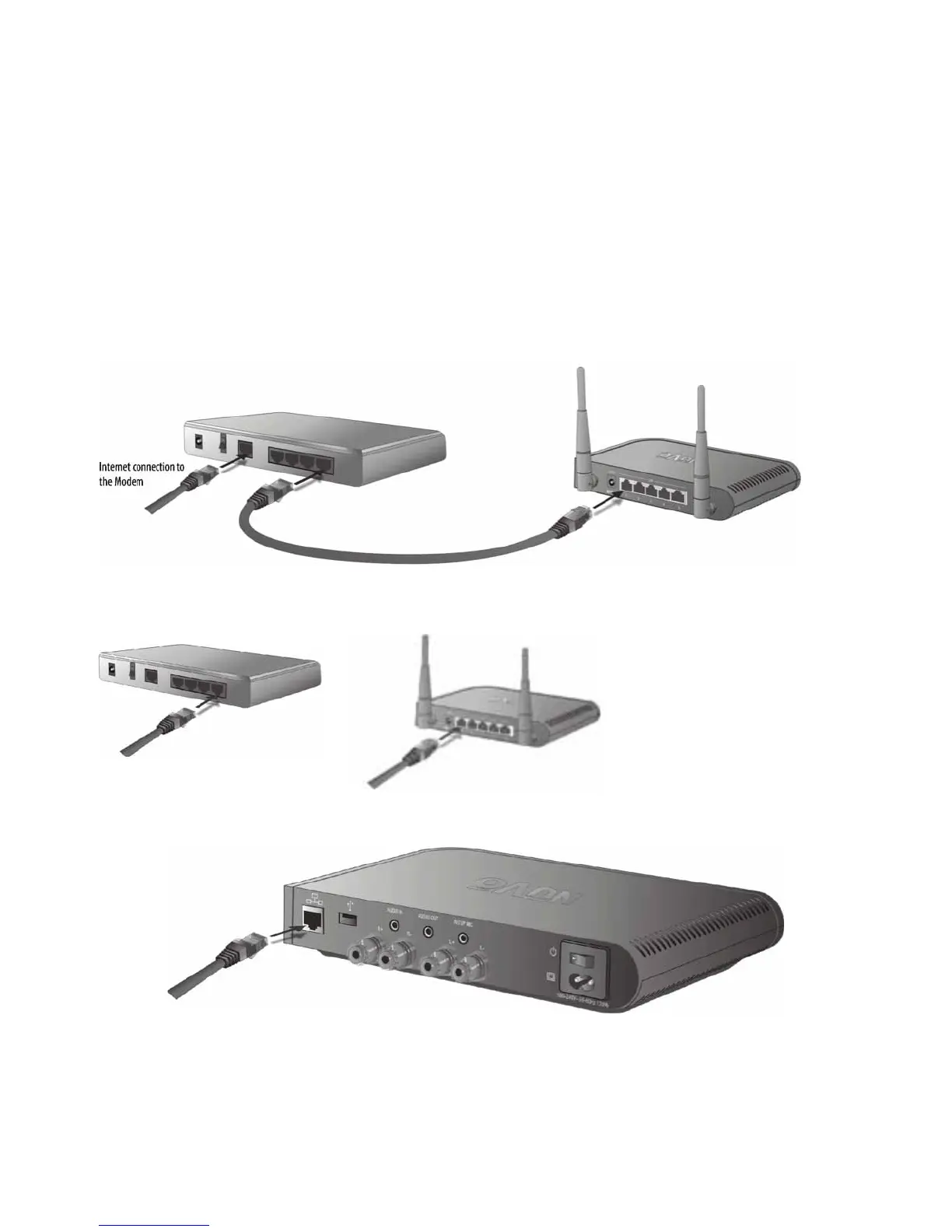
Make sure that the installation’s router is connected to the network modem (this is generally supplied by the Internet
Service Provider, or ISP) with a single Cat5 network cable. The Gateway has five Ethernet ports and acts as a standard
Ethernet switch. Simply connect the included cable, or any Ethernet cable with a standard RJ45 modular plug, into one of
the five ports on the back of the Gateway and connect the other end into an available port on the back of the installation’s
router, as shown in Fig. 3
Fig. 3
Fig. 4
OR
12



 To Next Page