NUVO
®
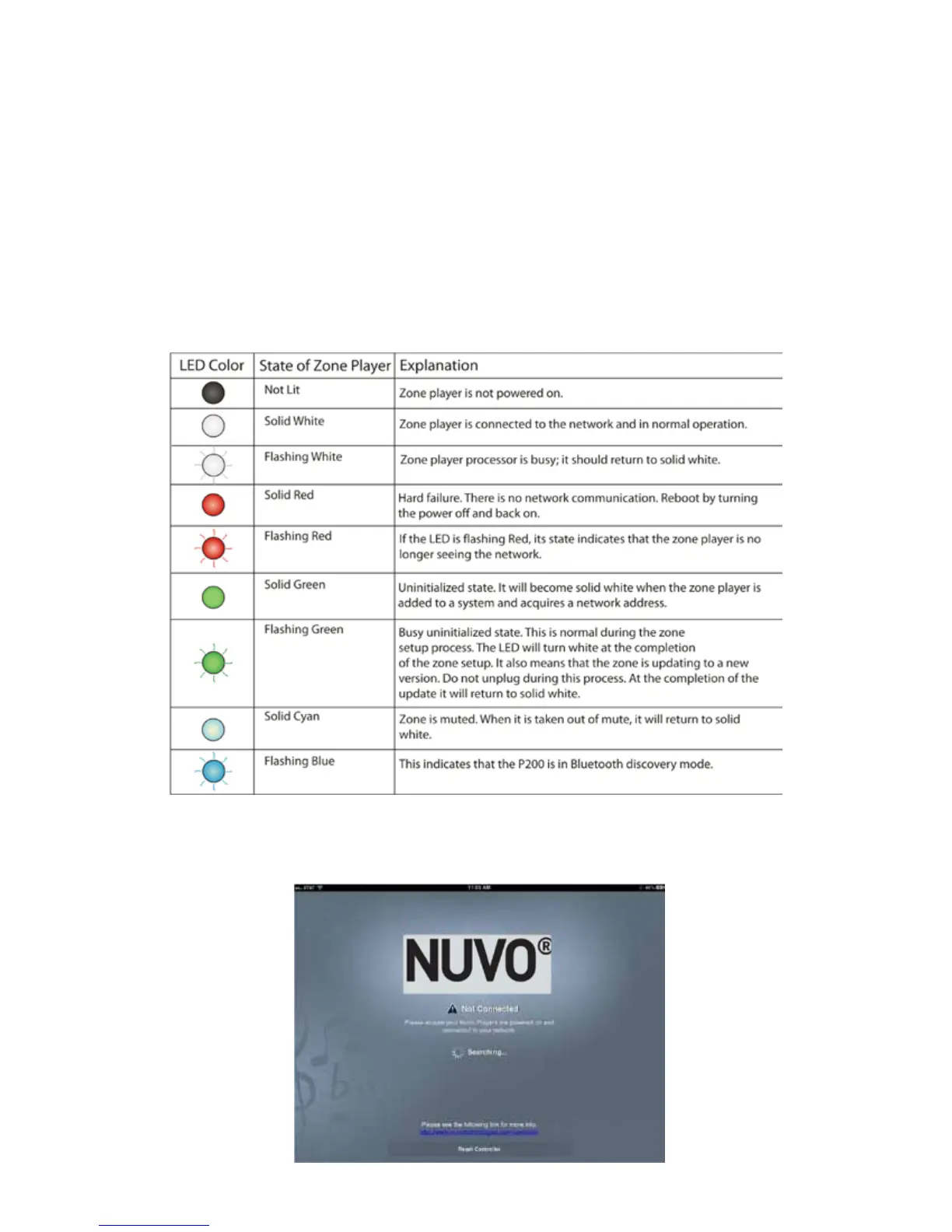
An important indicator of each zone’s operation is the LED light on the front panel of the zone players. The color of the
LED, and its solid or flashing state, provides a visual reference for the player’s status of operation. Refer to the chart for an
explanation of the functions and LED status.
A common indicator for lack of communication with the system is the app’s “Not Connected” screen, as shown in Fig.
161. This screen appears when the controller is unable to see the zones in the system. There are several potential causes
and remedies for this state that are important for troubleshooting.
Fig. 161
6.0 Troubleshooting
6.1 Front Panel LEDs
6.2 Not Connected
49



 To Next Page