NUVO
®
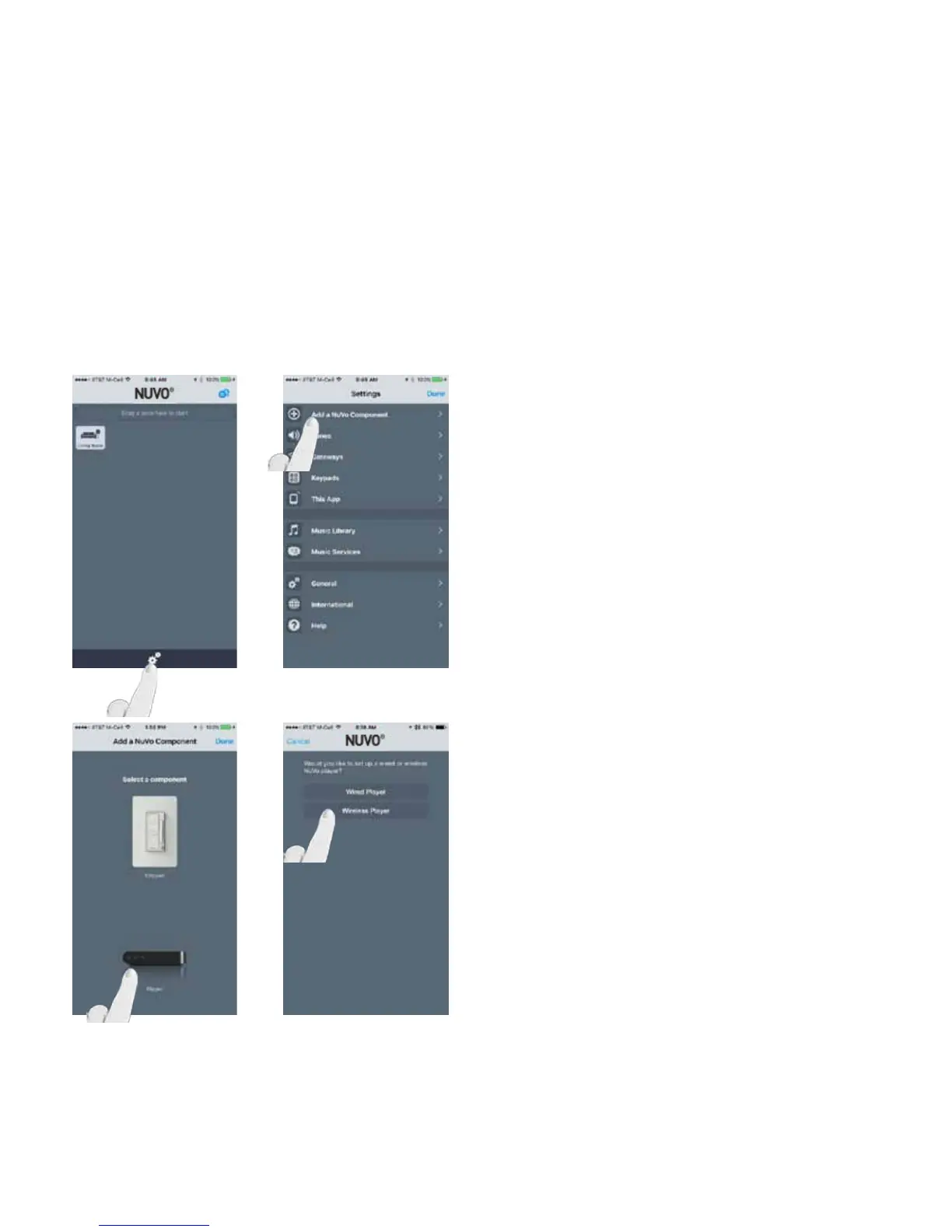
Open the Nuvo Player app, making sure the smart phone or
tablet is on the same wireless network as the Nuvo Player
system.
Navigate to the Settings menu by pressing the gear icon at
the bottom of the home page. (Fig. 65)
Select “Add a Nuvo Component.” (Fig. 66)
Fig. 65
Select “Player” to add the component.
Then select “Wireless Player.” (Fig. 67, Fig. 68)
Fig. 66
2.4 Adding a zone to an existing Wireless System - Using a Nuvo NV-GW100-xx Gateway
Fig. 67
Fig. 68
27



 To Next Page