NUVO
®
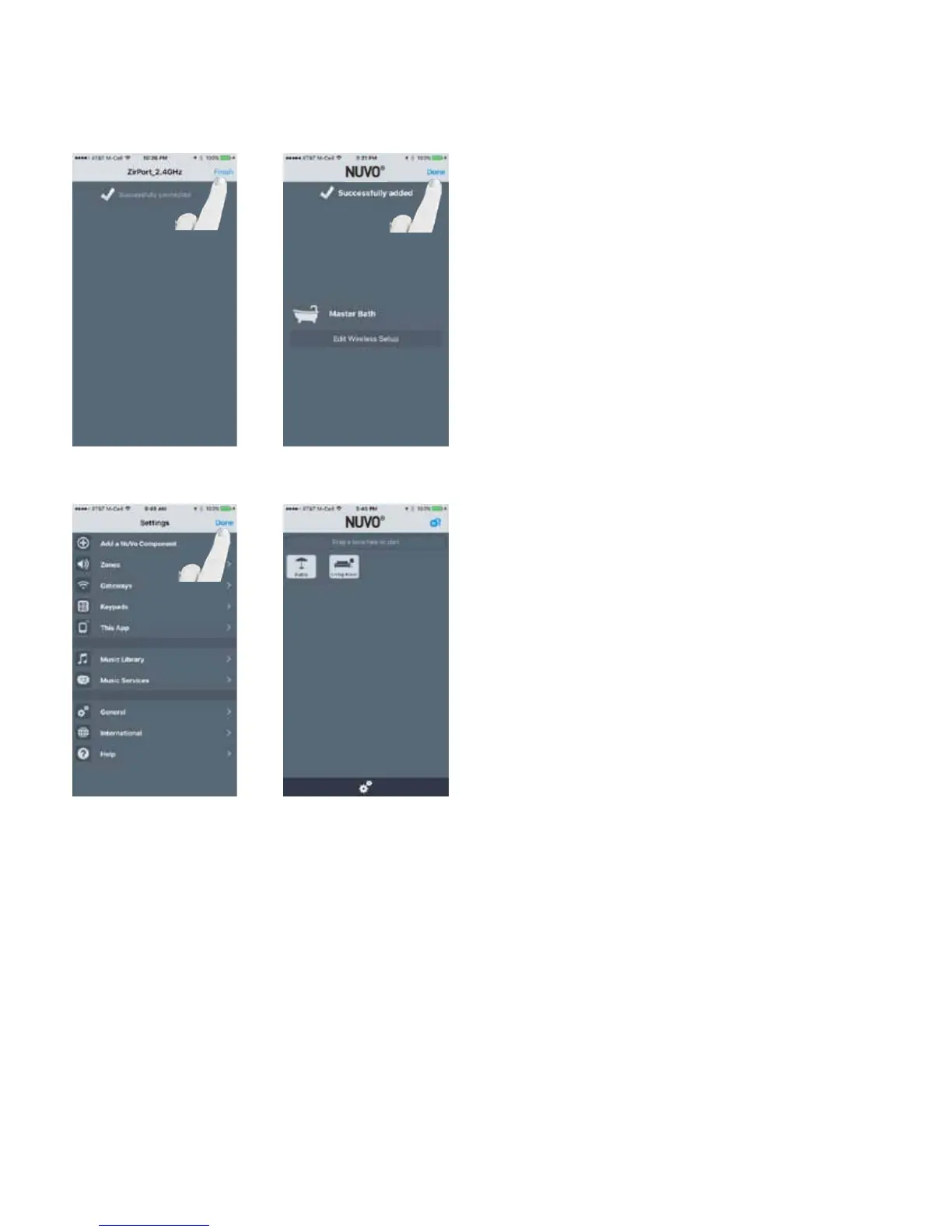
Fig. 61
Once successfully connected, select “Finish.” The app will
show “Successfully added.” Select “Done” and the app will
return to the settings menu. If the wireless credentials need
to be modified, select “Edit Wireless Setup” and follow the
steps. (Fig. 61, Fig. 62)
Fig. 62
Fig. 63 Fig. 64
If no other zones are to be added, select “Done” to be re-
turned to the Settings and Home screens. (Fig. 63, Fig. 64)
26



 To Next Page