NUVO
®
The Music Share Software allows music content from either shared network locations, or libraries contained on personal
computers, to be streamed from any zone in the sys tem.
1. From your computer, go to http://www.legrand.us/resources-and-downloads/software-downloads to download the
music share software.
2. Follow the prompts for installing the software.
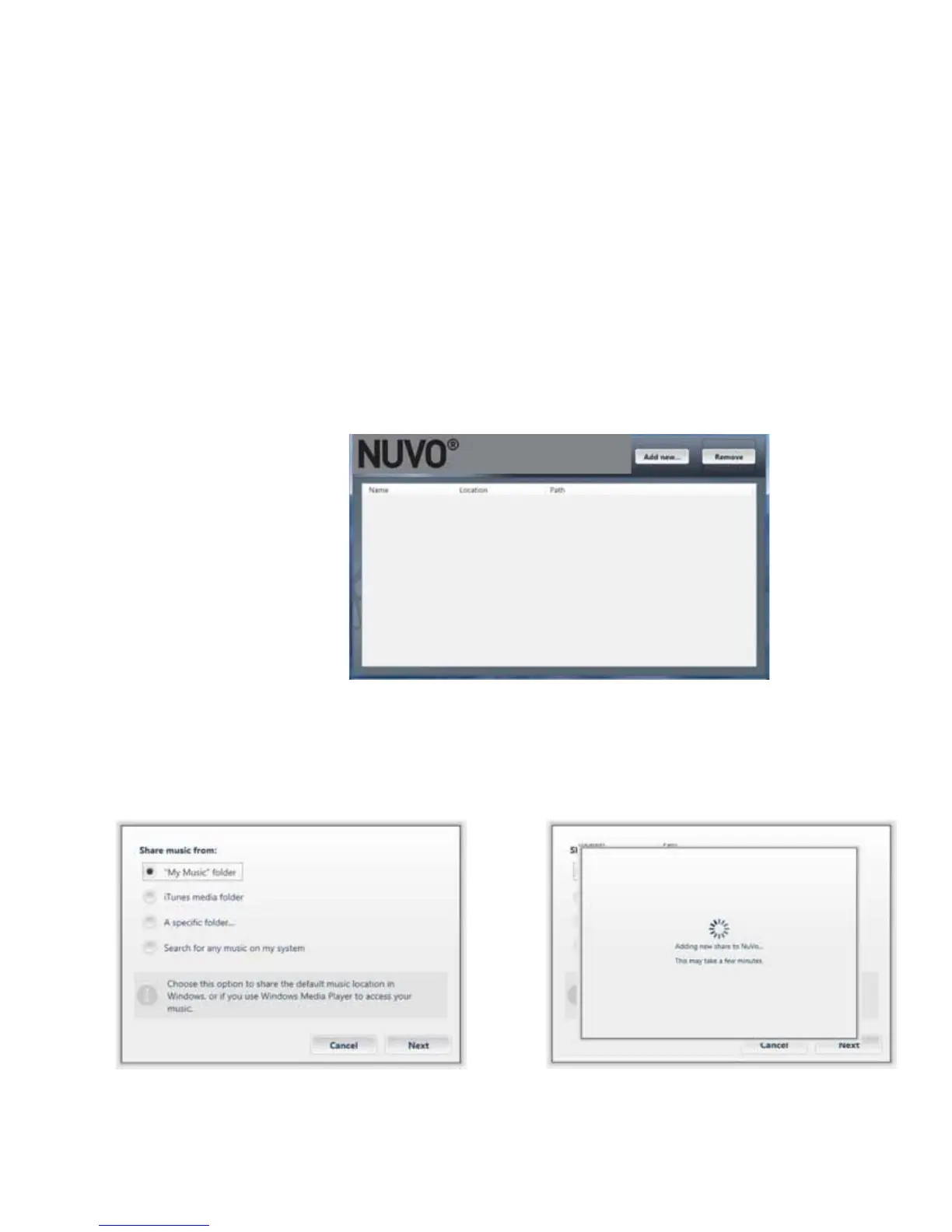
3. When the software is opened, it will connect to the network and display a blank music share page, as shown in
Fig. 156.
4. Click on the “Add new” button at the top of the window. The music share choices will open in the next window, as
shown in Fig.157. “My Music” folder is the default location for Windows Media Player libraries. If your music is stored
on a Mac computer, or your preferred music library software is in iTunes, then select “iTunes media folder.”When a
selection is made, you will see a progress window, as shown in Fig.158.
Fig. 156
Fig. 157 Fig. 158
5.0 The Music Share Software
47



 To Next Page