NUVO
®
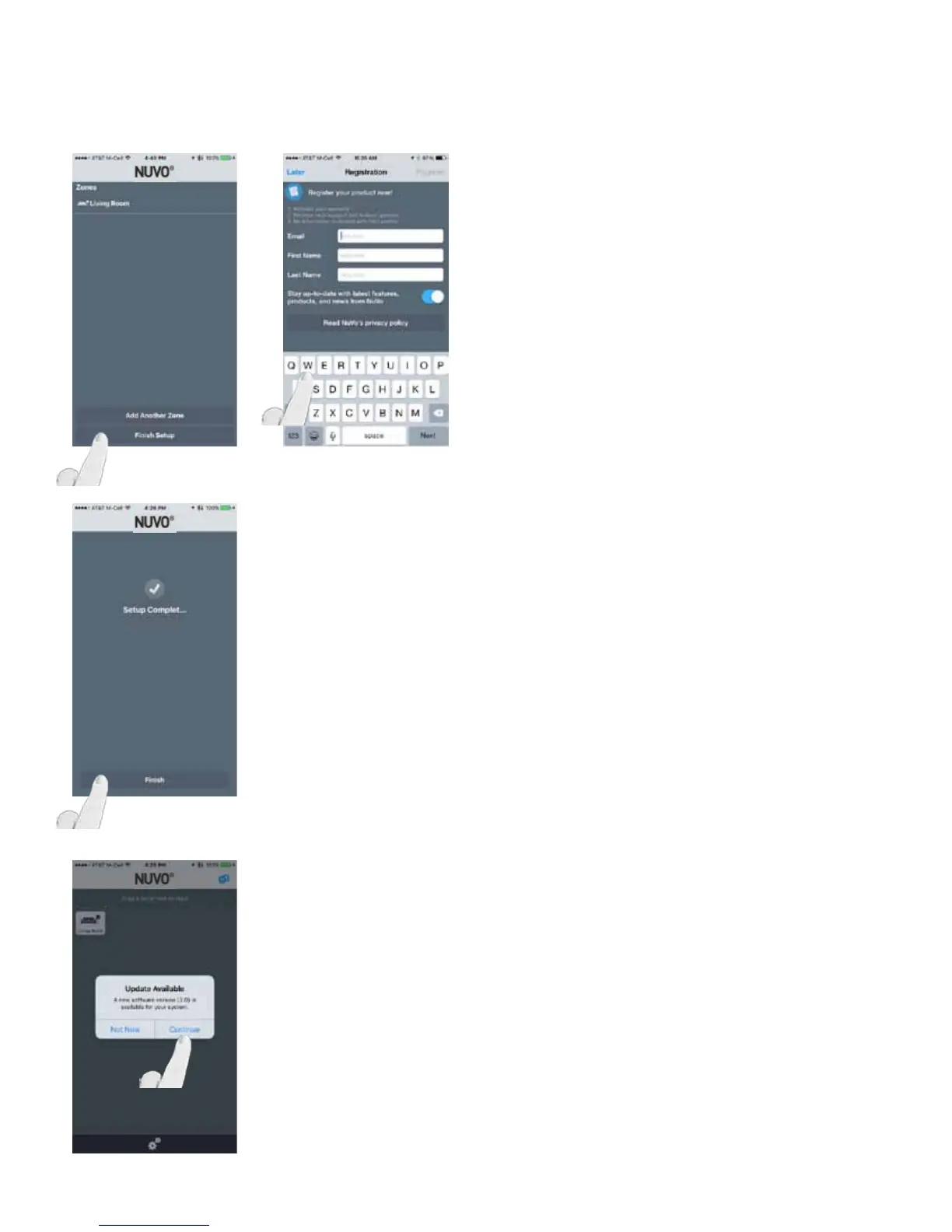
Fig. 43
If adding another zone, select “Add Another Zone” and follow
the steps. (Fig. 43, Fig. 44)
Once finished adding all desired zones, select “Finish Setup”
and complete the registration, or select “Later.”
Fig. 45
Once registration is complete, and “Registration Complete!”
is displayed, select “Done” and the app will jump to the
Setup Complete screen. (Fig. 45)
NOTE: A software update may be necessary for any Nuvo
components. If prompted with an update, select “Continue”
to update the firmware. (Fig. 46)
Fig. 44
Fig. 46
22



 To Next Page