NUVO
®
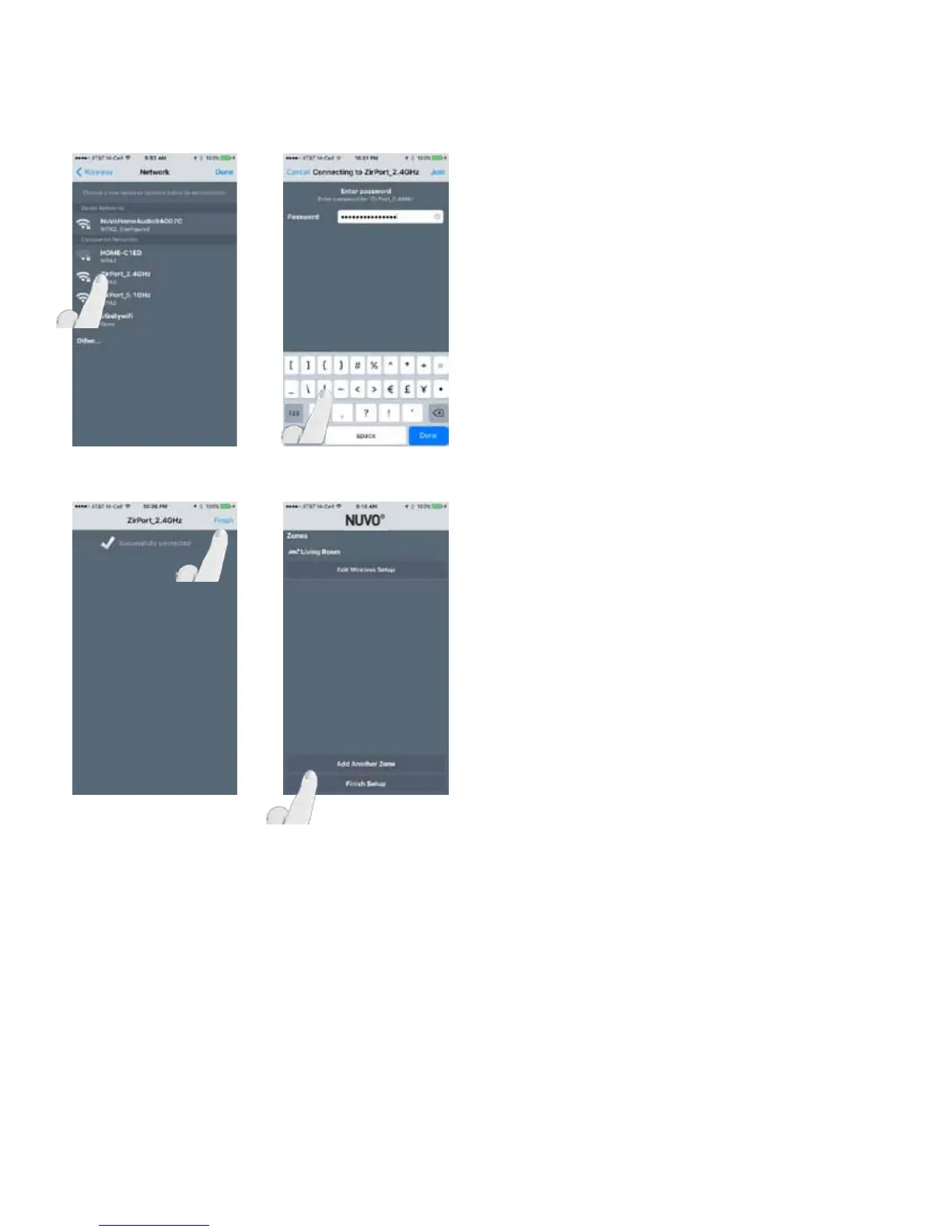
Select the network that the app is currently on, enter the
password and select “Join.” Fig. 88, Fig. 89 )
Select “Finish” and repeat the steps for any additional wire-
less zones you wish to switch from the Nuvo Gateway to your
home’s wireless network. (Fig. 90, Fig. 91)
NOTE: If another component has already been configured
onto a wireless network, the network will appear under
“Saved Networks” at the top of the page. Selecting this
network will automatically enter stored credentials for this
network. If another network is desired, select one of the
“Discovered Networks” and follow steps found in section 2.1
of this manual: Setting up a new Wireless System Without a
Nuvo NV-GW100-XX Gateway.
Fig. 89
Fig. 90 Fig. 91
Fig. 88
32



 To Next Page