10 | nuwavenow.com
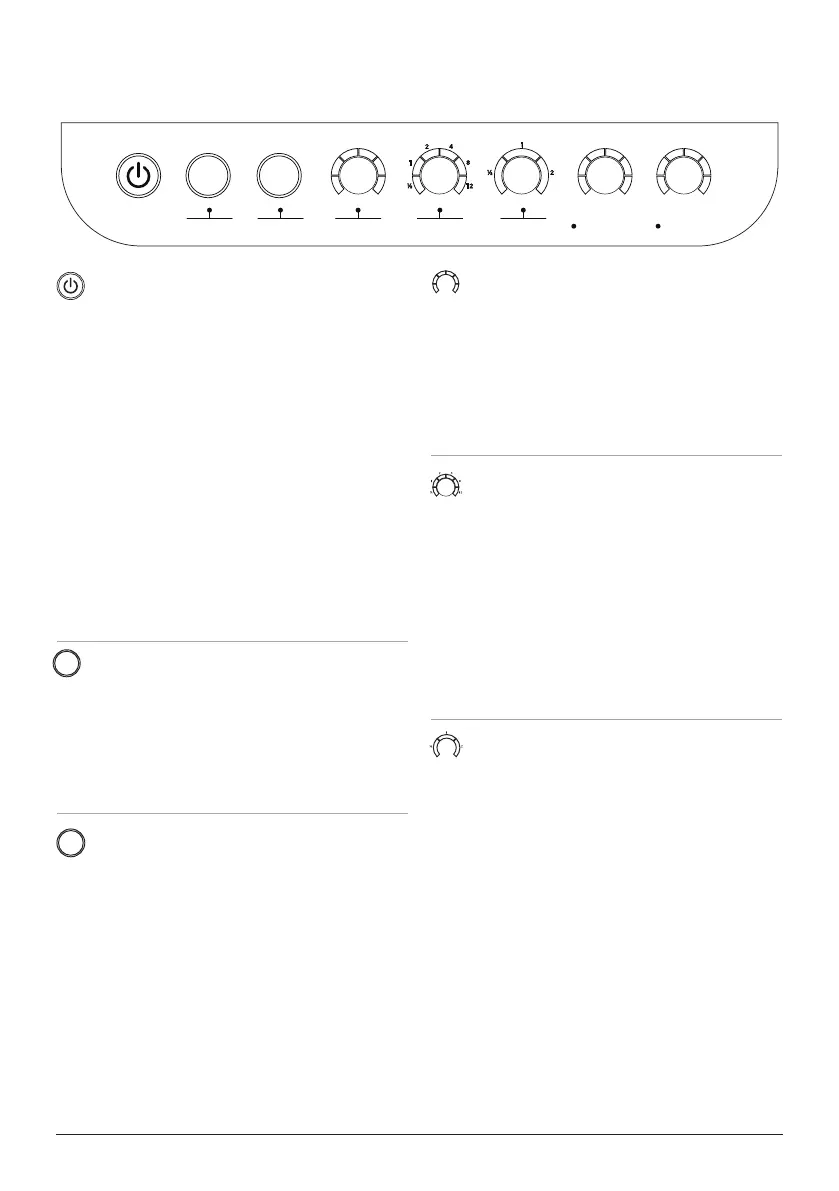
TIMER
Allows you to choose the Oxypure’s duration
of operation from ½ hour, 1, 2, 4, 8, or 12
hours by setting a countdown timer to shut
off the Oxypure or end the current function.
1. Press TIMER. The bar next to ½ hour will
be lit. After pressing timer six times, all
bars will be lit.
2. Press TIMER once more to turn the
TIMER off.
TURBO
Allows you to operate the Oxypure at the
highest fan speed 6 to clean the air for a
selected duration of time from ½ hour, 1,
or 2 hours. To add more time press Timer.
(Cannot run with Fan Speed).
1. Press TURBO to select and set the dura-
tion of operation to ½ hour, 1, or 2 hours.
When the selected time has nished,
TURBO will shut off automatically.
2. To exit TURBO mode, press TURBO until
no bars are lit.
OPERATING THE OXYPURE
OPERATING BUTTONS
POWER ON/OFF
1. Plug your OxyPure into an outlet. The
POWER button will be lit red for standby
mode.
2. Press POWER. The OxyPure will turn on
and the POWER button will be lit green.
3. Each bar around AIR and ODOR will
illuminate, this is measuring current air
quality while the fan is on.
4. Press POWER again to turn the OxyPure
off.
• When you select a different mode other
than the default AUTO before turning
off, the OxyPure will run the previously
selected mode when it is powered back
on.
AUTO
Allows your OxyPure to adjust the fan speed
automatically (No time limit, cannot run with
Fan Speed and Ultimate Clean).
1. Press AUTO. The AUTO light will be lit.
2. Press AUTO again to turn off function.
ULTIMATE CLEAN
Allows your Oxypure to automatically adjust
to the highest fan speed based on your air
quality. (No time limit, cannot run with Auto).
1. Press ULTIMATE CLEAN. The ULTI-
MATE CLEAN light will be lit green.
2. Press ULTIMATE CLEAN again to turn
it off.
FAN SPEED
Allows you to adjust the Oxypure’s fan
speed to 6 different speeds (LOW to HIGH).
(Cannot run with Auto and Turbo).
1. Press FAN SPEED to adjust.
2. To go back to the lowest fan speed, press
FAN SPEED until the rst green bar is lit.
ULTIMATE
CLEAN
AUTO
FAN
SPEED
HIGHLOW
TIMER
HR
TURBO
HR
ODOR
NO
ODOR
STRONG
ODOR
CLEAN FILTER 2/3
AIR
SLEEP MODE
AUTO
ULTIMATE
CLEAN
FAN
SPEED
TIMER TURBO
HR CLEAN DIRTYHRHIGHLOW
WIFI
ECO MODE
WIFI
RESET FILTER MUTE
OXY 350 BIO
date name rev #
09/27/23
350BIO
control panel
2
JO
CONTROL PANEL










 To Next Page