14 | nVent.com
SECTION 3—OPERATOR CONSOLE AND OPERATION
3.1 ALPHANUMERIC DISPLAY
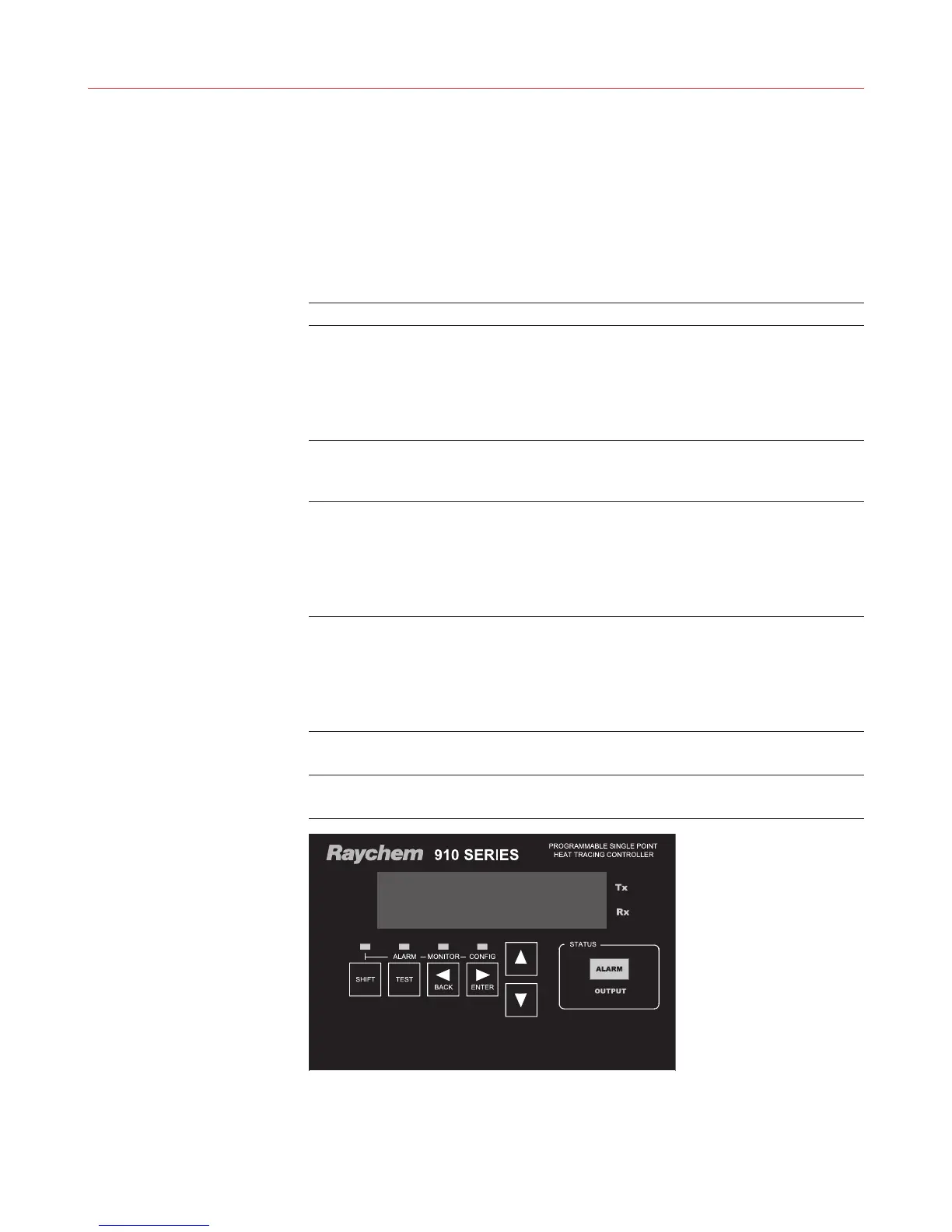
The console incorporates a six character, fourteen segment plus decimal LED display.
Messages and prompts that are greater than six characters long are scrolled, allowing more
meaningful, non-cryptic messages to be used.
3.2 KEYPAD
The local keypad consists of six keys that allow you to select the console mode function that
you are interested in. For certain keys, the SHIFT key selects an alternate function, as shown by
the text above that key.
Key Function
SHIFT • Press to activate a SHIFTed function; the next key pressed
uses the alternate (shifted) function
• The SHIFT LED illuminates, indicating the next key uses
thealternate (shifted) function
• Pressing SHIFT again cancels the alternate
(shifted) function
TEST [shift ALARM] • Turns on tracing for 30 seconds
• When prefixed by the SHIFT key, this key switches the
console to the Alarm mode
◃ BACK [shift MONITOR]
• Exits the current menu (or cancels the new setting when
editing aparameter)
• Moves the cursor to the left when editing an
alphanumeric parameter
• When prefixed by the SHIFT key, this key switches the
console to the Monitor mode
▹ ENTER [shift CONFIG] • Selects the item in the display (or accepts the setting when
editing a parameter)
• Moves the cursor to the right when editing an alphanumeric
parameter
• When prefixed by the SHIFT key, this key switches the
console to the Configure mode
▵
• Moves to the previous item in a menu
• Increments the value when editing
▿
• Moves to the next item in a menu
• Decrements the value when editing


 To Next Page