The NXP EasyEVSE EV Charging Station Development Platform is a comprehensive development platform designed to simulate an electric vehicle (EV) charging station. It offers a secure and mutually authenticated connection with Microsoft Azure IoT Central, enabling developers to build and test EV charging solutions.
Function Description
The EasyEVSE platform allows for the development and operation of a simulated EV charging station. It integrates several key components to provide a full-featured experience:
- Host Controller: An i.MX RT106x cross-over MCU acts as the central processing unit, managing communication between various blocks and supporting the graphical user interface (GUI).
- Metering: A KM3x metering MCU simulates the instantaneous current injected into the vehicle and its charging state. It processes simulated electrical mains cycle data to calculate RMS current and associated power measurements.
- Security: An SE050 secure element is included for safely storing EasyEVSE credentials and accelerating security operations, particularly for Azure IoT cloud connectivity. While not fully implemented in the initial simplified setup for ease of use, it is provisioned and utilized in the full EV Charging Station Development Platform User Manual for enhanced security.
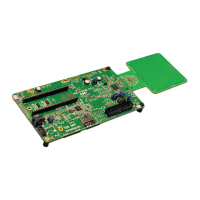
- NFC Connectivity: A CLRC663 NFC frontend allows the platform to read the Unique Identification (UID) of NFC devices, such as MIFARE cards, for authentication and identification purposes.
- IoT Connectivity: Microsoft Azure IoT Central serves as the cloud platform, receiving, storing, and displaying telemetry data from the EasyEVSE. It provides a dashboard for monitoring and managing the charging station, allowing real-time modification of properties like energy delivered and tariff cost.
The platform supports both group and individual enrollments for device registration with Azure IoT Central's Device Provisioning Service (DPS). For simplicity in the initial setup, a Shared Access Signature (SAS) attestation and authentication scheme is used, with symmetric keys stored directly in the i.MX RT106x flash.
Important Technical Specifications
The EasyEVSE platform requires specific hardware components for assembly and operation:
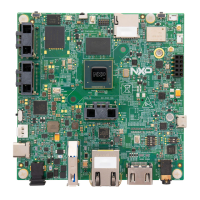
- Host Controller: i.MX RT1060 or i.MX RT1064 EVK.
- Security Element: Edge lock SE050 development board.
- Metering Board: TWR-KM35Z75M, TWR-KM34Z75M, or TWR-KM34Z50M board.
- NFC Frontend: CLEV6630ARD (CLRC663 plus Arduino interface board).
- Display: RK043FN02H-CT 4.3-inch TFT 480x272 LCD.
- Connectivity: RJ45 Ethernet UTP cable for internet connection.
- Interconnections: 2.54-mm jumper cables (3-pin male-to-female and independent male-to-male) for UART interface, IRQ, and nPDOWN pin re-mapping.
Software requirements include:
- Operating System: Microsoft Windows 10 OS (tested).
- IDE: MCUXpresso Integrated Development Environment (IDE) for editing, building, and programming sample projects.
- Sample Projects: Meter project (KM3x) and Host project (i.MX RT106x).
- SDKs: i.MX RT106x EVK MCUXpresso SDK and TWR-KM3x board MCUXpresso SDK, downloadable from MCUXpresso SDK Builder.
- Azure IoT Central Templates: EasyEVSE application template and NXP IoT Central Image.
Usage Features
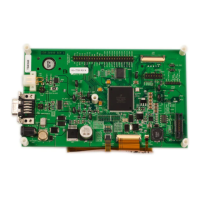
- Graphical User Interface (GUI): The i.MX RT106x host controller supports a GUI interface on the 4.3-inch TFT LCD, allowing users to monitor and manage the EasyEVSE. The GUI displays charging state, power rate, authentication status, charge cost, EVSE ID, grid limit, temperature, and time to charge.
- Interactive Metering: Users can interact with the meter block by rotating a potentiometer to change the simulated instantaneous current drawn by the vehicle. SW1 cycles through charging states (indicated by a single digit and LEDs), while SW2 simulates error and unknown error states, affecting the LDC indicator and LED colors.
- NFC Device Interaction: The NFC block reads UIDs from NFC devices like MIFARE cards. The vehicle menu in the GUI displays the latest UID read, and the terminal provides detailed card/tag information.
- Cloud Dashboard Integration: The Azure IoT Central dashboard provides a comprehensive view of the EVSE's telemetry and properties. Users can:
- Monitor Telemetry: View RMS current, RMS voltage, power, temperature, and battery percentage in real-time graphs.
- Update Properties: Modify EVSE properties such as Grid Power Limit, Tariff Cost, and Tariff Rate through the "Properties" tab.
- Send Commands: Send commands to the EVSE, such as "Terminate Charge Cycle," from the "Command" tab.
- Visualize Raw Data: Access raw telemetry data for detailed analysis.
- Custom Dashboard Image: Customize the IoT Central dashboard with a custom image for better visualization.
- Serial Terminal Logging: The platform outputs log messages over a serial terminal, enabling monitoring of boot, registration, and operational activities for debugging purposes.
Maintenance Features
- Hardware Setup and Wiring: The user guide provides detailed instructions for assembling and wiring the various boards, including:
- i.MX RT106x Setup: Ensuring correct installation of SPI links (R278, R279, R280, R281) for communication with the Arduino pin header.
- LCD Panel Mounting: Instructions for securely attaching and testing the LCD panel using double-sided foam tape and connecting LCD cables.
- TWR-KM3x Board Programming: Steps for importing, building, and flashing the Meter project onto the TWR-KM3x board.
- OM-SE050ARD Setup: Jumper settings (J6, J7, J37, J38) to prepare the secure element board, preventing interference and enabling high-speed I2C mode.
- CLEV6630ARD Setup: Instructions for cutting and removing specific pins (J11 P1, J12 P8, J12 P6) and wiring jumper cables (J6 P5 to J7 P16, J6 P6 to J7 P14) to ensure compatibility and proper CLRC6630 IC operation.
- NFC Functionality Enablement: Steps to enable NFC functionality in the host project by setting
CLEV663_ENABLE=1 in the preprocessor settings.
- Board Assembly: Detailed guidance on stacking the CLRC6630ARD on top of the OM-SE050 and then mounting them onto the i.MX RT106 EVK. Wiring instructions for connecting the TWR-KM3x to the i.MX RT106x through NFC board headers are also provided.
- Software Installation and Configuration: The manual guides users through downloading and installing the MCUXpresso IDE and SDKs, importing sample projects, and configuring the EVSE "config.h" source code with device IDs, ID scope, and symmetric keys for Azure IoT Central registration.
- Troubleshooting: The guide offers troubleshooting tips for connection failures, such as checking Ethernet cable connectivity and verifying configuration settings in "EVSE_config.h". It also explains how to migrate a newly created device to the EasyEVSE Dashboard for proper visualization of properties and telemetry.
- Firmware Updates: The platform allows for updating EVSE properties and firmware versions through the Azure IoT Central dashboard, ensuring the system can be kept up-to-date.

 Need help?
 General


 To Next Page