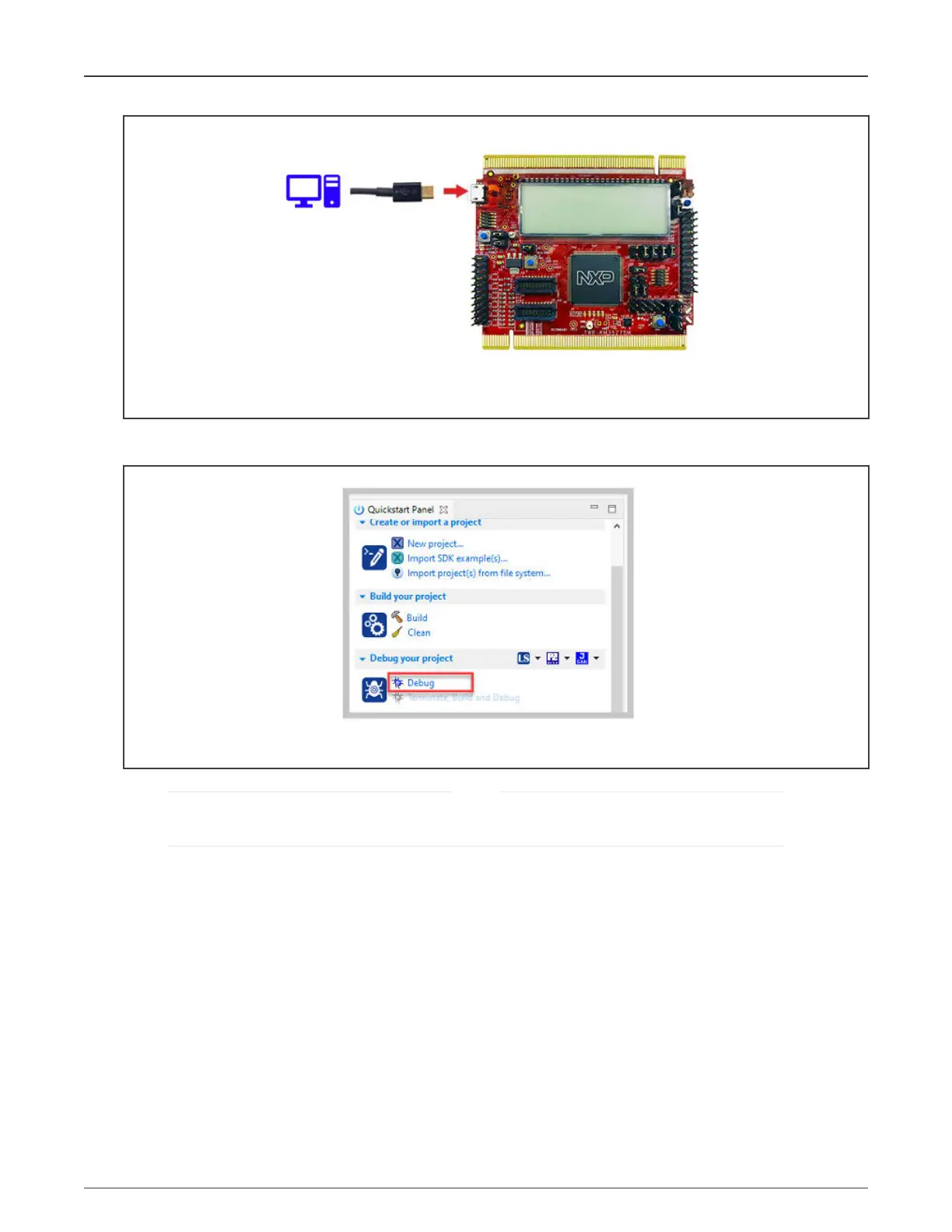
Figure 49. Connecting TWR-KM35Z75 debug port
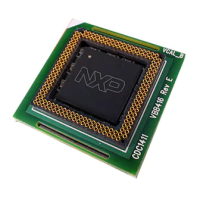
4. In the "Quickstart" panel of MCUXpresso, click "Debug" to initiate the debug session and program the project into the
board.
Figure 50. Initiating a debug session for the KM3x EVSE project
If you are using the board for the first time or if you have problems to initiate a debug session, see the board user
guide at www.nxp.com.
NOTE
5. When you successfully launched a debug session, it means that the Meter project is flashed to the board. Proceed to
terminate the current debug session.
NXP Semiconductors
Board setup, wiring, and assembly
NXP EasyEVSE EV Charging Station Development Platform User Guide, Rev. 0, 18 March 2022
User Guide 37 / 64



 To Next Page