A.2 Downloading and installing MCUXpresso IDE in Windows 10
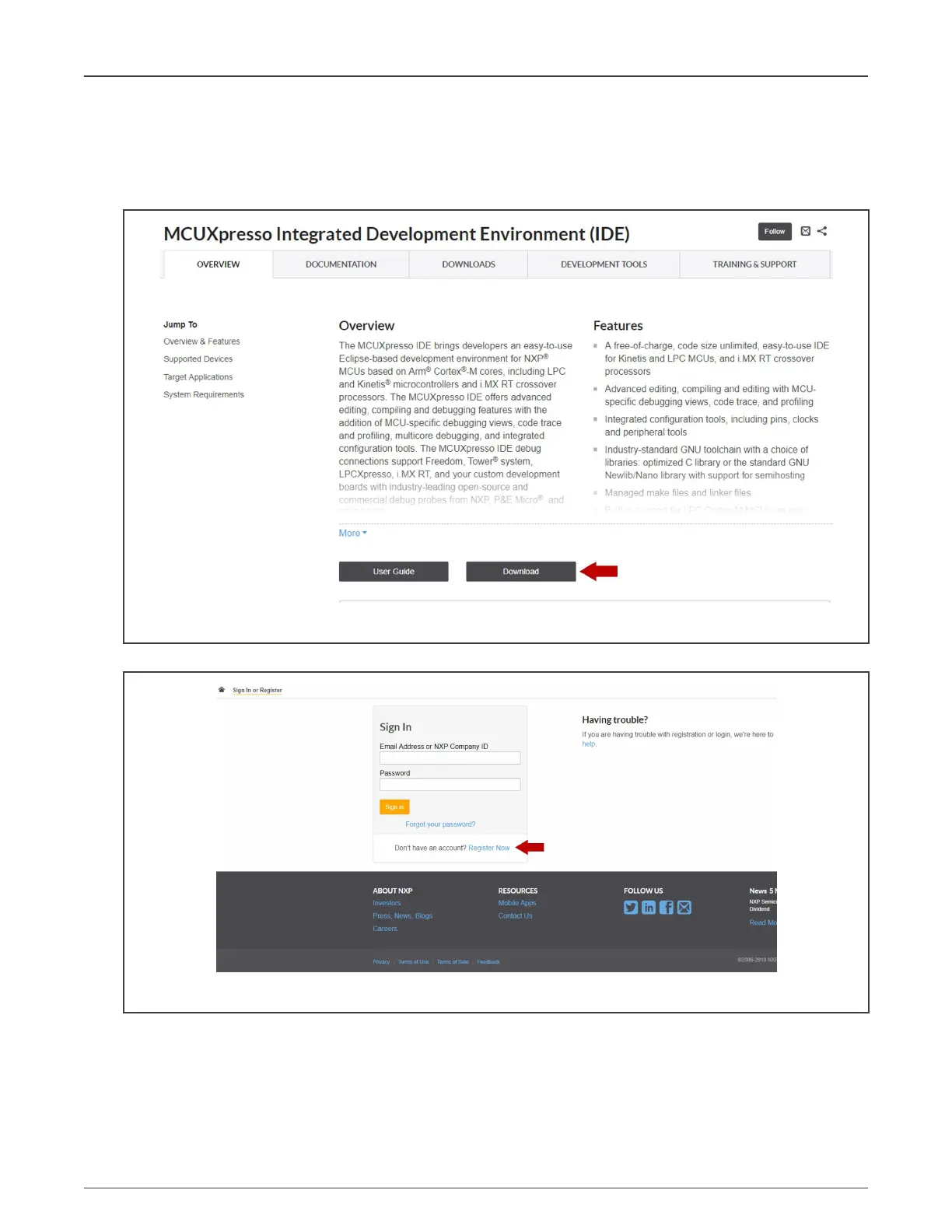
MCUXpresso is a free-of-charge, code-size-unlimited, and easy-to-use IDE for Kinetis and LPC MCUs and i.MX RT crossover
processors. To install it, perform the following steps:
1. Go to MCUXpresso and click the download button:
Figure 77. Download button
2. You will be asked to sign in with your account at the NXP website. If you do not have an account, click "Register Now":
Figure 78. Creating an account
3. If you already have an account, you can directly type your email address (1), password (2), and click the "Sign-in"
button (3):
NXP Semiconductors
Appendix
NXP EasyEVSE EV Charging Station Development Platform User Guide, Rev. 0, 18 March 2022
User Guide 56 / 64




 To Next Page