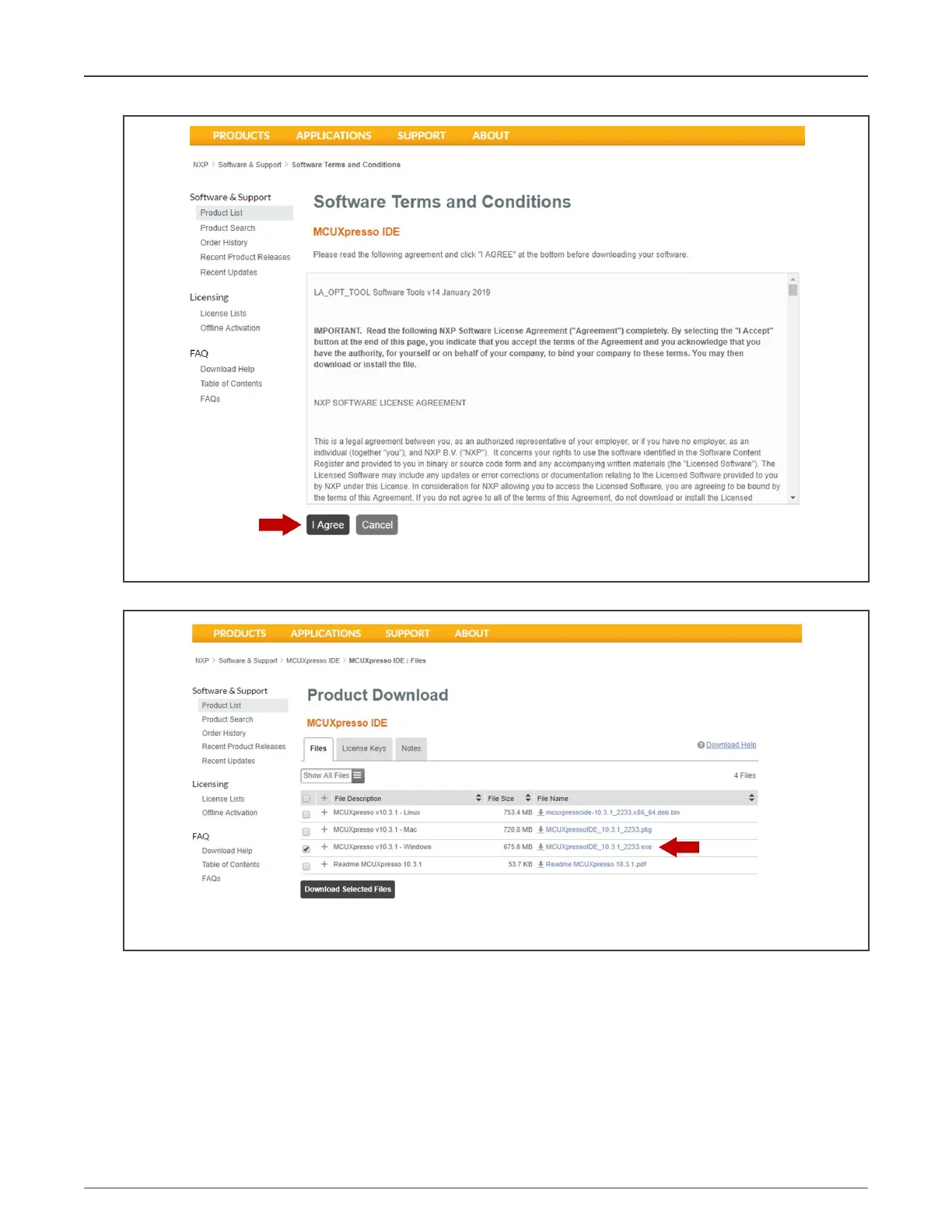
Figure 81. Terms and conditions
6. Select your MCUXpresso product version and click the corresponding "File Name" to start the download:
Figure 82. Starting the download
7. Double-click the installer file and follow the setup wizard until the MCUXpresso IDE installation is completed. Allow the
installation of the additional drivers required by the MCUXpresso IDE during the installation process:
NXP Semiconductors
Appendix
NXP EasyEVSE EV Charging Station Development Platform User Guide, Rev. 0, 18 March 2022
User Guide 58 / 64



 To Next Page