37
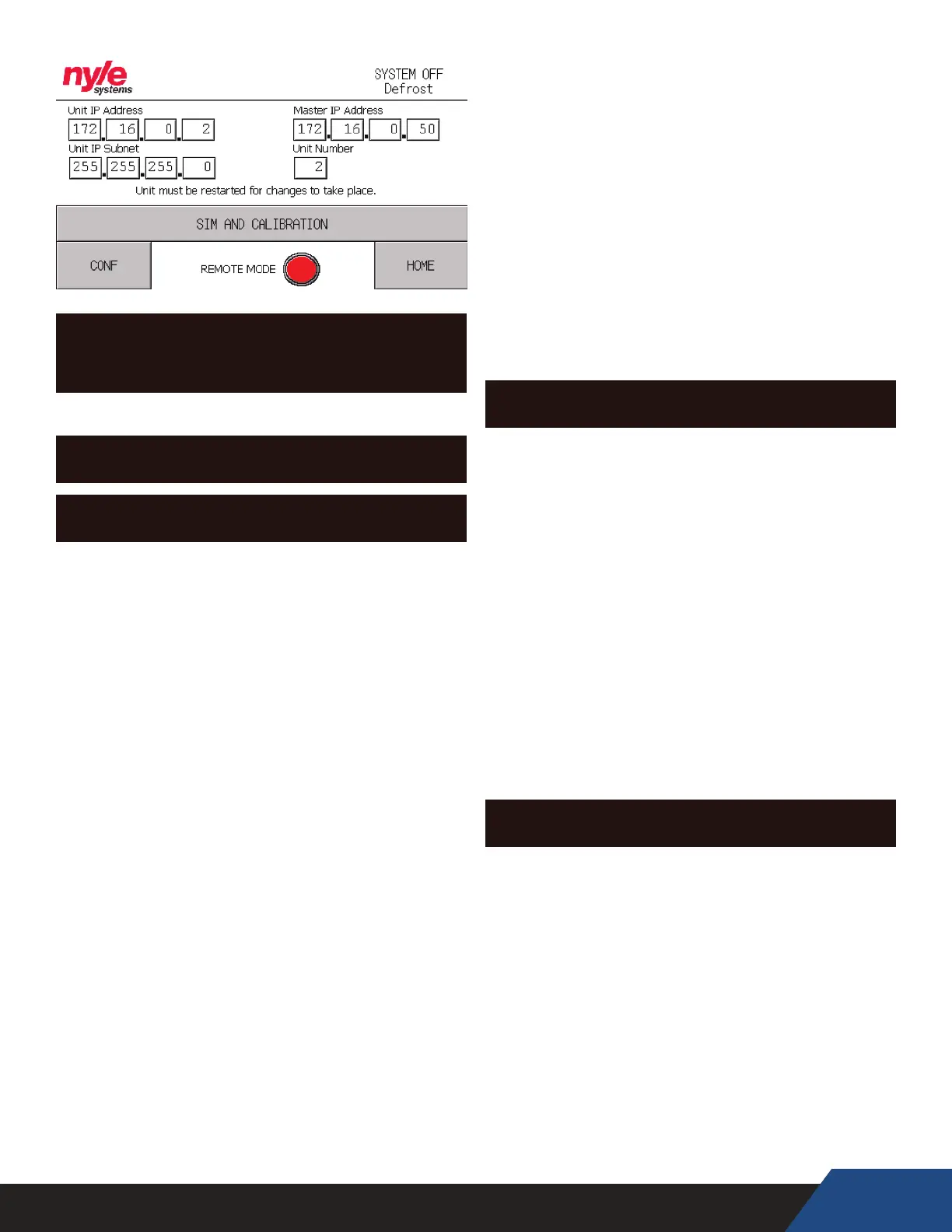
SINGLE UNIT IP ADDRESS CONFIGURATION
SCREEN (FOR USE CONTACT NYLE)
TERMINOLOGY
HOME SCREEN
“LP” – Low Pressure: indicates the suction line pressure
on the low side of the system
“HP” – High Pressure: indicates the discharge line
pressure on the high side of the system
“LLSV” – Liquid Line Solenoid Valve: indicates the
position of the LLSV (open or closed)
“Comp” – Compressor: indicates the status of the
compressor (on or o)
“Blower” – Blower Overload Status: indicates if the
blower motor starter is tripped on an Air to Water
HPWH
“TempSet” – Tank Temperature Setpoint: indicates
the desired tank temperature to be maintained
“CondFlow” – Condenser Flow: indicates if there is
water owing through the condenser
“Cond” – Condenser Temperature: indicates the
leaving water temperature from the condenser
“SLT” – Suction Line Temperature: indicates the
suction line temperature of the unit right before the
compressor
“Evap1” – Evaporator 1: indicates the evaporator
temperature of the rst evaporator
“Evap2” – Evaporator 2: indicates the evaporator
temperature of the second evaporator (only the
C250A Air to Water HPWH has two evaporators)
“CTD” – Compressor Time Delay: indicates remaining
time in compressor delay countdown
“PTD” – Pump Time Delay: indicates remaining time
in pump countdown, when the count down starts the
pump turns on
Remote Mode Indicator – indicates if this unit is
connected to a master panel via ethernet, if it isn’t
then it will display a start button
Alarm Indicator – indicates if there is a system alarm,
click on the button to see which alarm is currently
triggered
Defrost Indicator – indicates if the unit is in a defrost
cycle (in a defrost cycle the compressor shuts o and
lets the fans run to warm up the evaporator)
CONFIGURATION SCREEN
“TempDi” – Temperature Dierence: sets the
temperature dierence below setpoint where the
unit will turn on (only available if the unit isn’t in
remote mode)
“CondFlow” – Condenser Flow: indicates the owrate
through the condenser (based on frequency read by
PLC through integrated paddle wheel ow sensor)
“Low Limit” – Sets the lowest ow rate limit that
the unit will shut o at (enabled for Single-Pass
applications only), press the save button to save the
lower limit in a Single-Pass conguration
“Comp HRS” – Compressor Hours: indicates the run
hours of the compressor
“Purge” button – this button will run the pump
relay for 2 minutes to allow you to purge the system
without turning on the units
ALARM SCREEN
“HIGH PRESSURE” – indicates if the unit has alarmed
out on high pressure
“LOW PRESSURE” – indicates if the unit has alarmed
out on low pressure
“SHORT CYCLE” – indicates if the unit has been short
cycling
“OUTLET FLOW” – indicates if the unit has alarmed
out on condenser water ow
“BLOWER” – indicates if the blower motor starter as
tripped
“M PROTECTION” – indicates if the unit has alarmed
out on motor protection


 To Next Page