38
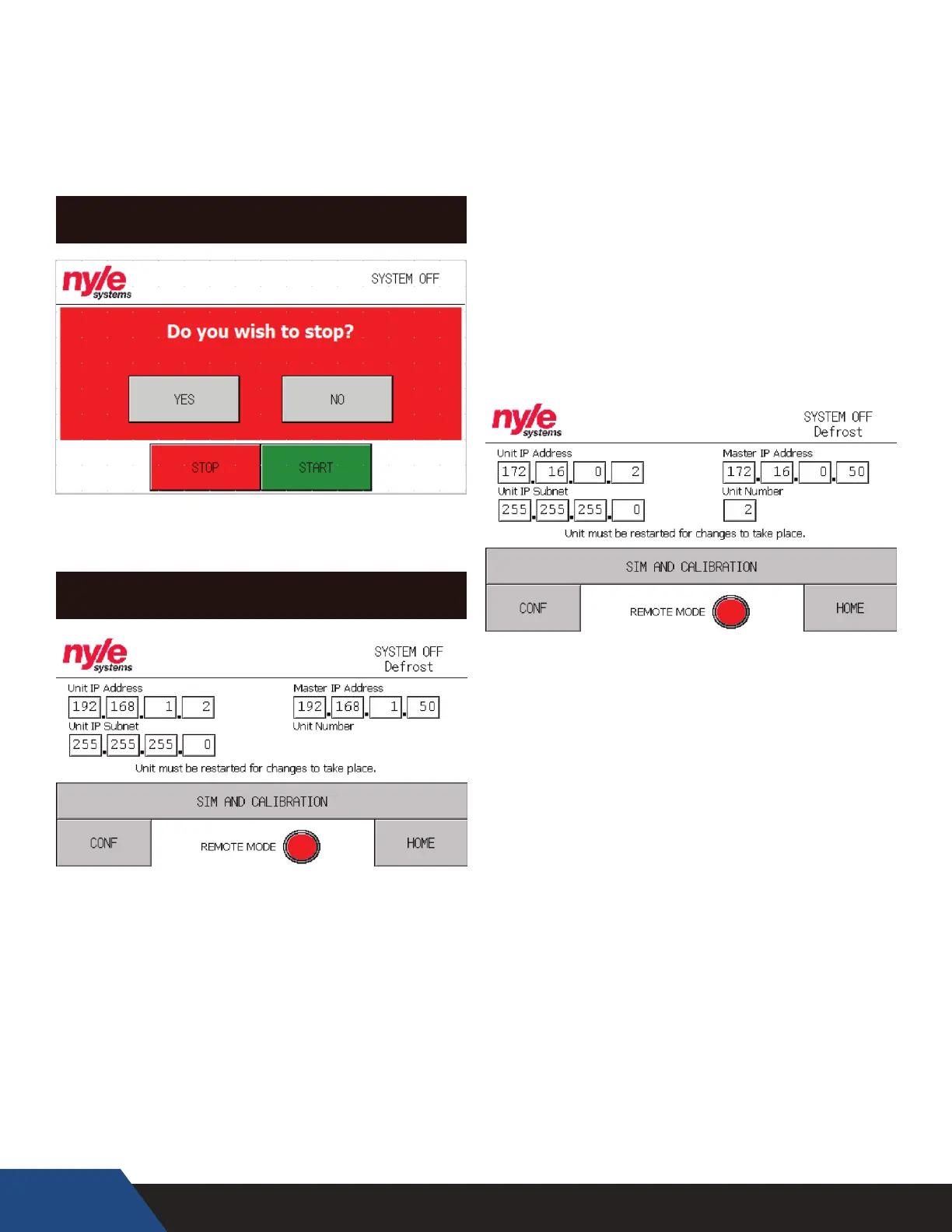
STOP SCREEN
The stop screen will pop up as a conrmation
whenever the “STOP” button on any screen is pressed.
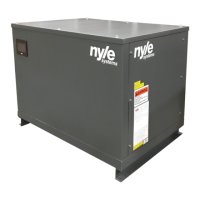
IP CONFIGURATION
New Nyle units can be congured for a variety of
dierent networks on the y and the procedure is
quick and easy to accomplish.
1. Connect the Sim/Conguration Jumper to your
Nyle Systems C250 Unit you would like to congure.
2. Navigate to the “Diag” button in the bottom right
corner of your screen and select “IP Conguration”
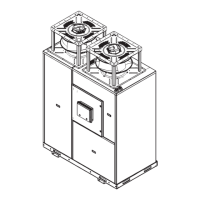
Unit IP Address – This IP address is the designation for
the unit itself, Nyle recommends running the system
on factory settings (ex. 192.168.1.(“Unit Number” AKA
1))
Unit IP Subnet – This number is used to determine
the size of the network the unit is connecting to. (ex.
255.255.255.0)
Master IP Address – This is the address of the Nyle
Systems Master Panel (ex. 192.168.1.50)
Unit Number – Only used for custom network
congurations, this congures your Nyle unit to
connect to a Master Panel under a desired number.
“ESTOP” – indicates if the unit has alarmed out
because an Estop has been pressed
“FAILOVER 1” – indicates if the unit’s temperature
probe has failed
“OIL PRESSURE” – indicates if the unit has alarmed
out on oil pressure


 To Next Page