Page 8 of 22
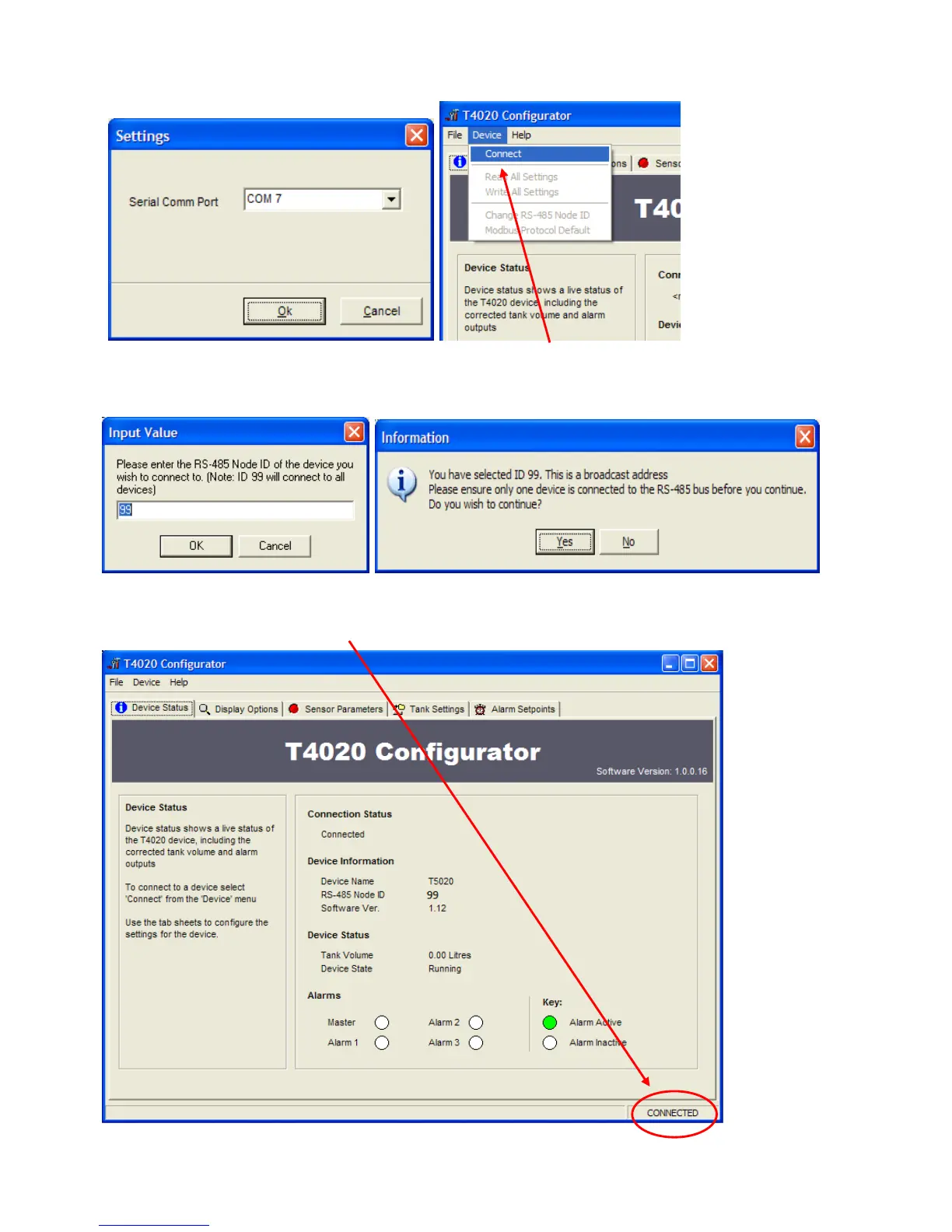
This will open the Settings screen (Shown Below). Select from the drop down menu the Com Port number (as
shown in the device manager) and click OK.
Next step, click the Device tab at the top of the screen and click Connect.
A pop up screen, Input Value will show, click on OK.
99 is a global address which will work if only have one gauge connected.
Click on Yes on the Information screen.
Now the software will connect and “talk” to the unit, as shown in the bottom left of the configuration screen.
When the unit has connected, it will show CONNECTED in the bottom right of the Configuration screen.


 To Next Page