
 Need help?
Do you have a question about the O.L.E. (UK) T4020 and is the answer not in the manual?
Crucial safety information to read before installation to prevent injury or equipment failure.
Company contact details including address, phone number, and email.
Explains how the digital tank gauge works, its features, accuracy, and capabilities.
Details on the unit's mounting points, their location, and the distance between them.
Wiring diagram and explanation for connecting temperature probes, high level, and bund sensors.
Wiring details for analog outputs (4-20mA), RS485/Modbus, and configurable alarm outputs.
Information on connecting power to the unit and a warning to double-check all connections.
Details on standard and legacy tank level probes, including their specifications and wire colors.
Steps to access Device Manager to identify the COM port for the USB programmer.
Instructions for opening and connecting to the T4020 Configuration Software.
Configuring the COM port and entering the RS-485 Node ID to establish communication.
Settings for the LCD display, including contrast, resolution, and screen damping.
Scaling sensor input range, setting minimum/maximum readings, and specific gravity.
Specifying tank type, dimensions, units, and 4-20mA output options.
Setting alarm directions, setpoints, and hysteresis for master and other alarms.
Reviewing programmed settings, serial number, safe working capacity, and saving configuration.
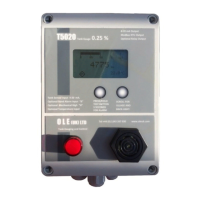
Identifies visual display, LED, alarm mute, scroll, and audible alarm components on the front panel.
Details connections for temperature, high level, and bund probes on the main board.
Describes power connections, 4-20mA output, RS485 connector, and alarm output terminals.
Wiring diagram for the temperature sensor input (TP).
Wiring diagram for the mechanical high or low alarm input (H).
Wiring diagram for the mechanical bund or water bottom alarm input (B).
Details for connecting mains power supply (24VDC or 100/240VAC) to the unit.
Explanation of passive and loop-powered analog output configurations.
Description of alarm output types, trigger points, and acknowledgment.
Details of Modbus holding registers for device configuration and monitoring (part 1).
Continued details of Modbus holding registers for device configuration (part 2).
Details of Modbus input registers for reading device status and measured values.
Details of Modbus discrete input registers for binary status information.
Details of Modbus coil registers used for controlling device functions.
Description of the Bund Probe, its construction, and connection requirements.
Description of the Water Sensor, its float mechanism, and connection requirements.
Description of the combined Water and Temperature Sensor and its connection.
Description of the Temperature Sensor, its range, and connection requirements.
Description of the R5 Relay Module, its outputs, and connection to the main board.
Troubleshooting steps if the siren does not sound when the test button is pressed.
Steps to diagnose why the high level alarm may not be sounding.
Common causes and solutions when the gauge displays a low reading.
Common causes and solutions when the gauge displays a high reading.
Steps to resolve issues where the display shows no readings or is blank.
Troubleshooting steps for when the gauge's litre readings are unstable or drifting.
Guidance for correcting gauge readings after replacing the sensor.
Troubleshooting steps for a display that shows corrupted or garbled pixels.
Common configuration errors leading to incorrect litre readings on new setups.
Explanation of how relay settings are displayed or not displayed on the unit screen.
Details on the trigger points for relays R4 and R5 and alarm acknowledgment.
Instructions on how to use the alarm test feature and mute the alarm.
Troubleshooting steps for problems connecting the gauge to a PC or laptop.
Reiterates setting sensor parameters correctly for accurate high/low readings.
Guidance on resetting alarm trigger points via laptop connection.
Troubleshooting low displayed litres potentially caused by input circuit damage.
Steps to troubleshoot issues with the Bund Alarm connection not operating.
Steps to troubleshoot issues with the H Alarm connection not operating.
 General
| Brand | O.L.E. (UK) |
|---|---|
| Model | T4020 |
| Category | Other |
| Language | English |

 To Next Page
