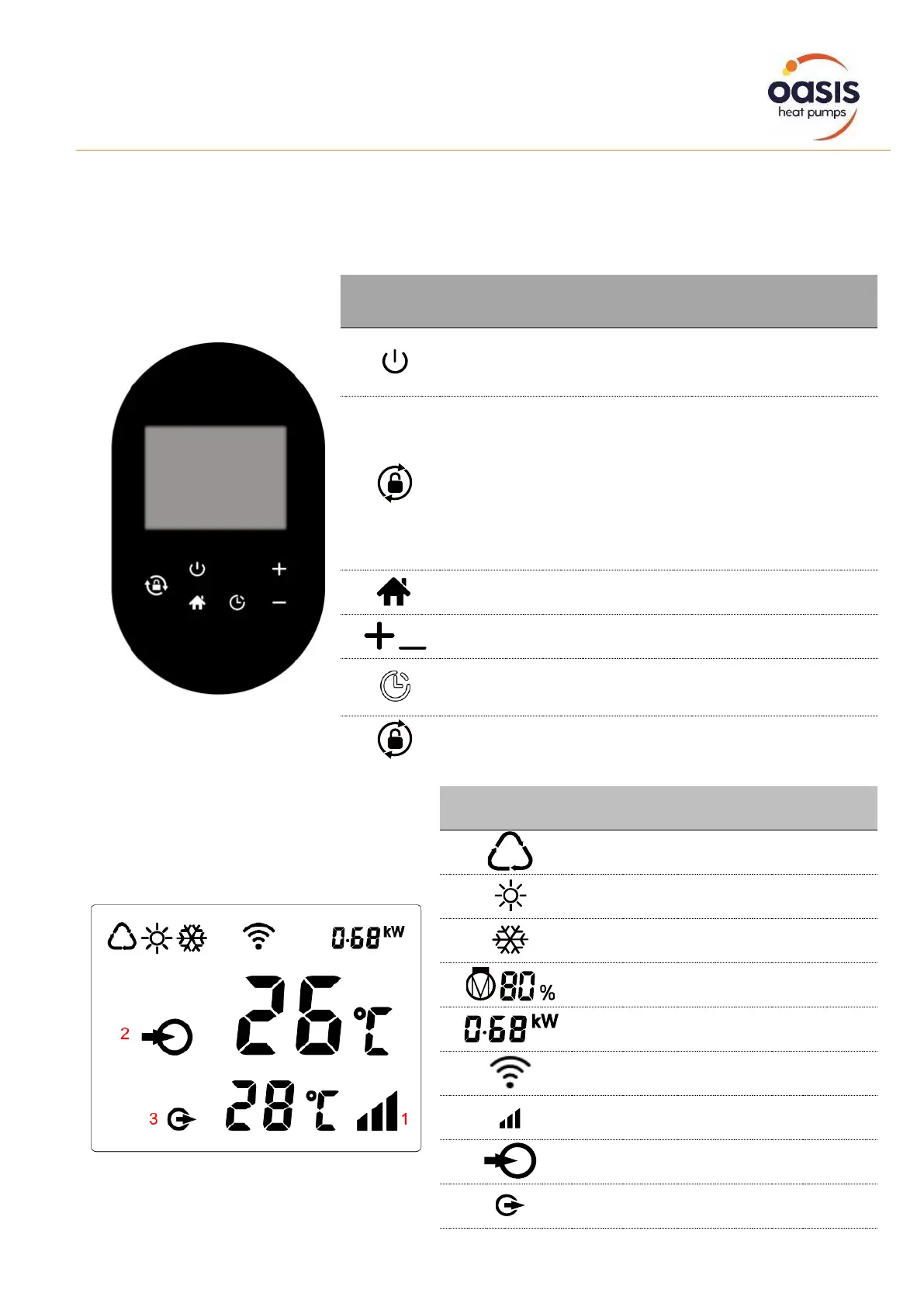
Main Controller Interface
The heat pump is equipped with a digital control panel with a touch screen, electronically connected
and pre-set at the factory in heating mode.
Power On/Off
Wi-Fi setting
Press it for 3 seconds to unlock/lock
screen
After screen is unlocked, press it to
select mode.
Auto 12~40°C / 54°F~104°F
Heating 18~40°C / 64°F~104°F
Cooling 12~30°C / 54°F~86°F
Select Turbo/Smart/Silence mode
will be light all the time when power is on
Heating capacity percentage
Real-time power consumption display


 To Next Page