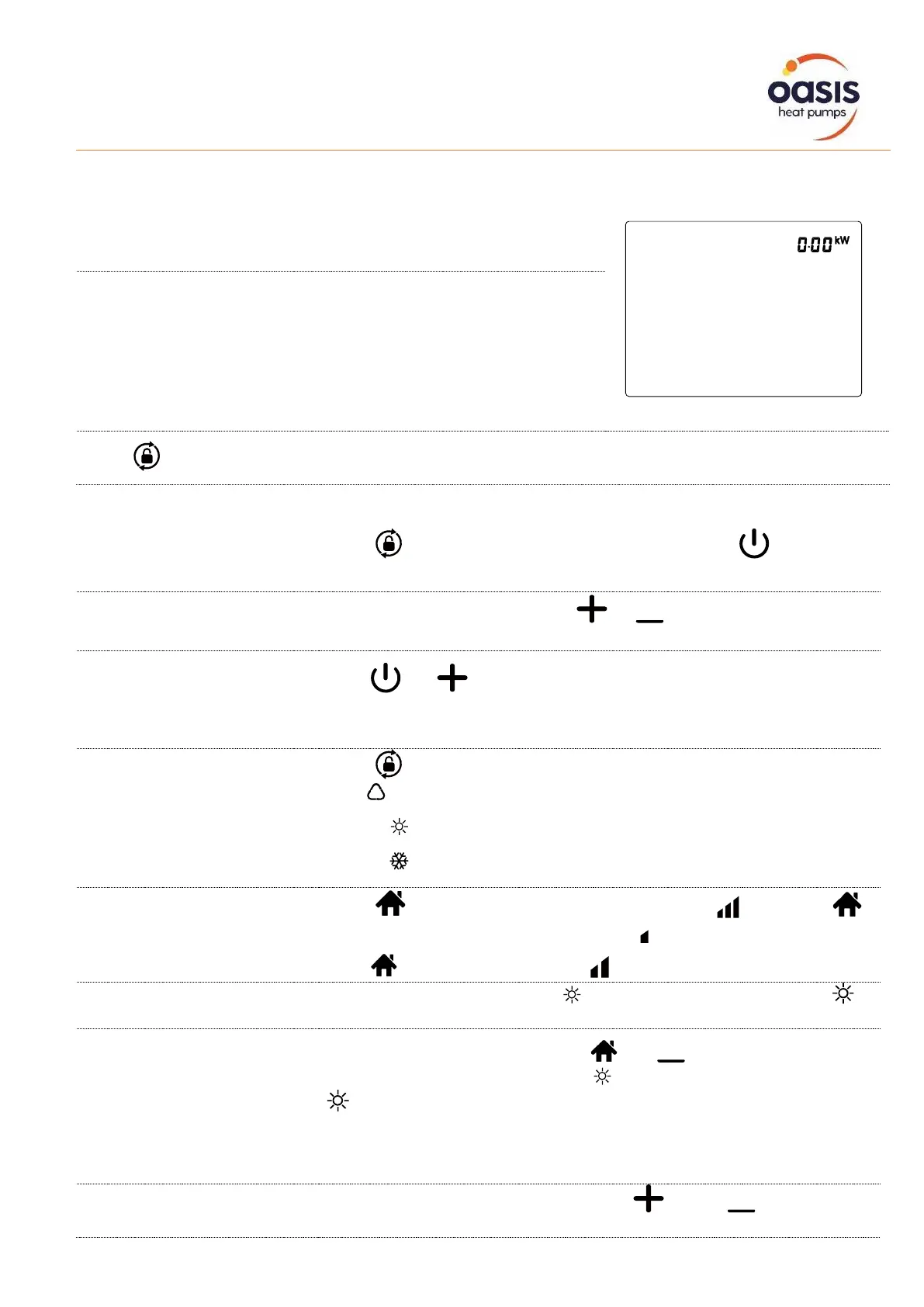
When the screen is locked, the key lamp will be off.
If no operation in 30 seconds, screen will be locked.
When HP is off, screen will be dark and “0%” or “0.00kW” will be
displayed.
Only after screen is unlocked, any other buttons can be functioned.
Press for 3 seconds to to lock screen and it will be dark / unlock screen and it will be lit up.
Press for 3 seconds to light up screen, then press to
power on heat pump
When screen is unlocked, press or to display or adjust the set
temperature.
Switching of real-time
power consumption
and heating capacity
percentage display
Press and 5 seconds to switch between real-time power
consumption display and heating capacity percentage display. Real-
time power consumption function available for single-phase only.
Press to select mode
Auto : adjustable temperature range 12~40°C / 54°F~104°F
Heating : adjustable temperature range 18~40°C / 64°F~104°F
Cooling : adjustable temperature range 12~30°C / 54°F~86°F
Turbo/Smart/Silence mode
selection
Press to enter Turbo mode, and screen shows , then press
to enter Silence mode, the screen shows .
Press again, the screen shows and return to Smart mode.
When heat pump is defrosting, will be flashing. After defrosting,
will stop flashing.
When heat pump is heating, press and together for 5 seconds
to start compulsory defrosting, and will be flashing. After defrosting,
will stop flashing.
Note: Compulsory defrosting intervals should be more than 30 minutes
and the compressor should run for more than 10 minutes at heating
mode.
Conversion between °C and °F, Press " " and " " together for
5 seconds to switch between °C and °F.


 To Next Page