Introduction
The Oasis RP Wi-Fi app is presented as a premium feature for your convenience.
This smartphone controller app, compatible with both iOS and Android devices, offers a user-friendly and
convenient solution for monitoring and controlling your pool temperature. With this app, you can easily
adjust settings, set timers, receive error alerts, and even provide remote access to technicians for
troubleshooting purposes.
App Installation
To download, simply visit your device's app store and search for
'Inverter Life'.
App Set Up
Create an Account
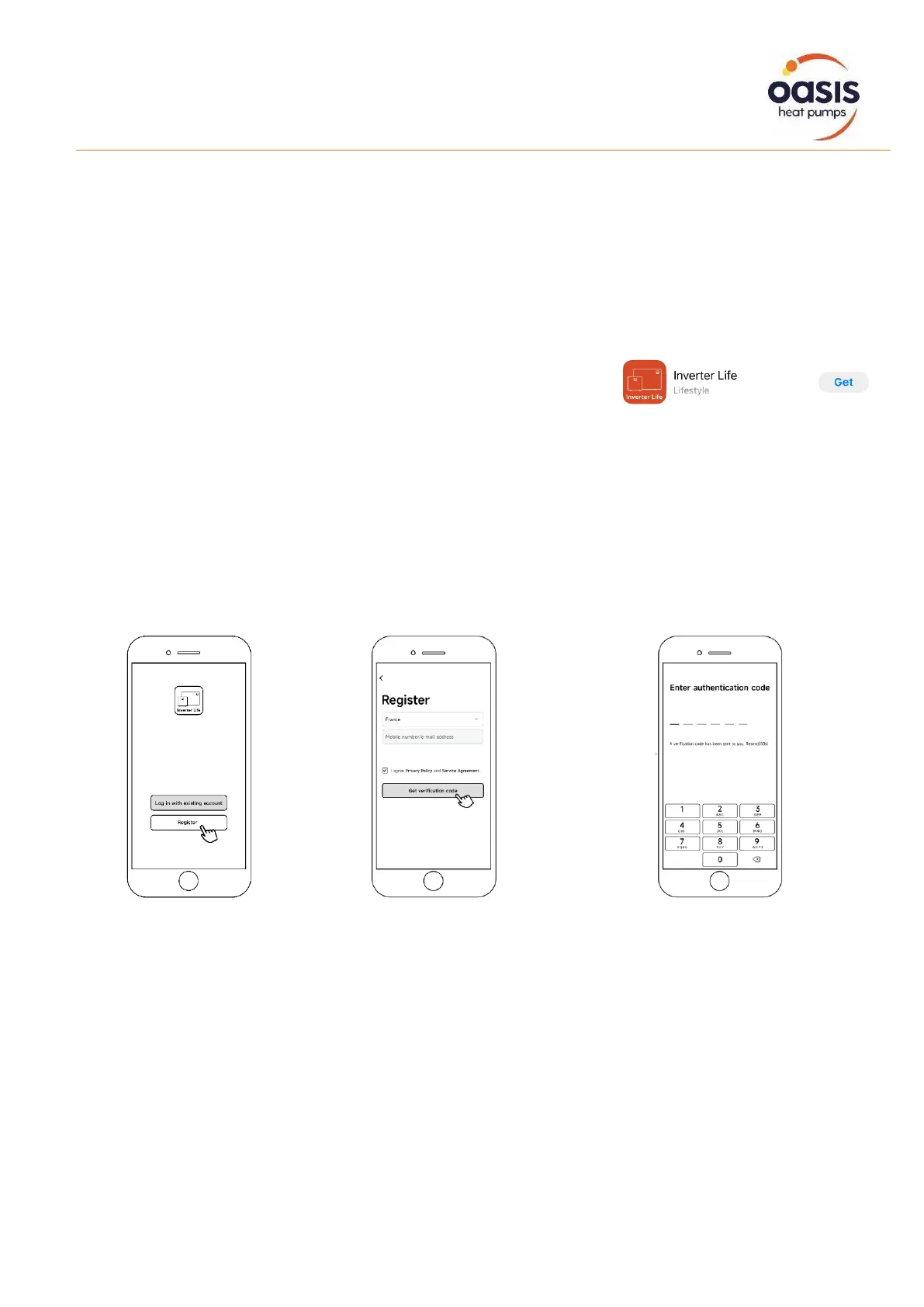
In order to take advantage of the app, you must first register an account.
Open the app and the User Agreement and Privacy Policy may pop up. Click "Agree" to proceed
2. Enter your email address and
Click “Get Verification Code”,
ensuring you tick the "I Agree" to
proceed


 To Next Page