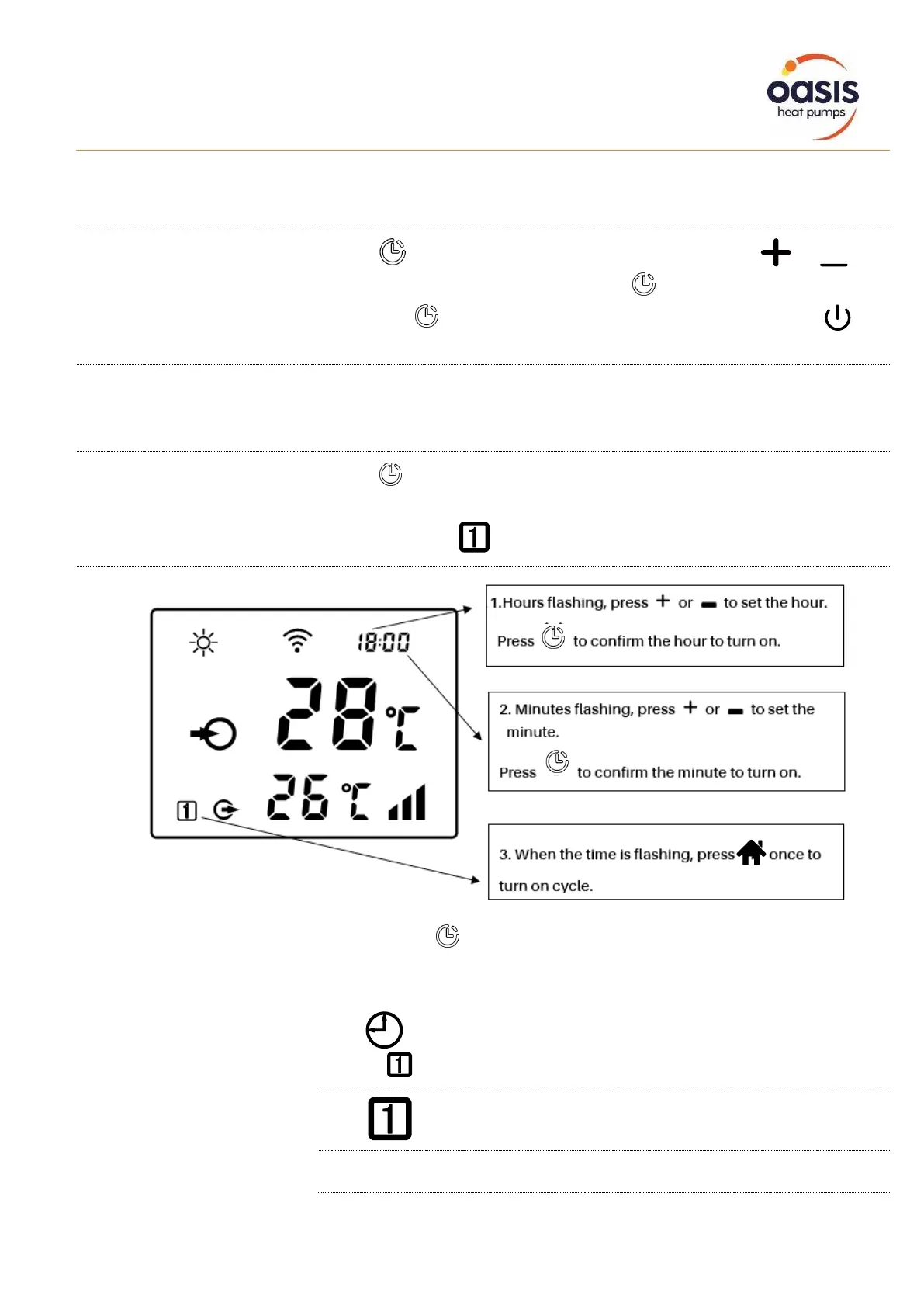
The timer function is a 24-hour system, please calibrate with local time.
Press for 5 seconds to enter real time setting, press or to
adjust the hour. After completion, press switch to minute setting. And
then press to confirm. During real time setting, you can press once
to cancel the setting
When the machine is off, the time display on the top right corner is real time.
When the machine is on, the real time can be shown 10 seconds if you
press timer once.
Press for 10 seconds and release when you hear the “beep” sound to
enter the timer setting.
Timer on setting, will be flashing
Finally, press once to confirm timer on setting
The icon in the lower left corner indicates as below:


 To Next Page