Power up the radio
Connect the AC adaptor supplied with the radio to the DC jack at the back of the radio.
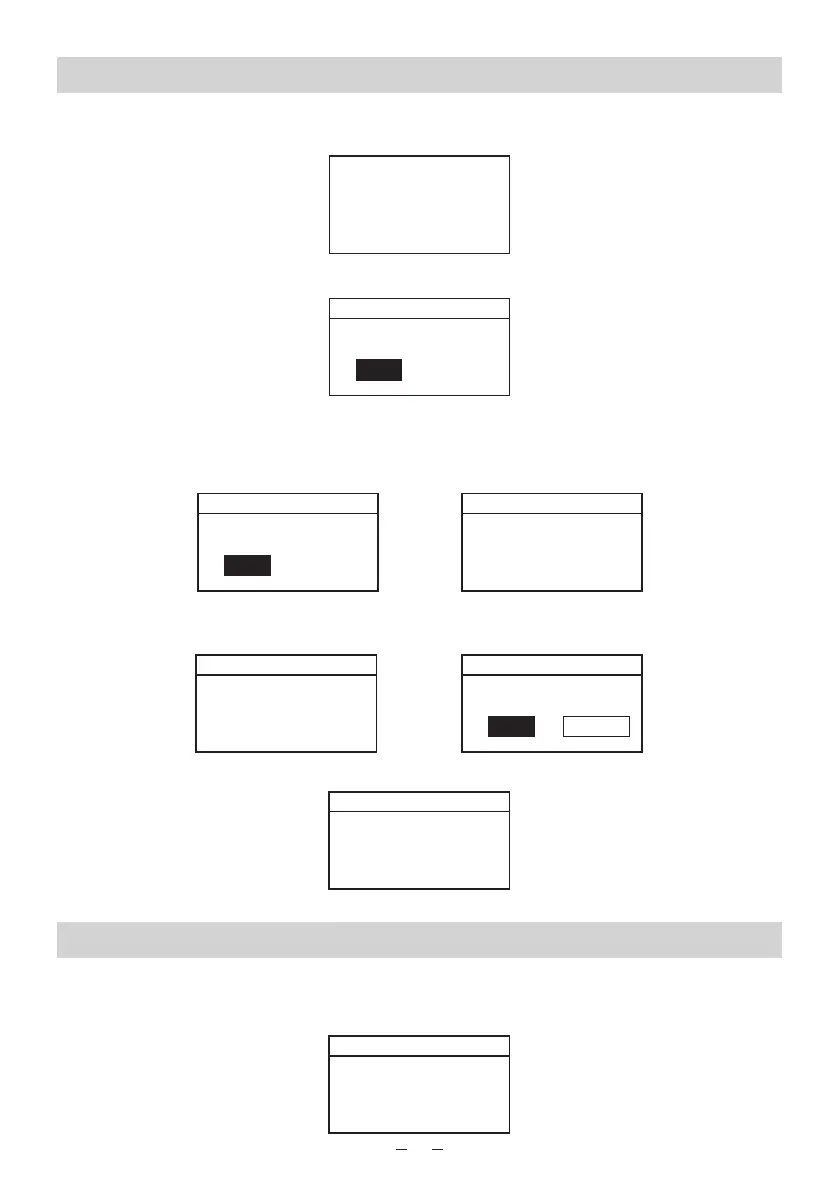
The radio will power up automatically and the display on the front will light up and show:
Then it will display the following screen:
Select YES to start the wizard, select No to set up manually. If you select YES, you will start
setting the date and time, choosing the 12 or 24 hour format, update the time from Network
(we recommend to choose this option) or you can select to set the time manually by selecting
No Update.
It will then prompt you to Set the Timezone, select the Tiomezone in your country, then select if
Daylight Saving is applicable:
Then choose the WLAN Region
Connecting to the Wireless (Wi-Fi) Network
The radio will search the wireless networks which are available and display a list of the SSID
(name of the wireless router) that can be searched on the network. Select your SSID by
pressing the Select button:
Welcome
Internet Radio
STARTING ..
Setup Wizard
Start now?
NOYes
5
Date/Time
12/24 hour format
2412
Auto update
Update from network *
No Update
Set timezone
UTC -07:30:
UTC -07:00:
UTC -06:30:
UTC -06:00: Central Tim….
UTC -05:30:
Daylight savings
Daylight savings
OFF #ON
Wlan region
Most of Europe
USA
Canada
Spain
France
SSID
ARISAWA
LINKSYS
NETGEAR
D-LINK
SINCERE















 To Next Page