11
Fit the included metal circular plate to the bottom of the
base and screw in the 4 included screws (A). Please make
sure the rail on the metal plate fits the protruding plastic
block on the base. Also make sure the 3 small circular
holes fit the neck piece.
Preparing your TV for a Wall Mount
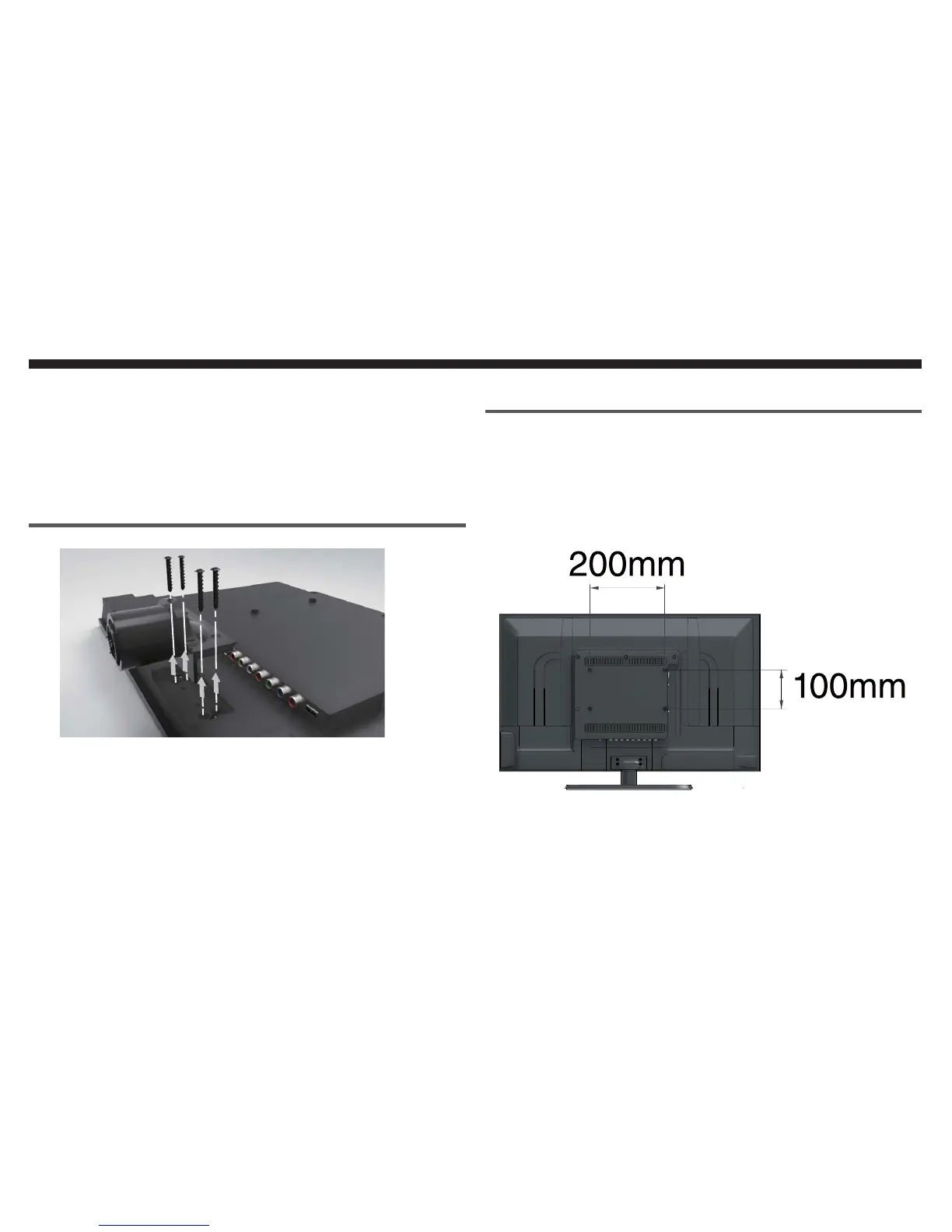
Find a cloth covered table. Please lay the TV flat on the
table with the TV screen facing downwards.
Locate the neck on the back of the TV and unscrew the
4 screws (B).The neck will come off once the screws are
removed.
4.
1.
2.
Mounting Pattern Specification
The TV uses 200mm horizontal by 100mm vertical mount-
ing specification. The screw size to mount with the TV is M4.
The mounting holes on the TV are 6mm deep. Please write
down your TV p/n number and s/n number (located on the
back of the TV on a barcode sticker) before you mount
the TV.
Please Note:
Mounting screws and wall mount hardware are not includ-
ed. When you are purchasing the screws be sure to add
the mounting plate thickness to the screw length (6mm).
r
Installation
Screws (B)


 To Next Page