23
Setup
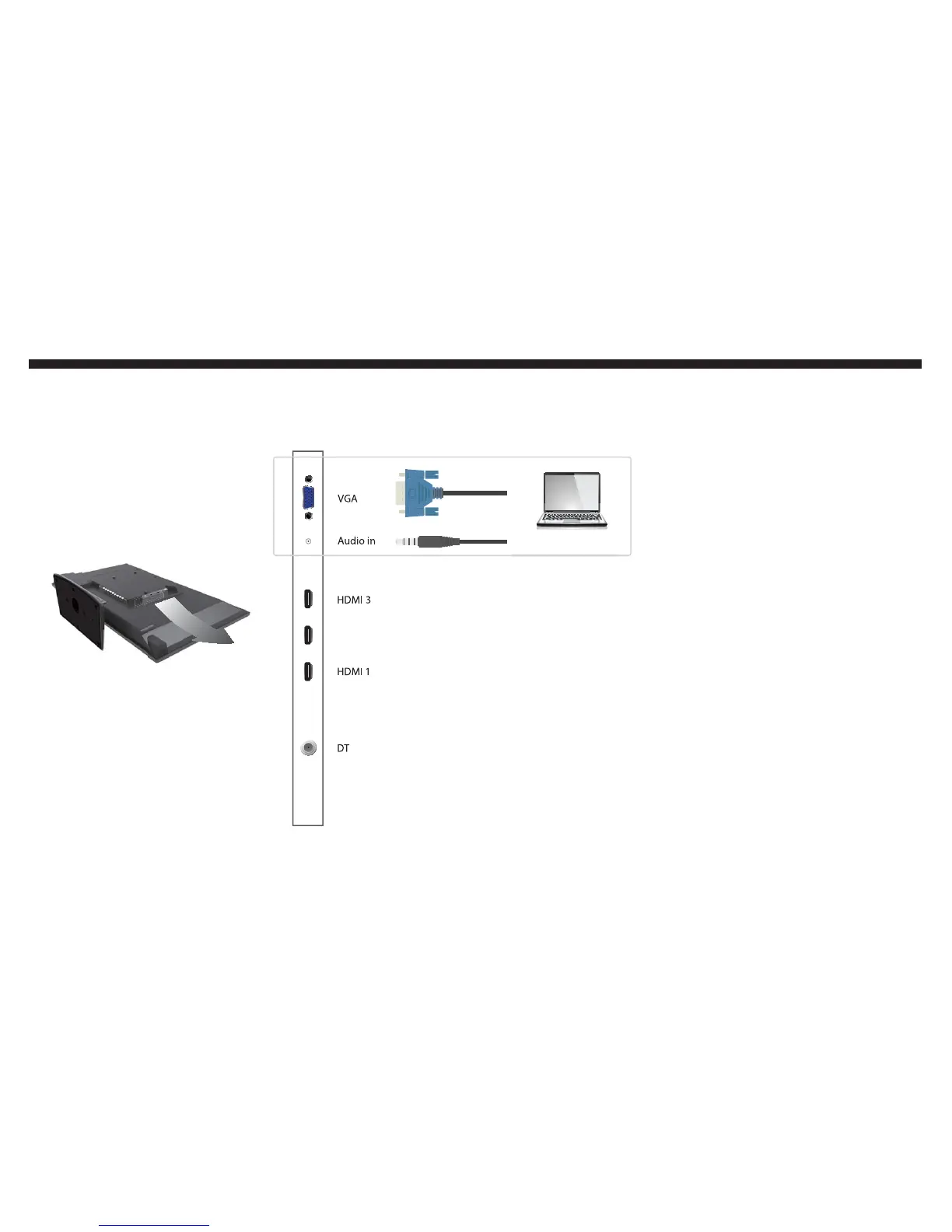
HDMI 2 /MHL
If you want to connect a computer to the TV...
Once you securely tighten the VGA
cable on both the computer and the
TV and also push in the 3.5mm mini-
jack for audio on both ends, you need
to switch to the correct source to
use the TV as a computer monitor.
Turn on the computer.
Make sure the resolution of the
computer is 1360x768 at 60hz
refresh rate.
Press POWER on your oCOSMO
remote to turn on the TV.
Press the SOURCE button near
the arrow buttons to open the
source menu.
Use the Ÿ or ź button to high-
light PC as the source and press
ENTER to select it.
You can now use the TV as a
computer display.
Please Note:
If the TV shows the message
“NOT SUPPORT”, the signal is in-
compatible. Check the computer
resolution and refresh rate. Can
also try restarting computer.
1.
2.
3.
4.
5.
6.
r


 To Next Page