41
Operation
Detailed Explanations
USB Connection Explained
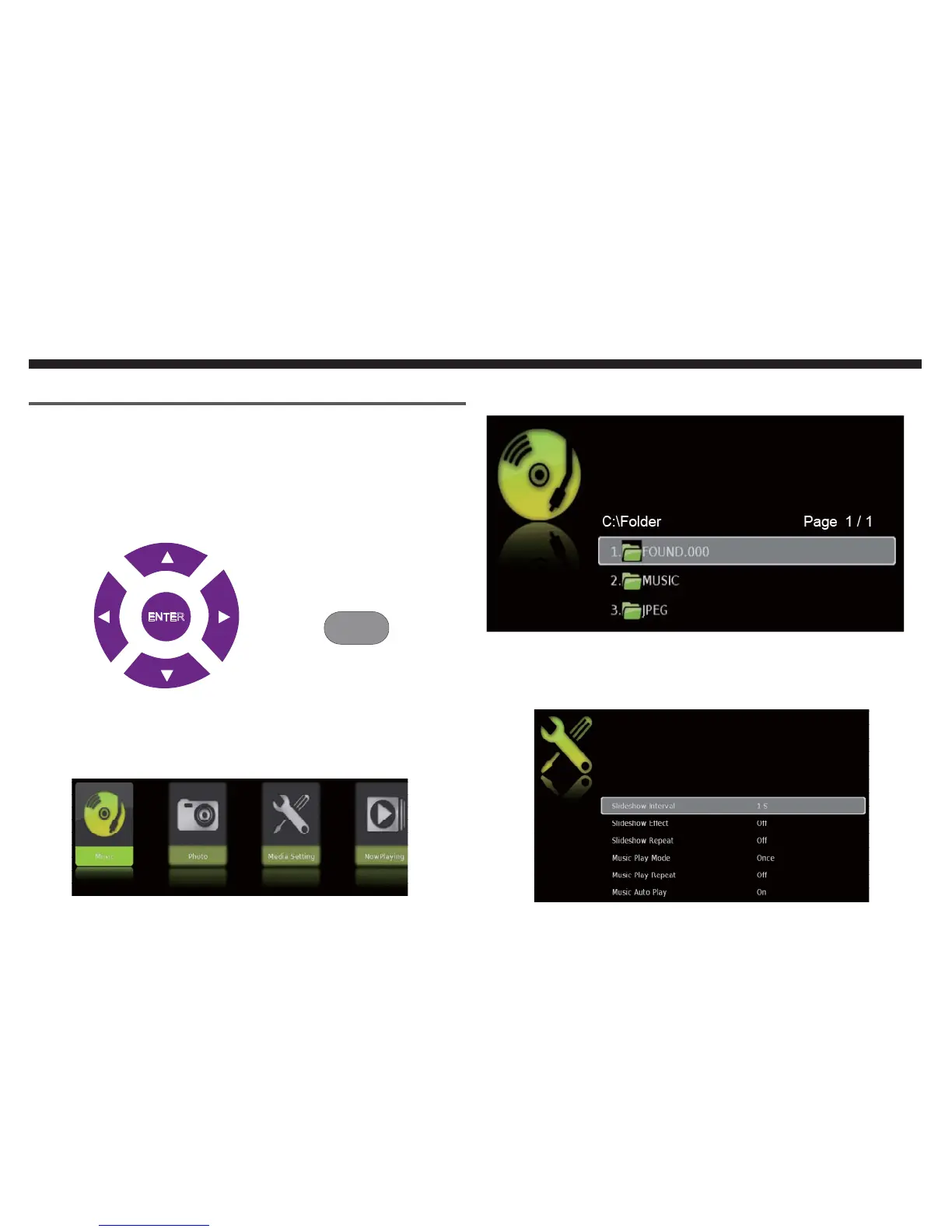
This TV is a widescreen TV with an USB port. With the USB
port the TV can access USB flash drives (up to 2GB) and dis-
play JPEG pictures or play MP3 files. To use this feature con-
nect a USB flash drive to the USB port of the TV and press
the USB button to start browsing for music and pictures.
Once you press the USB button the USB menu will come up.
Select either the music or picture you want to browse using
the arrow buttons. Press the ENTER button to select the file
you want.
Browsing Music and Photo
In the USB function, select Music or Photo.
Use the Ÿ or ź button to select the file you want and use the EN-
TER to play the file. Use the EXIT button to exit a folder.
Media Setting
ENTER
USB


 To Next Page