32
Operation
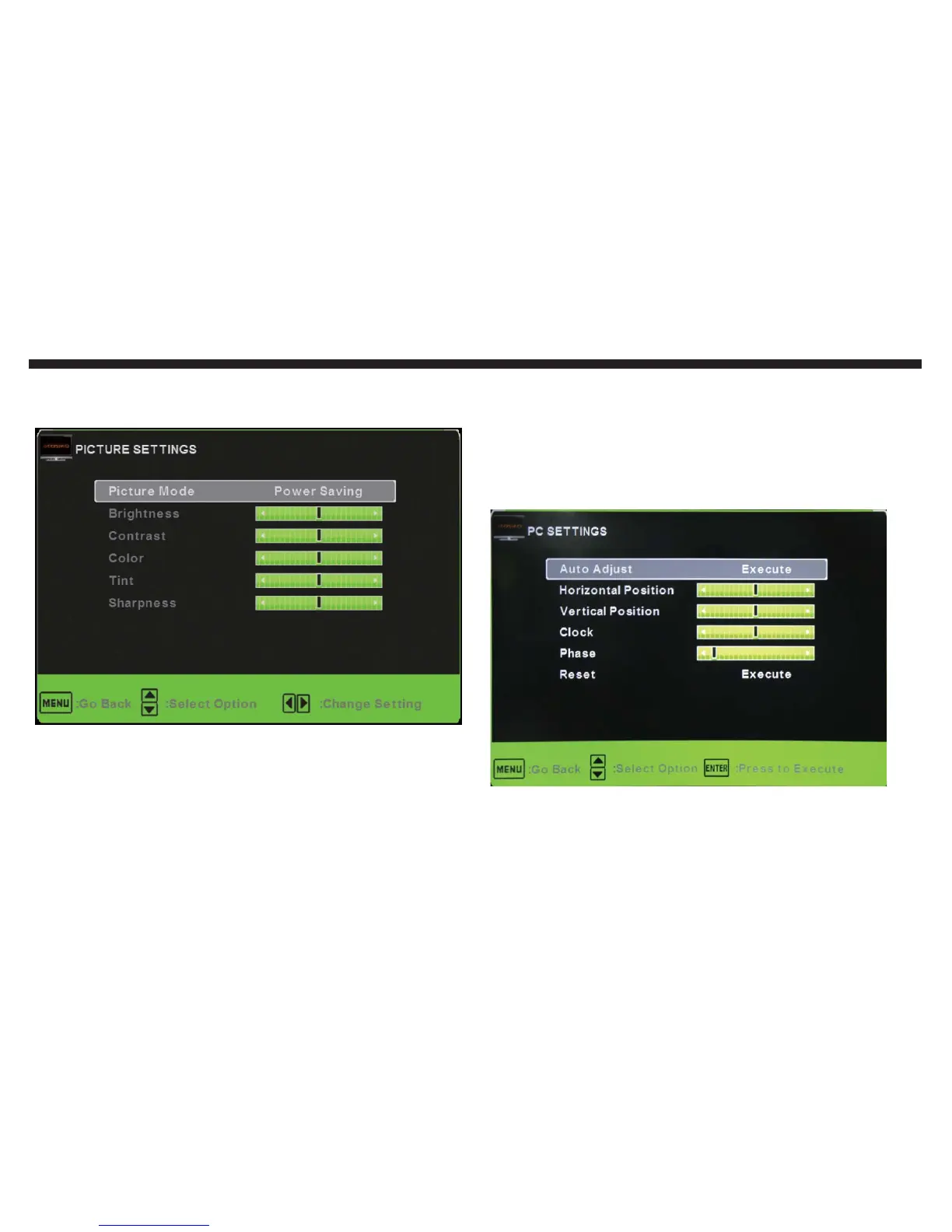
PICTURE SETTINGS: This option gives various adjustments
to the picture you are viewing.
Picture Mode: This option changes various preset color
and power saving modes for the TV.
Brightness: This option changes the picture’s detail in dark
colors.
Contrast: This option changes the difference between dark
and bright objects.
Color: This option changes the amount of color in the pic-
ture.
1.
2.
3.
4.
Tint: This option changes the white balance in the picture.
Sharpness: This option changes the picture quality be-
tween blurry and smooth or sharp and pixilated.
SCREEN SIZE: This option adjusts the size of the picture dis-
played. On the remote you can use the ASPECT button to
adjust the screen size.
PC SETTINGS: This option adjusts syncing frequency that af-
fects the VGA connection’s picture quality.
Auto Adjust: This option automatically adjusts the picture
syncing in with the signal of the TV.
Horizontal Position: This option adjusts the left or right po-
5.
6.
1.
2.


 To Next Page