25
Setup
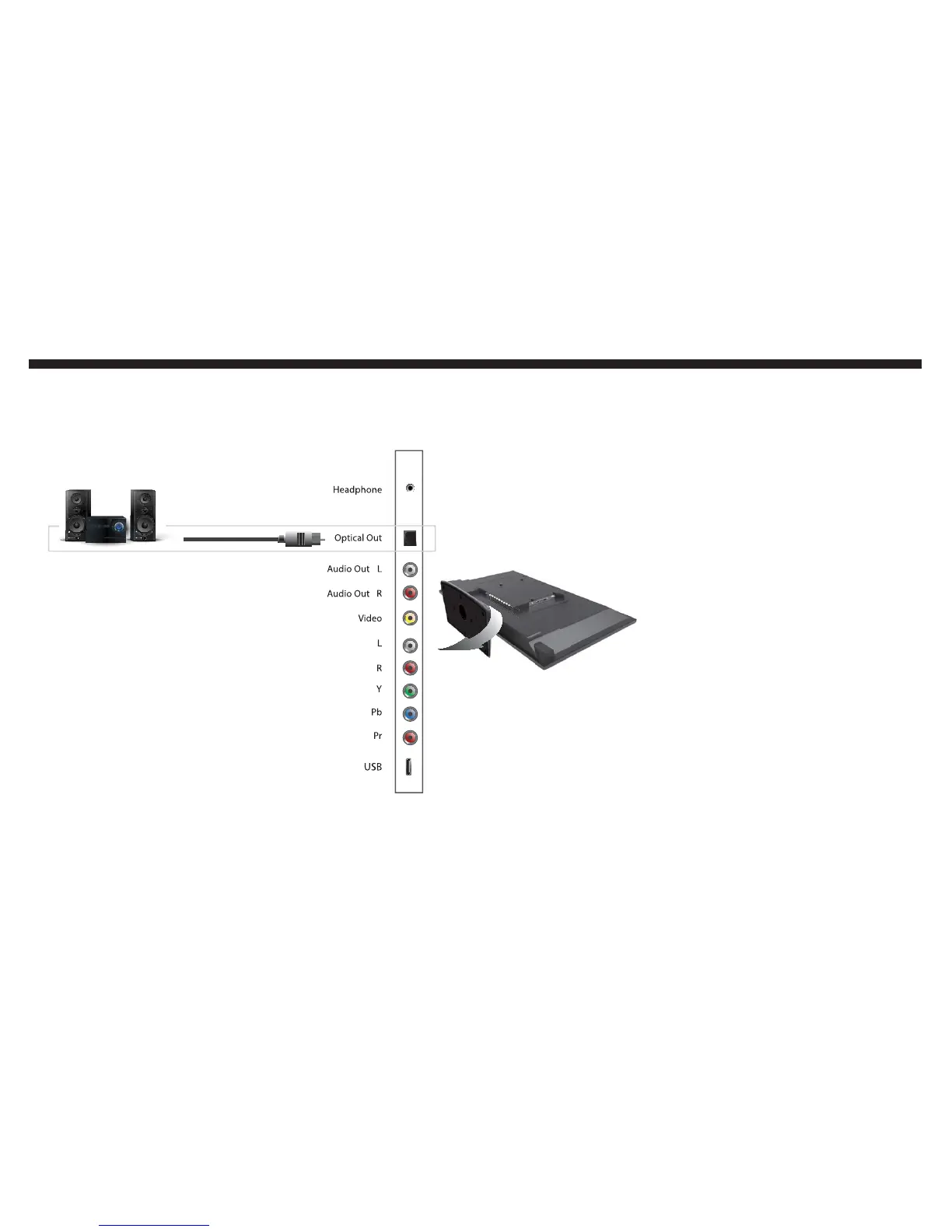
If you want to connect a digital surround
sound receiver to the TV with optical out...
Once you plug the optical SPDIF ca-
ble into the TV’s optical out and your
surround sound’s receiver digital op-
tical in connection, the TV will auto-
matically output digital sound signals
to your receiver. You can change the
sound signal output by going into the
TV’s menu.
Turn on your surround receiver
and press POWER on the TV’s
remote to turn on the TV.
Press MENU to open up the TV’s
menu.
Navigate to the SOUND option
by using the use the Ż or Źbut-
ton then select it with the ENTER
button.
Use the Ÿ or ź button to high-
light the OTHER SETTINGS op-
tion and press ENTER to select
it.
You can change the sound signal
by highlighting DIGITAL AUDIO
OUTPUT then using the Ż or Ź
button to change the signal.
1.
2.
3.
4.
5.
THIS IS A DIGITAL SURROUND SOUND SETUP



 To Next Page