ODYS MultiFlat MF 700 DVB-T
25
EN
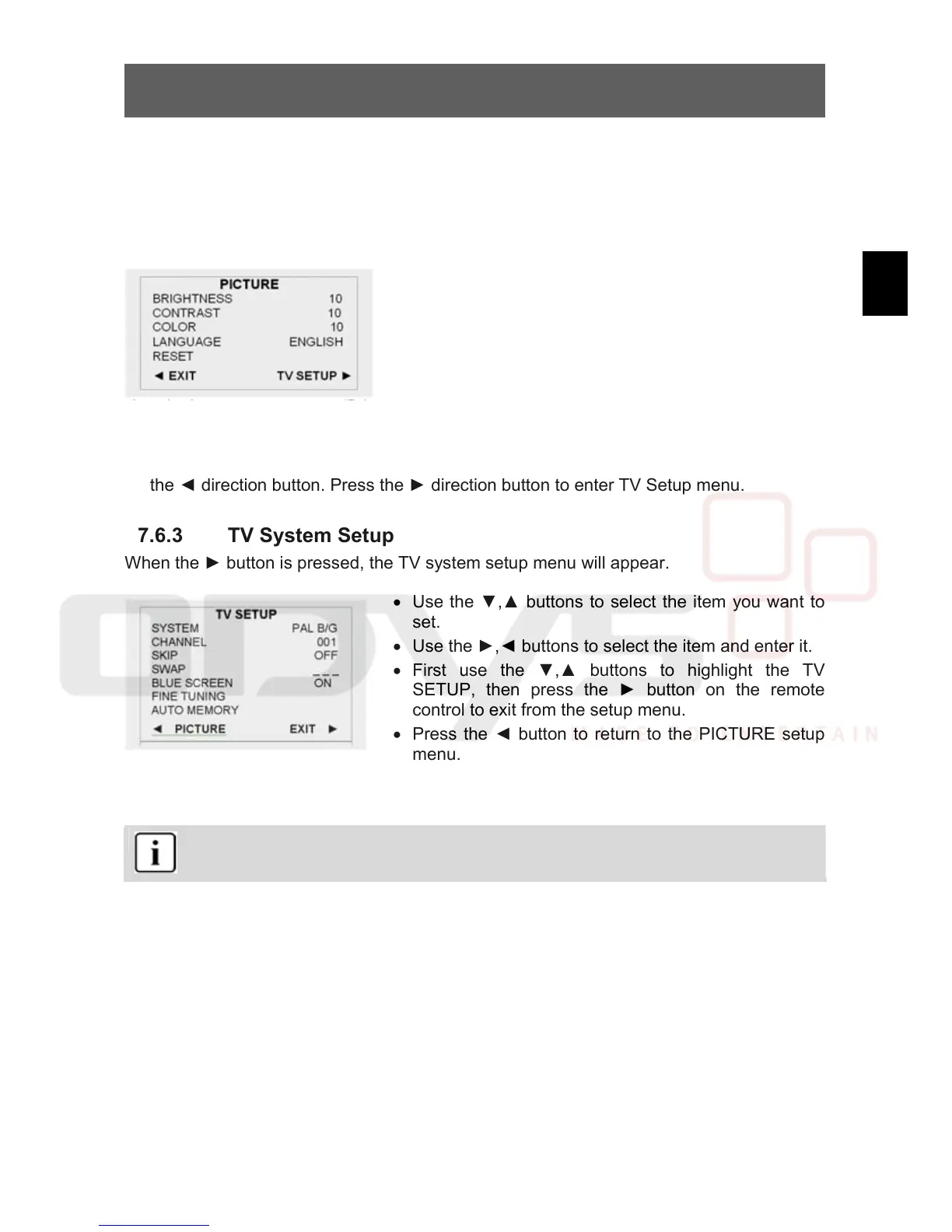
7.6.2 Picture Parameter Setup
Press the LCD SETUP button on the remote control or the TV/LCD SETUP button on the
front panel once to enter PICTURE setup menu, and screen display as shown:
• Use the ▼,▲ buttons to select the item you want to
set (Brightness, Contrast, Color).
• Use the ►, ◄ buttons to adjust, you can adjust the
items between 0 and 20.
• Use the ▼, ▲ buttons to select the Language,
press the ►, ◄ buttons to select German, English,
French or Spanish, etc.
• To restore a setting to the original value, use the
▼,▲ buttons to select Reset, then press the OK
button to confirm the change.
• To exit the setup menu, first use the ▼, ▲buttons to highlight PICTURE, then press
the ◄ direction button. Press the ► direction button to enter TV Setup menu.
7.6.3 TV System Setup
When the ► button is pressed, the TV system setup menu will appear.
• Use the ▼,▲ buttons to select the item you want to
set.
• Use the ►,◄ buttons to select the item and enter it.
• First use the ▼,▲ buttons to highlight the TV
SETUP, then press the ► button on the remote
control to exit from the setup menu.
• Press the ◄ button to return to the PICTURE setup
menu.
System
Use the ►, ◄direction button to select TV system type.
Great Britain, Ireland – PAL I
West Europe – PAL B/G (except France)
East Europe – PAL D/K
Channel
Use the ►, ◄ buttons to change the channel.
Skip
When the ► button is pressed to turn the function ON, it will skip the current channel when
using ▼,▲ to select channels. When the ◄ button is used to turn the function OFF, it will
play the channels in sequence when selecting under normal playback status.
Swap
Use the ►, ◄ buttons to select SWAP, press the number buttons on the remote control to
input the channel number, then the channel will be swapped to selected channel.



 To Next Page