46
DE
2 Introduction
This product is a digital imaging device with an integrated digital camera, digital video recorder, digital audio recorder and PC
camera. It allows you to take digital photographs and videos, make voice recordings or use it as a webcam.
Product properties
• High resolution photographs, various resolutions can be selected, interpolated output.
• Images can be saved internally or externally.
• High-sensitivity wide-angle flash, three flash modes can be selected.
• Colour TFT LCD monitor for viewing menus and images.
• Three photography modes: single image, self-timer and burst
• TV output: NTS C or PAL
• Crystal-clear digital sound recording
• Simple user interface
• Individual start interface for convenient operation
• Special picture effects such as conversion to black and white or nostalgic images
• Fast data transfer thanks to mini-USB connector
• Automatic shutdown conserves batteries
Five operating modes
• Still image mode – for taking digital images/photographs
• Video mode – for taking high-quality videos with sound
• Recording mode – for crystal clear sound recordings
• Play mode – for watching/listening to all recordings
• Configuration mode – for setting the operating parameters
3 Getting started
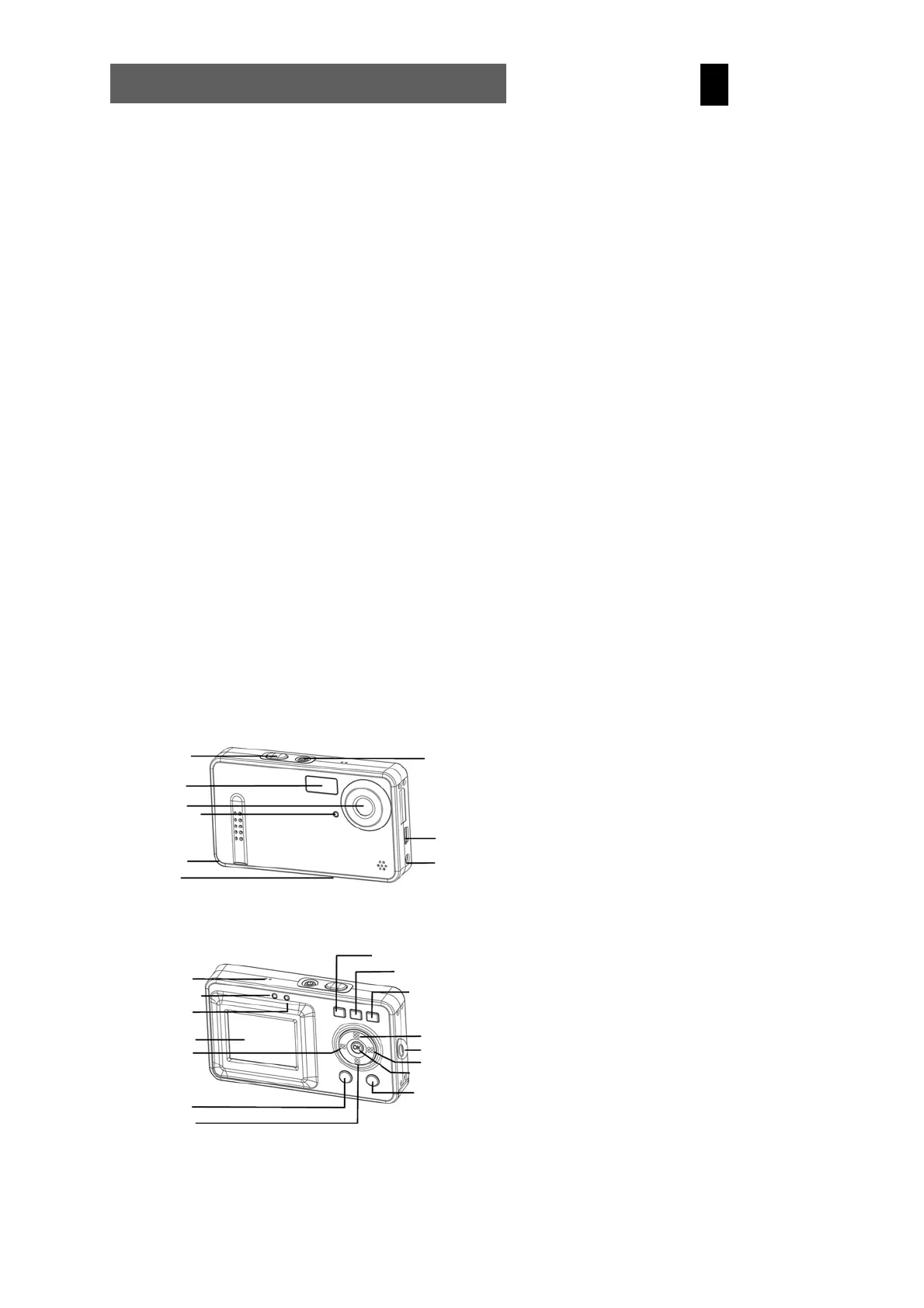
3.1 Parts of your camera
Familiarise yourself with the parts of your camera before use. That makes it easier to operate the camera.
Operating status
Flash status
indicator
LCD
Menu button
LCD on/of
Photo/configuration button
Play mode button
Mode button Video
sound recording
Up button
Right button
Confirm button
Down button
Left button
Shutter release
On/off button
TV output
Microphone
USB terminal
Strap eye
Indicator of
self-timer
Flash
Lens
Battery slot
Card slot



 To Next Page