MENU SYSTEM
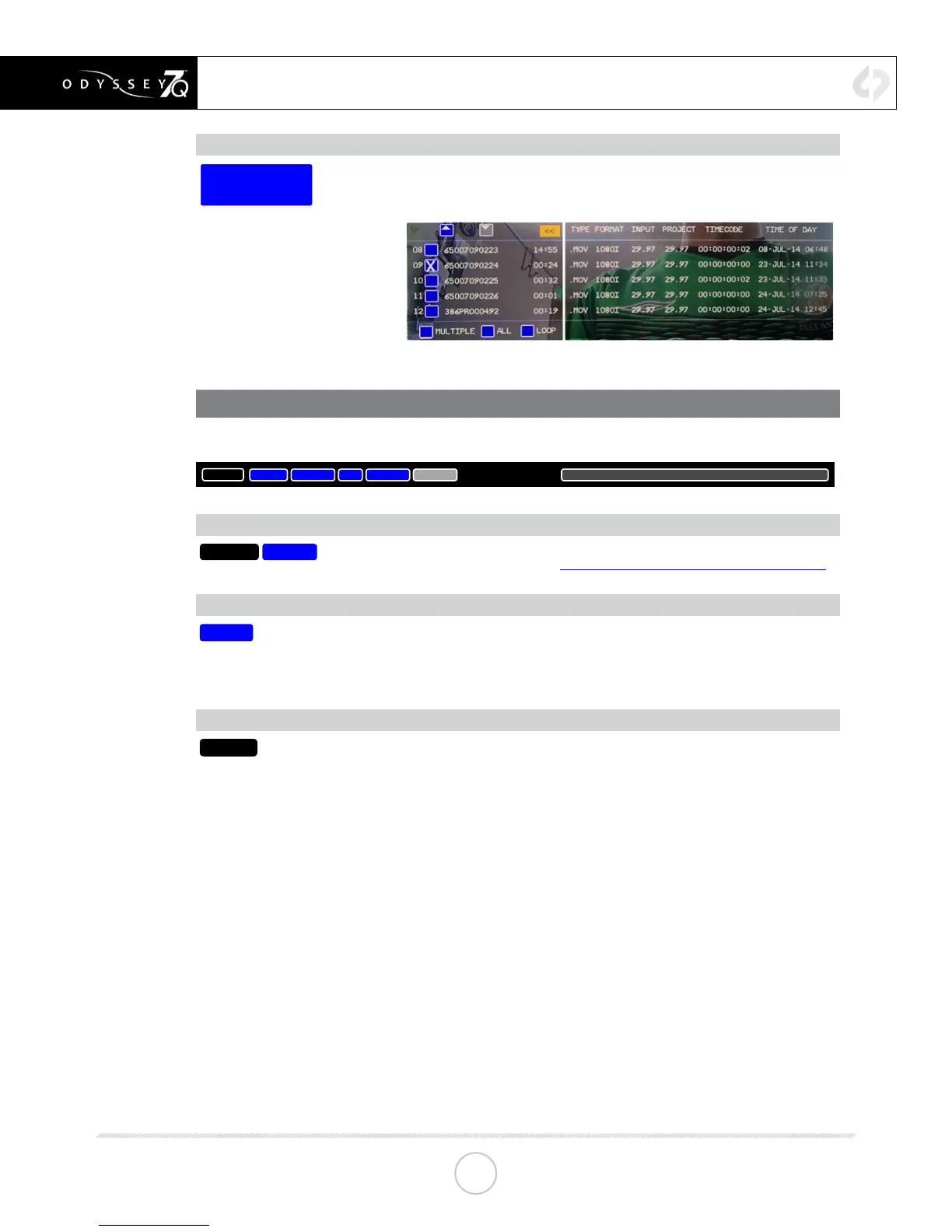
PLAYLIST (PLAY MODE ONLY)
PLAY SINGLE
65007090232
FRAME 240
Tapping button displays a list of recorded les. Files can be selected for playback and can
be continuously played back in a Loop.
LOWER TOOL BAR (PLAY MODE)
A different tool bar will appear at the bottom of the screen in Play Mode.
TOOLS
<STEP
►
STEP>
NEXT>
00:12:16:72
05:59 | 14:55
TOOLS/SCRUB BUTTONS (PLAY MODE ONLY)
TOOLS
SCRUB
Toggles Lower Tool Bar between PLAYBACK CONTROLS and IMAGE ANALYSIS TOOLS.
For information on TOOLS, please see LOWER TOOL BAR (RECORD MODE) on p. 28.
PLAYBACK CONTROLS (PLAY MODE ONLY)
<PREV
...
Playback controls are activated when TOOLS is selected. There are ve deck-style play
controls. <PREV and NEXT> skip to the previous or next le in a selected playlist. <STEP
and STEP> move a paused video le to the previous or next frame. ►& || toggle between
play and pause.
GUIDE (ALL MODES)
GUIDE
Tapping button activates Frame Guides. Holding button brings up the Frame Guides
settings. Current choices are 1.85:1 and 2.39:1. Additional options including user-
adjustable settings will be available in a future free rmware update. The [GUIDE] button
will highlight in green when active and indicate current selected frame guide (1.85, 2.39,
1.33). The native aspect ratio of the HD video image is 16:9, or 1.78:1.
CONTINUED »
33


 To Next Page