CONTINUED »
POST PRODUCTION
WORKING WITH RECORDED FILES
There are numerous post systems and NLEs that can read natively the various le formats
recorded by the Odyssey7Q. Some NLEs may require plug-ins in order to read certain le
formats. Blackmagic Design Resolve software is available for free and can read all formats
recorded by the Odyssey7Q.
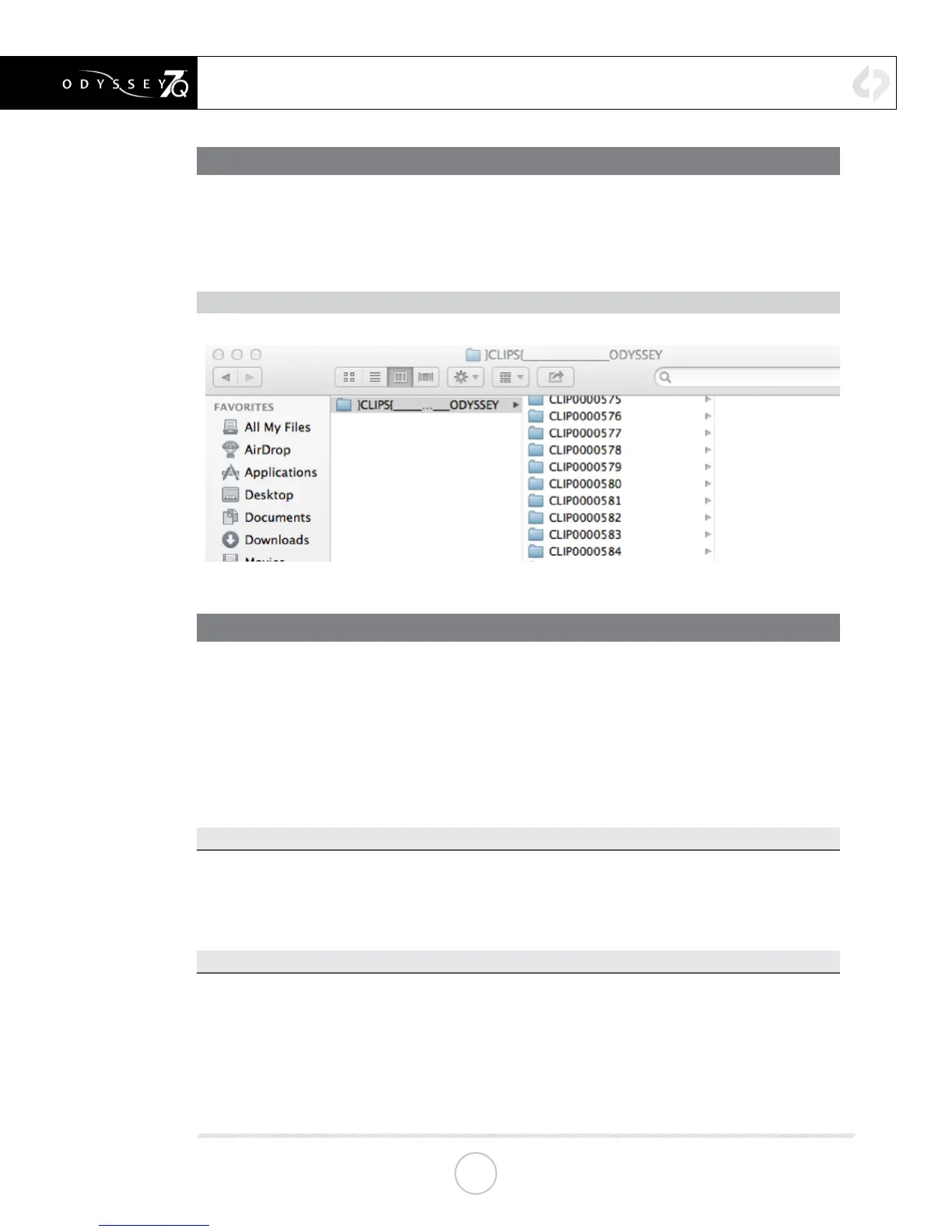
FILE STRUCTURE
UNCOMPRESSED SUPPORT (DPX SEQUENCE)
All Uncompressed recording on the Odyssey7Q is recorded as 10 bit RGB 4:4:4 DPX, this is
for all sources regardless if the source is 8 bit, 10 bit, 4:2:2, 4:4:4. With 12 bit camera’s the les
are recorded as a 16 bit DPX, for more universal compatibility. Also note that with DPX les
timecode, and Clip Metadata is stored in every frame, as well as in the XML le within each clip.
All audio is recorded 48Hz 16 bit Uncompressed WAV audio.
Also Note 1080p59.94/60p, 1080p119/120 and 12 bit les are recorded as Packed, so our CD
unpacker utility will need to be used before the les can be used in any editor.
NATIVE 10-BIT / 16-BIT DPX SUPPORT
Adobe CS6 / Adobe CSCC/2014
Apple Color
AutoDesk Smoke
Assimilate Scratch Lab
Avid DS
Black Magic DaVinci Resolve
Cineform Studio
ColorFront OnSet Dailies
DJViewer
Eyeon Fusion
Grass Valley Eduis (Does not support 16-Bit)
The Foundry Nuke
Xnview(Does not support 16-Bit)
PLUGINS FOR DPX SUPPORT
Glue Tools
Apple FCP Pro
Apple FCP Pro X
Meta Fuse
Avid Media Composer
40


 To Next Page