www.oes-scoreboards.com | 1.877.652.5833
4056 Blakie Rd., London ON Canada N6L 1P7
Issued: 2017-05-15
CONFIGURATION OPTION #2 – SPORT (SPECIFIC SPORT
SETTINGS)
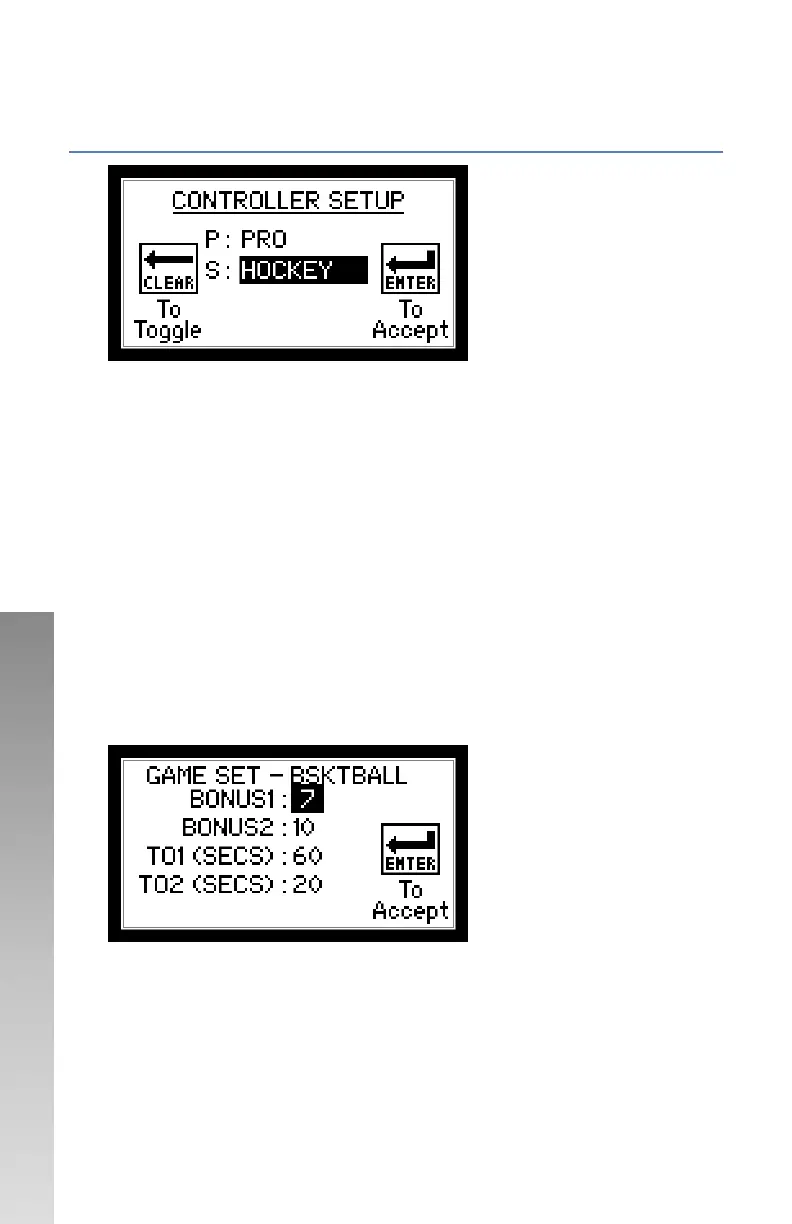
Follow on-screen instructions.
• Protocol – Not editable, for reference only, set at factory.
• Sport – Select Sport. Toggles through available sports.
• After this Sport setup screen, another game settings screen may
appear for a couple of sports.
GAME SETTINGS FOR SPORT
For numeric values:
• Enter value on numeric keypad.
• Press ENTER.
For none numeric settings, follow on-screen instructions.
After last setting is accepted by pressing ENTER, the controller will restart.
Certain sports do not have extra settings: Hockey, Volleyball, Tennis,
Wrestling, Shot clock, Track and Lacrosse
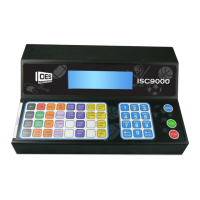
BASKETBALL
• BONUS1 / BONUS2 – Sets the value for single and double bonus
indicators to turn ON.
• TO1 / TO2 – Sets the duration for the TIME OUT indicators.



 To Next Page