www.oes-scoreboards.com | 1.877.652.5833
4056 Blakie Rd., London ON Canada N6L 1P7
Issued: 2017-05-15
CONFIGURATION OPTION #0 – EXIT
Will exit out of the setup menu and return to normal game mode.
TEAM NAMES
To enter into team name menu:
• Ensure GAME TIME is stopped.
• Press and release MENU button (This ensures you are on main screen)
• Press and hold MENU until main menu appears
• Once Menu appears use numeric keypad to select 3.TEAM NAME
SETTING TEAM NAMES
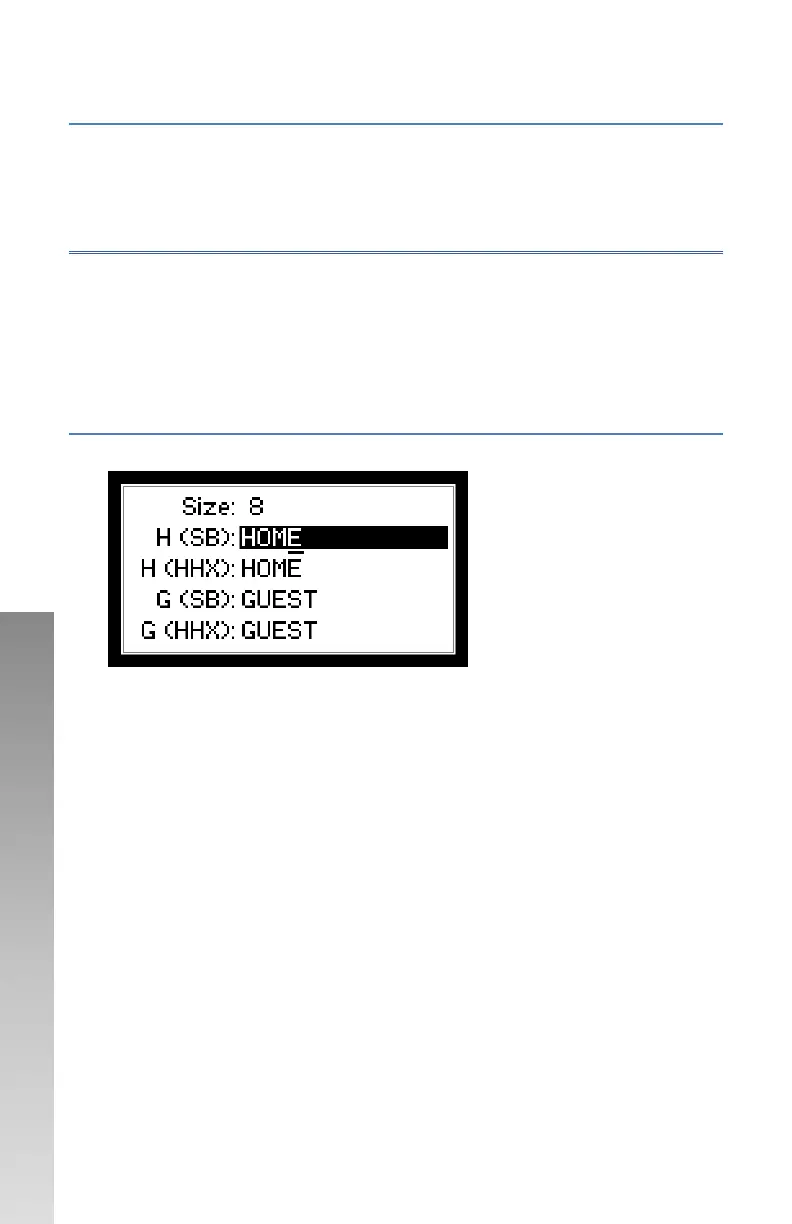
Press TEAM NAME to enter team name screen
• H (SB) and G (SB) – Names that appear on scoreboard display. The
maximum length of these names is per the value set for Display Size.
• H (HHX) and G (HHX) – Names that appear on controller display. The
maximum length of these names is 5 characters.
• To edit Team Names:
o The hi-light shows the name being edited.
o The underline shows the character location being edited.
o To go back a character, press CLEAR.
o To accept a name and go to next name, press ENTER.
o To toggle characters, use the numeric/alpha keypad.
o After one second of editing a character the cursor will go to
the next character.
o You can go to the next character without waiting the one
second, as long as the character is not on the same key, press
the new key.
o Use “0” for a space and a zero “0”.



 To Next Page