www.oes-scoreboards.com | 1.877.652.5833
4056 Blakie Rd., London ON Canada N6L 1P7
Issued: 2017-05-15
• If no radio attached, unit will return to game mode.
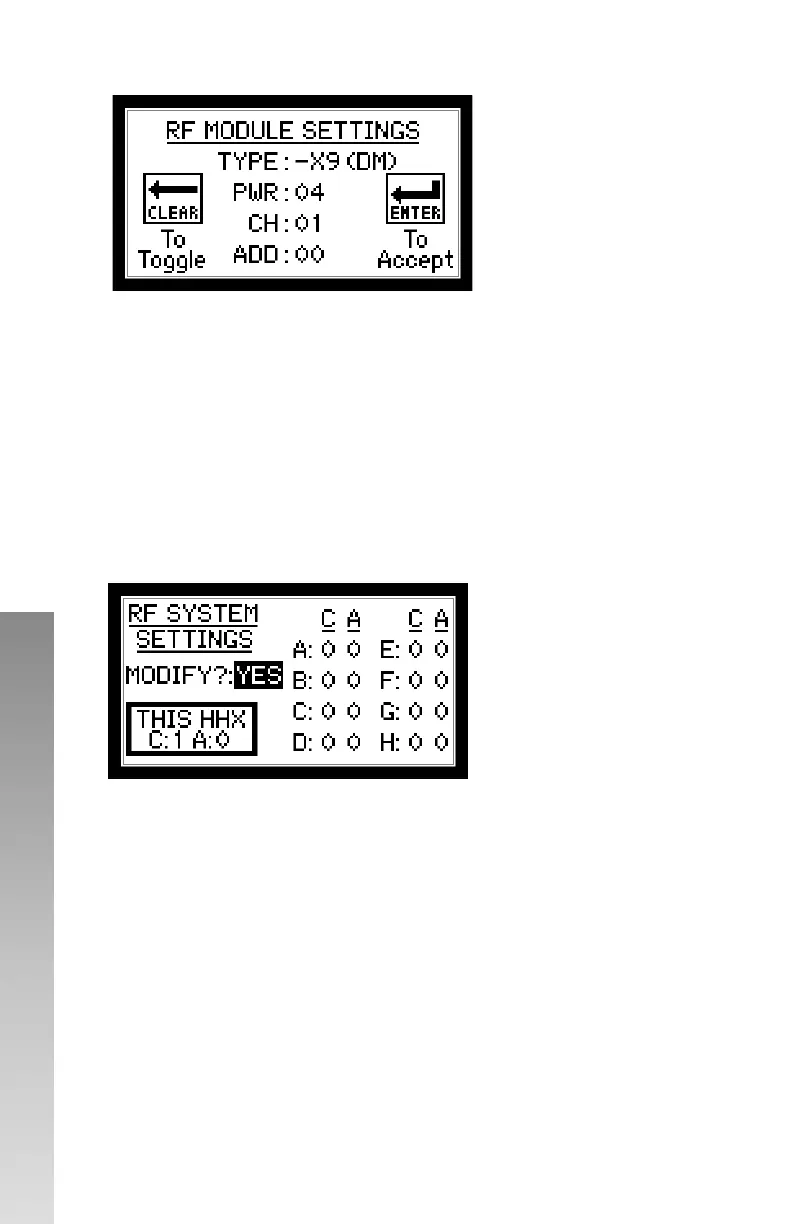
• TYPE – This value is read from the radio, either –X9 (DM) or –X2 (DM)
will appear.
• PWR – Power – Set power level of radio. 0 to 4. The higher the number
the stronger the radio signal but will affect battery life.
• CH – Channel – Set desired radio channel for the control unit. 0 to 7
• ADD – Address group – Set desired radio address group for the control
unit (-X9 only). 0 or 1
SETTING RADIO CHANNELS FOR SCOREBOARDS
*** ENSURE ALL OTHER CONTROLLERS ARE POWERED OFF BEFORE
PROCEEDING. ***
• Use CLEAR button to toggle YES and NO. ENTER button will accept
input.
• Select if YES the RF SYSTEM SETTINGS need to be modified. If NO then
the control unit will return to the GAME SCREEN.
*** ENSURE THERE ARE NO OTHER CONTROL UNITS POWER BEFORE
PROCEEDING. ***
• Each display components will have a factory assigned system group A,
B, C, D, E, F, G or H
• Shot clocks and system A will not change channel or address group.
• To set the RF channel and address group, fill in the desired values.
• Set C (channel) and A (address group) for the display to match
corresponding control unit. .



 To Next Page