www.oes-scoreboards.com | 1.877.652.5833
4056 Blakie Rd., London ON Canada N6L 1P7
Issued: 2017-05-15
SETTING DISPLAY SIZE
To modify the length press on of the button once when in team name
screen.
• Set the number of characters on the scoreboard display.
• To set value:
o Enter value on numeric keypad.
o Press ENTER.
REGULAR GAME OPERATION
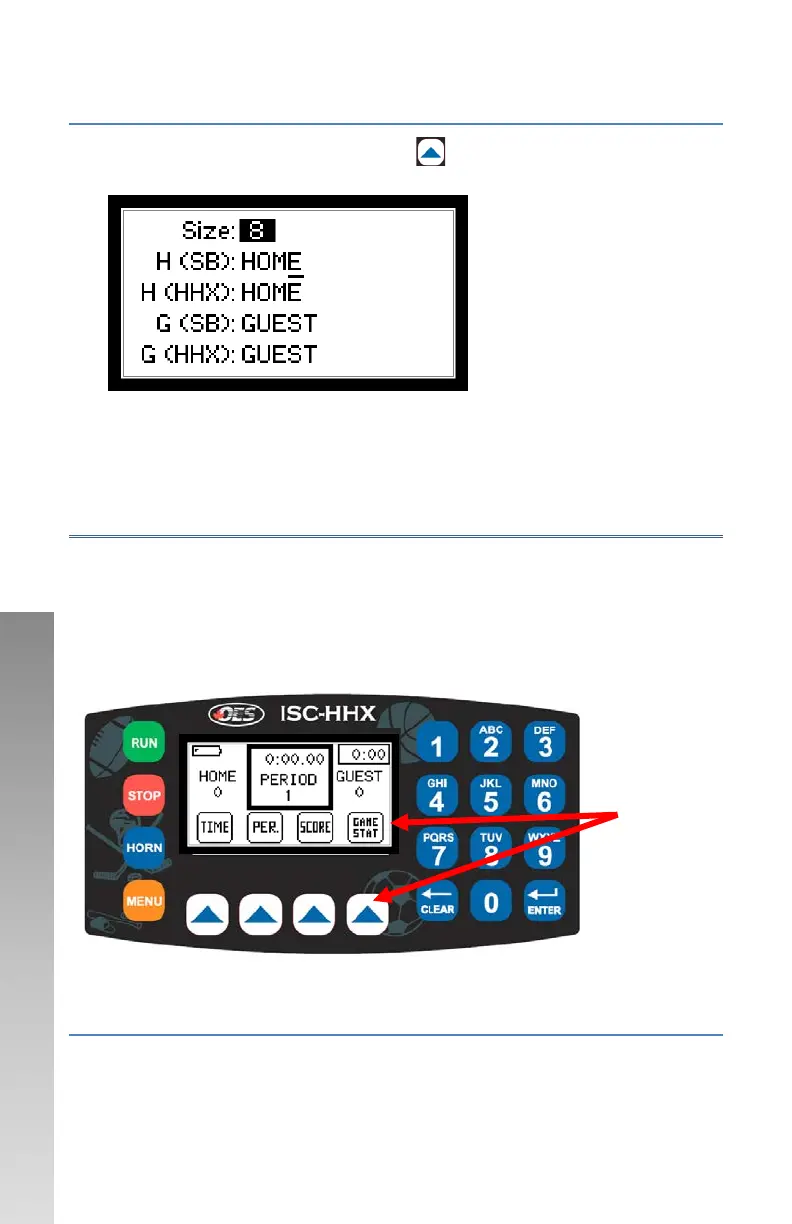
Note anytime a word is bold below is an Arrow key button. The word in
bold will be what appears on the LCD directly above the respective arrow
key. Getting a button listed in the instructions below may possibly require
navigation of arrow keys – these are done logically to allow quick and easy
operations.
GAME TIME
Time on the scoreboard display will show mm:ss, where mm is minutes
and ss is seconds. In all sports except football and soccer, when game time
Function of
button on lower
part of screen



 To Next Page