8
Activate Clerk System
• Set the Control Switch to PRG. Type in on the ten-keypad.
• Enter = Clerk system active or = Clerk system inactive
• Press the button to confirm.
• Set the Control Switch to PRG. Type in on the ten-keypad.
• Enter = allow the clerk number only, to begin a transaction.
= allow clerk number & 3-digit security code, to begin a transaction
• Press the button to confirm.
• Set the Control Switch to PRG. Type in on the ten-keypad.
• Press the button. Then enter the number of the clerk e.g.. (1-8 clerk numbers are available)
• Type in the 3-digit security code. Press the button. Then press the key to finalize.
To activate the clerk system.
44 444
01
TOTAL
Activate Clerk Security Code
To activate the 3-digit security code.
11
0
1
RA
Preset Clerk Security Code
To preset a 3-digit security code for individual clerks.
444444
TOTAL
CLERK
C
Setting Date & Time
• Set the Control Switch to PRG. Enter date (ddmmyy) e.g.. 211205. Press the button.
• Set the Control Switch to PRG. Enter time (military std) e.g.. 1:00pm = 1300. Press the key.
To programme the date.
ST/#/NS
To programme the time.
QTY/TIME
• Set the Control Switch to PRG. Press the number key.
• Now enter the desired decimal place
= X. = X.X = X.XX = X.XXX
• Press the key to confirm setting.
1
Currency Decimal Point
To programme the decimal point to your currency.
RA
01 2 3
CMS-108 Electronic Cash RegisterUSER GUIDE:
PROGRAMMING
OFF
R1
R2
X
Z
PRG
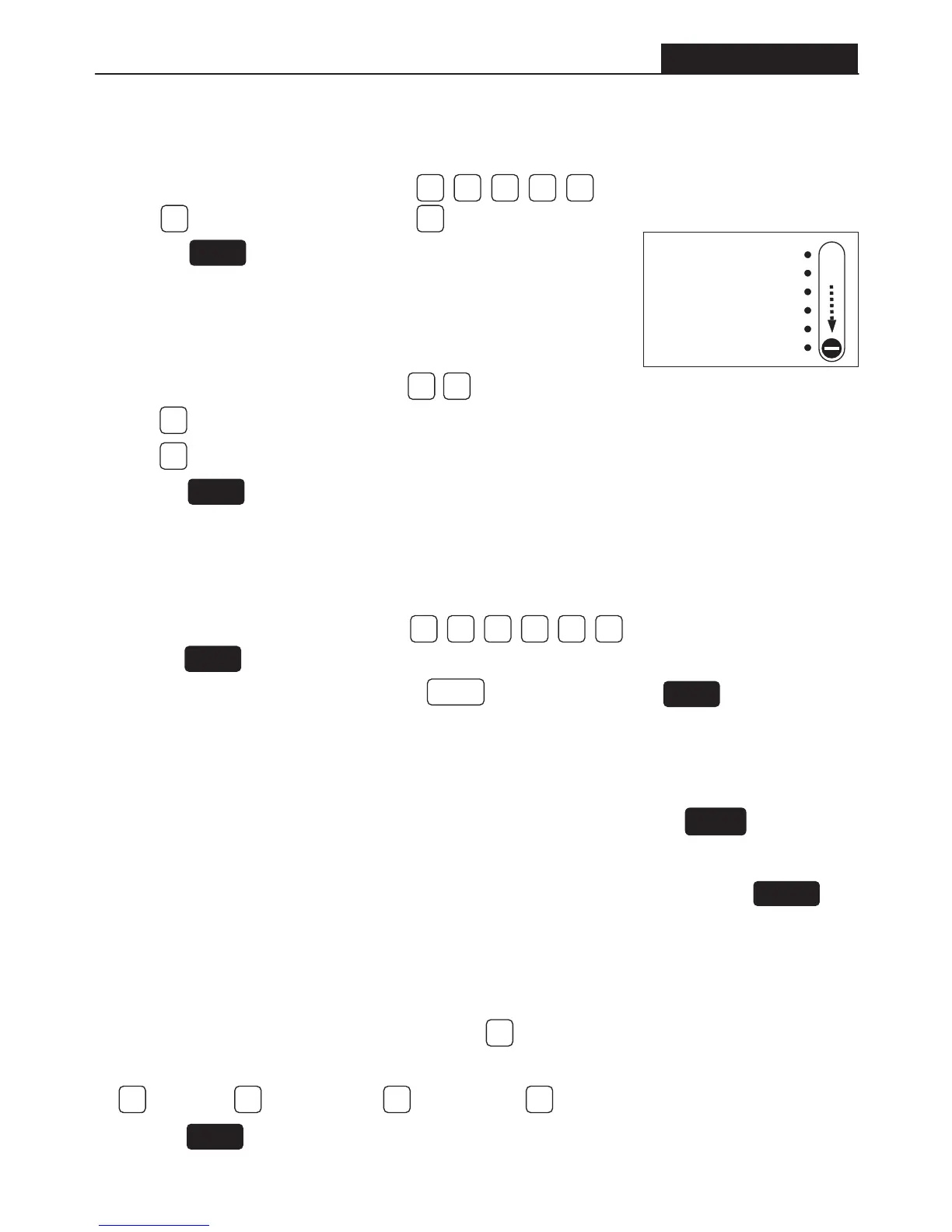
Slide
All programming
is performed
with the Control
Switch in the
PRG position.


 To Next Page