REPORTING
7
CMS-108 Electronic Cash RegisterUSER GUIDE:
Report Positions
• X- Position: Print reports without resetting totals zero.
Reports are generated for enquiry purposes only.
• Z- Position: Print reports and reset totals to zero.
Financial Report
Clerk Report
PLU Report
This report is a total of stock items sold.
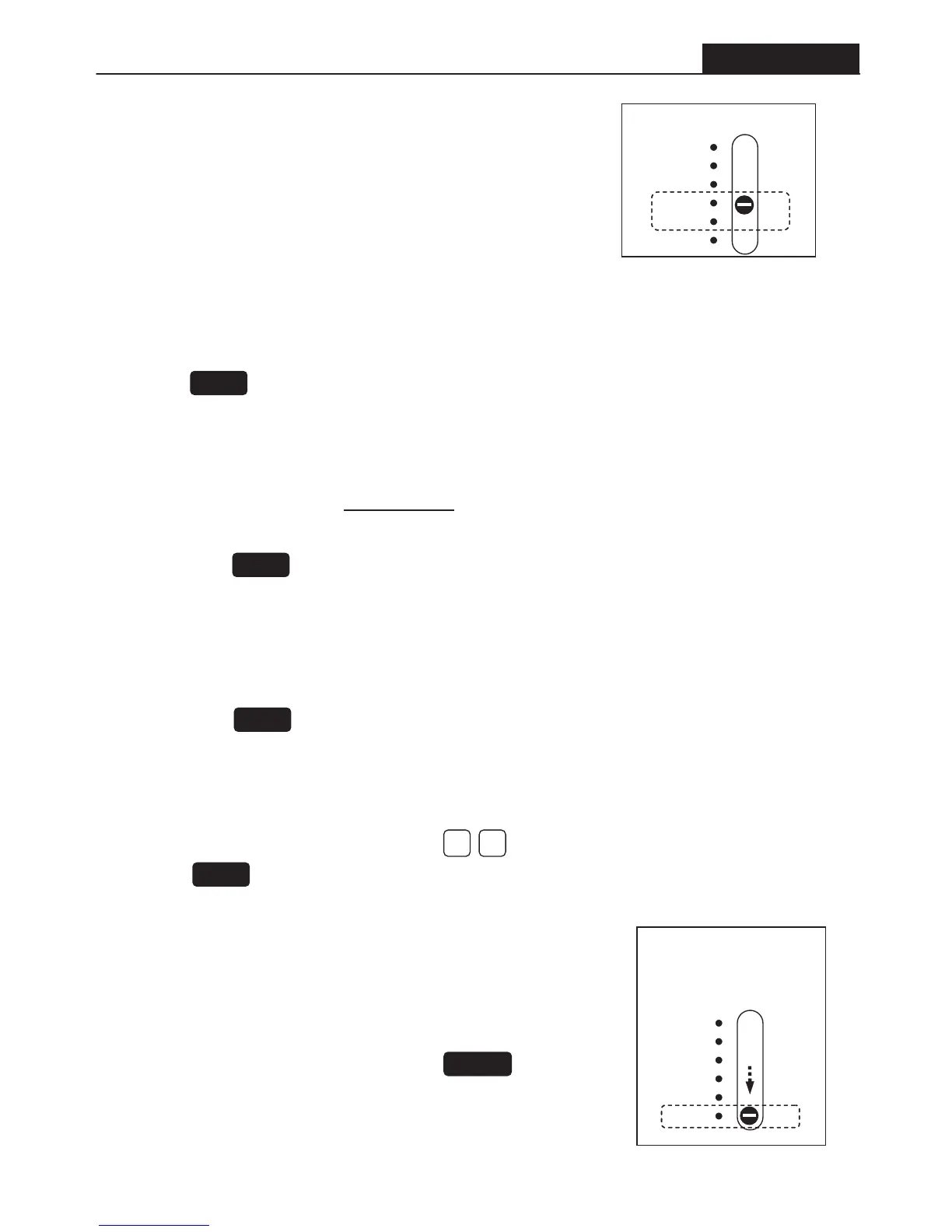
• Set the Control Switch to X or Z position. [ X = No Reset ; Z = Reset ]
• Then press the button.
This report is a total of the sales for the day.
• Set the Control Switch to X or Z Report Position. [ X = No Reset ; Z = Reset ]
• Press the button.
• Included are totals on all function keys
This report is a total of sales for each operator.
• Set the Control Switch to X or Z Report Position. [ X = No Reset ; Z = Reset ]
• Then press the button.
All reports are performed in the X or Z position.
Security Code For Z-report
To assign a security code to the Z-report function.
The 4-digit code will prevent unauthorized deleting of the sales totals.
• Set the Control Switch to PRG position.
• Type in your four-digit code. Then press the button.
Caution: A record of this code must be kept in order to reprogram a
new code if necessary.
OFF
R1
R2
X
Z
PRG
Control Switch
Resetting Grand Total & Z Counter
To reset the grand total & Z counter
• Set the Control Switch to Z position. Type in on the number keypad.
• Press the button.
NOTE:
Set the control switch to
the following position.
OFF
R1
R2
X
Z
PRG
Slide
TOTAL
CLERK
PLU
20
RA
CHARGE


 To Next Page