OPERATIONS
6
CMS-108 Electronic Cash Register
USER GUIDE:
Recording Percentage Discount
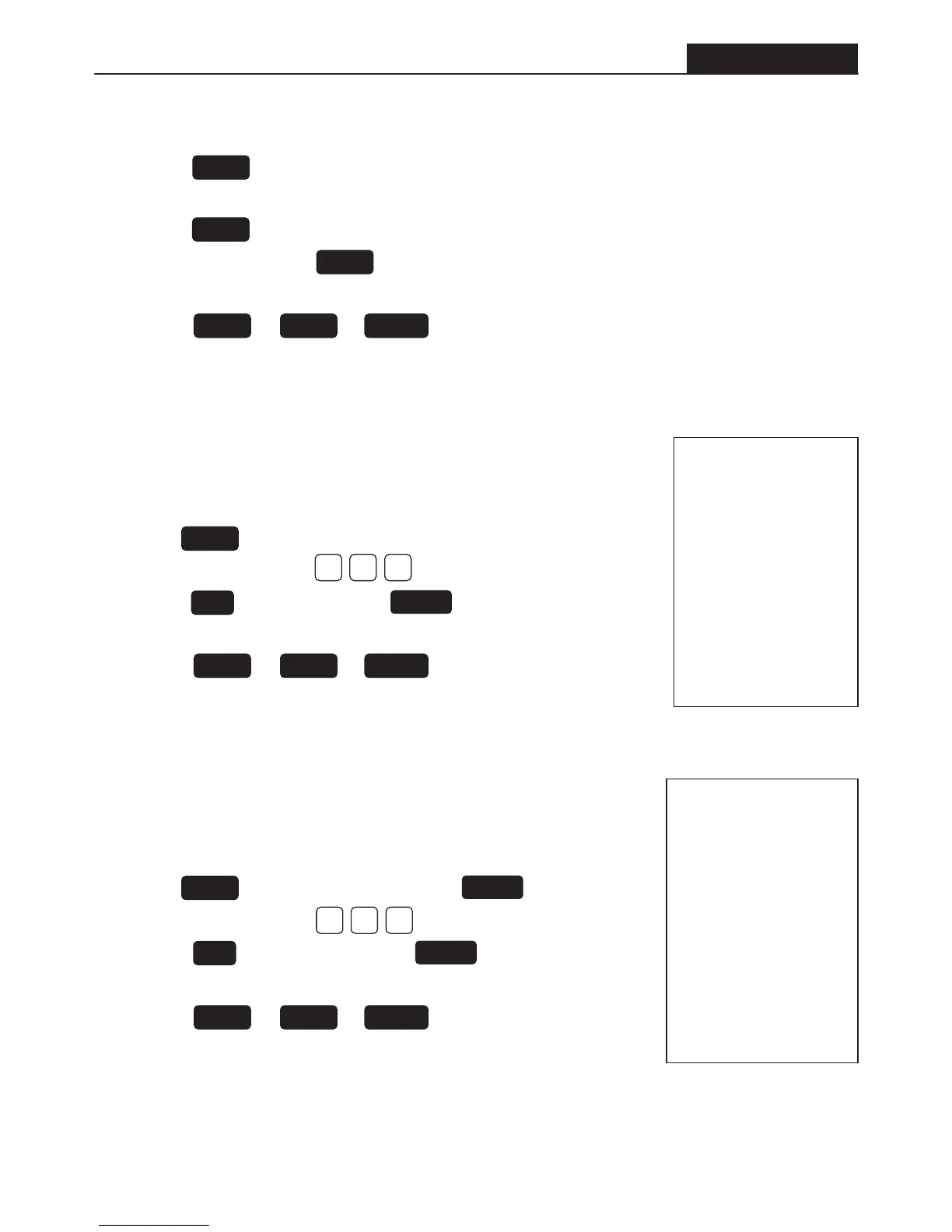
To record an item percentage discount
• Enter the price on the number keypad.
• Select a to record this amount.
• Enter the percentage, e.g.. = 10%
• Press the discount key. Press key to total all entries.
• Enter the amount that the customer tenders on the number keypad.
• Press the or or to finalize the transaction.
• The change amount will appear on the display.
03.05.04
.1.
110.00
12-05 008
10.00 %
-1.00 -
14.99 ST
15.00 CA
00.01 CG
1 5.99
Recording Sub-total Percentage Discount
To record a sub-total percentage discount
• Enter the price on the number keypad.
• Select a to record this amount. Press to total all entries.
• Enter the percentage, e.g.. = 10%
• Press the discount button. Press key to total all entries.
• Enter the amount that the customer tenders on the number keypad.
• Press the or or to finalize the transaction.
• The change amount will appear on the display.
03.05.04
.1.
210.00
12-10 009
10.00 ST
10.00 %
-1.00 -
9.00 ST
20.00 CA
11.00 CG
-%
ST/#/NS
DEPT
TOTAL CHARGECHECK
0100
DEPT
ST/#/NS
0100
-%
ST/#/NS
TOTAL CHARGECHECK
Delete Incorrect Entry (before finalizing the transaction)
• Press the button; the amount on the display will be subtracted from the current transaction,
OR
• Press the button, enter the amount to be subtracted from the current transaction
and the press the relevant button.
• You can now re-enter the correct amount
• Press the or or to finalize the transaction.
• The change amount will appear on the display.
VOID
REF/-
DEPT
TOTAL CHARGECHECK


 To Next Page