PROGRAMMING
9
CMS-108 Electronic Cash RegisterUSER GUIDE:
Tax Rate
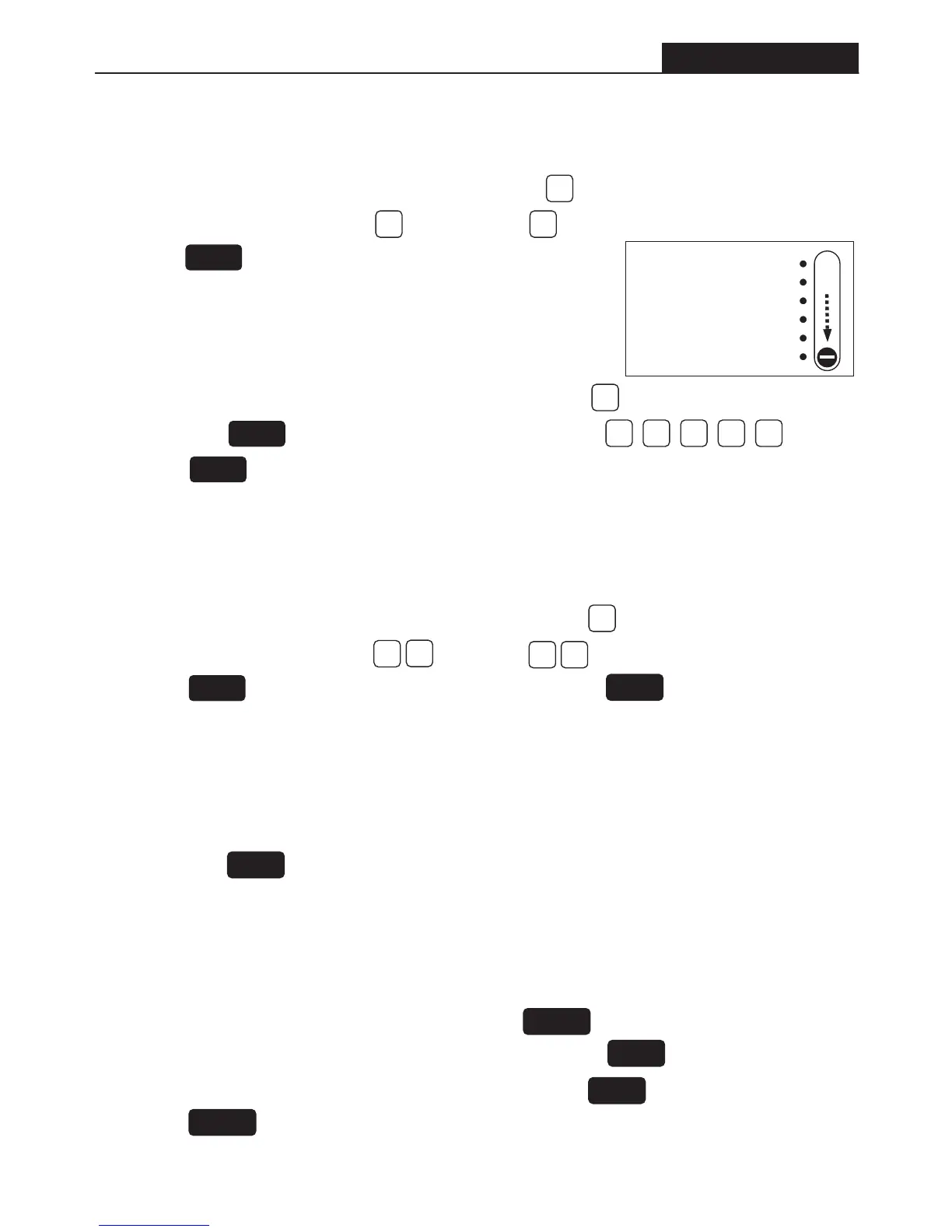
• Set the Control Switch to PRG position. Then press the number key.
• Next press the button. Now enter the tax rate e.g. 14% =
• Press the button to confirm.
To programme the tax rate
TOTAL
• Set the Control Switch to PRG position. Then press the number key.
• Now enter the desired tax status: = taxable; = non-taxable
• Press the button. Then enter a preset price [1]. Press the key = 1 to 8
DEPT – Taxable/Non-taxable
To programme the departments to be taxable or non taxable.
1
41 000
0
0
1
00
CHECK
DEPT
DEPT – Presetting Price
• Set the Control Switch to PRG position. Enter the price ( maximum 7 digits).
• Then press the key = 1 to 8.
To preset a price for a department.
PLU – Presetting Price
• Set the Control Switch to PRG position. The press the key.
• Now enter the desired PLU number (maximum 1 to 99). Press the key to confirm entry.
• Now enter the desired price (maximum 7 digits). Then press the key = 1 to 8
• Press the key to confirm setting. Note: A PLU must be linked to a department.
To preset a price for a price look up (PLU).
QTY/TIME
DEPT
PLU
QTY/TIME
DEPT
• Set the Control Switch to PRG position. Press the number key.
• Now enter the desired tax system = exclusive = inclusive
• Press the key to confirm setting.
Tax Systems – VAT / GST
To programme the tax system for VAT(Inclusive) or GST(Exclusive)
3
12
RA
VAT
OFF
R1
R2
X
Z
PRG
Slide
All programming
is performed with
the Control
Switch in the
PRG position.


 To Next Page