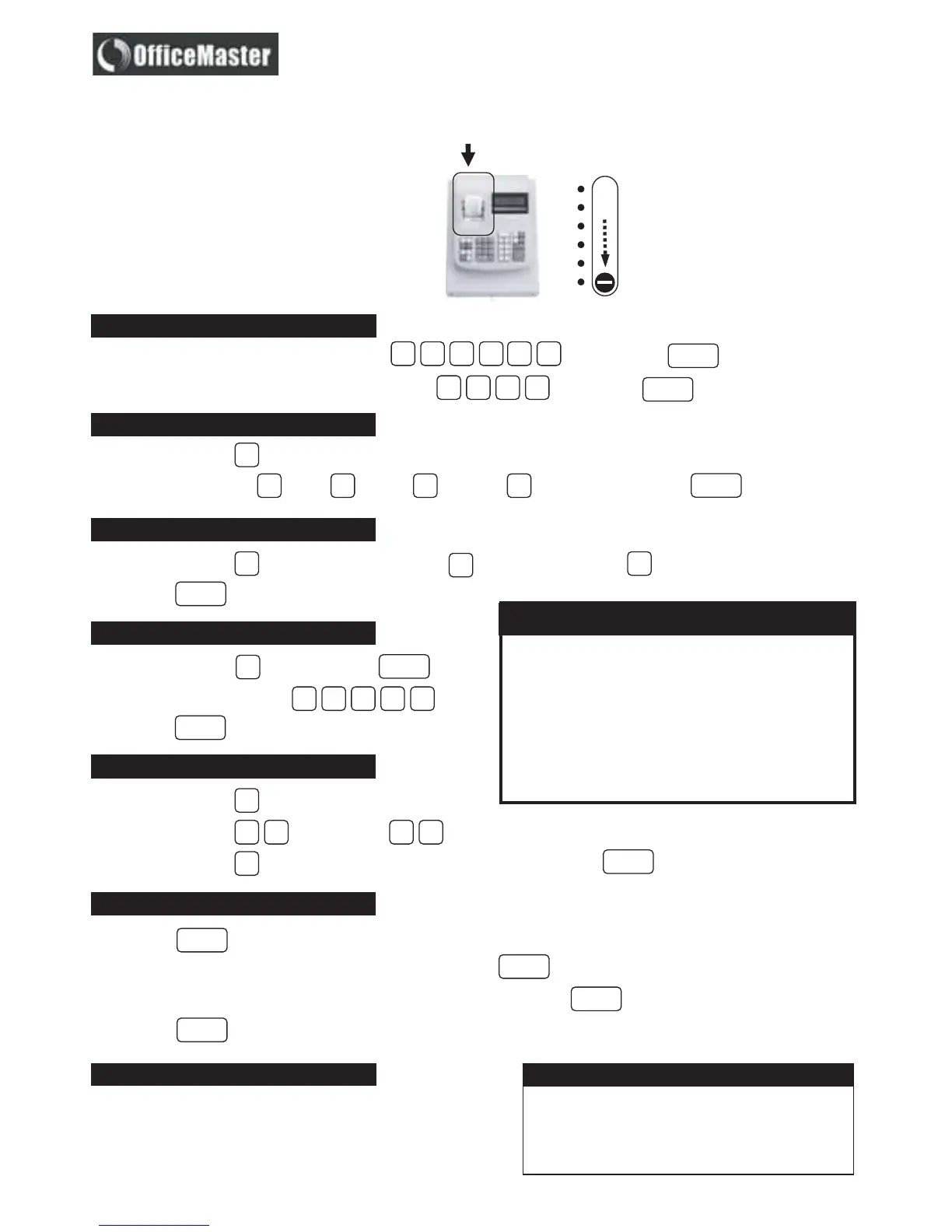
All programming is performed
with the control switch in the
PRG position.
Locate it underneath the top cover in
front of the printer to your left and
slide switch to PRG.
OFF Switch machine off
R1 Record transactions for journal
R2 Record transactions & print customer receipt
X Print reports without resetting totals zero
Z Print reports & reset totals to zero
PRG Programme machine to your requirements
Open this cover.
Slide
Date & Time Settings
Type in the date e.g.. (MM DD YY) e.g.. . Press the key.
ST/#/NS
Currency Decimal Point Setting
Press the number key.
Enter decimal point = X. = X.X = X.XX = X.XXX . Press the key.
Type in the time – military std - e.g.. 1:00pm = . Press the key.
1
Tax Systems – GST/VAT Setting
01 2 3
TIME
RA
Press the number key. Enter tax system = GST/exclusive = VAT/inclusive.
Press the key.
3
1
2
RA
Tax Rate Setting
Press the key.
Enter tax rate e.g.. 14% = .
Press the key.
10
TOTAL
40 0
1030
31 5040
Department : Taxable/Non-taxable
Press the number key.
Enter tax status = Taxable = Non -taxable .
Press the number key. Then press the desired department key (1 to 8).
0
00
DEPT
10
1
Presetting a price for PLU
Press the key.
Enter desired PLU number = maximum 1 ~ 99. Press .
Enter desired price = maximum 7 digits. Then press the desired key (1 to 8).
Press the key again to confirm setting. No te : A PLU must be linked to a department.
QTY
PLU
DEPT
QTY
General Information
Tally roll – 57mm x 57mm bond paper; Ink roller – IR30
Printing mechanism does require pre-emptive maintenance. This
differs according to the application of the machine in your business.
Please contact your service agent should you have any queries.
ICONICA
Unit 13 Bromwell Mews, 373 Albert Road, Salt River,
PO Box 55360, Sunset Beach 7441, Cape Town
Tel no. : + 27 21 447 9246 Fax no.: + 27 21 447 9257
CMS 108
Electronic Cash Register
™
Cash Register Memory Clearance
Please note that model CMS-108 requires a daily
clearance of the Departments Memory. If the
Departments are not cleared by Z-Report' daily,
Department keys will not operate and you will
have to re-program your machine.
CAUTION !
Quick Programming Guide
Authorised Main Service Agent
VAT
Press the number key.
1


 To Next Page