EasyManua.ls Logo

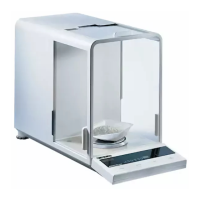
OHAUS AP210 - User Manual

OHAUS AP210
76 pages
Print Icon
To Next Page IconTo Next Page
Loading...
Instruction Manual
ANALYTICAL
Plus
Electronic Balances
Models
AP110, AP210, AP310, AP250D,
AP110E, AP210E, AP310E and
AP250E
Menu
Menu

Table of Contents

Questions and Answers

  • C
    christie52Sep 8, 2025
    What to do if OHAUS AP210 Scales display locks up?
    • J
      Joanna PhillipsSep 8, 2025
      If the OHAUS Scales display is showing random segments or the display locks up, it might be due to the microprocessor locking up. Try turning the power off, and then turn it back on. If the issue continues, the unit needs servicing.
  • S
    Stacie WoodSep 10, 2025
    Why OHAUS Scales showing incorrect weight?
    • G
      Glenda SmithSep 10, 2025
      If you are getting an incorrect weight reading on your OHAUS Scales, it could be that the balance was not re-zeroed before weighing or it is not properly calibrated. Press the ON button with no weight on the pan to re-zero it, then weigh the item. If problems persist, recalibrate the scales correctly.
  • F
    fieldsgeorgeSep 12, 2025
    Why is the RS232 interface not working on OHAUS AP210?
    • M
      Maria LoweSep 12, 2025
      If the RS232 interface is not working on your OHAUS Scales, the print menu settings may not be properly set up, or there could be cable connection issues. Verify that the interface settings in the Print menu correspond to those of the peripheral device and check the cable connections.
  • J
    Janet BaileySep 13, 2025
    What to do if unable to change settings on OHAUS AP210 Scales?
    • H
      hessbrianSep 14, 2025
      If you're unable to change settings on your OHAUS Scales, the lock might be set to ON. (LFT set ON) Set the Lock switch to OFF to enable changes.
  • D
    David HardySep 15, 2025
    Why OHAUS AP210 giving unstable readings?
    • B
      Becky Ritter MDSep 16, 2025
      If you're getting unstable readings on your OHAUS Scales, it could be due to vibration on the table surface. Place the balance on a stable surface or change the averaging level.
  • R
    Ronald DaySep 18, 2025
    What to do if unable to store menu settings on OHAUS Scales?
    • A
      Allison GarciaSep 18, 2025
      If you cannot store menu settings/changes on your OHAUS Scales, make sure you are using the End function to exit the menus. You MUST use End to exit menus and save settings.

Summary

INSTALLATION

OPERATION

Weighing

Procedure for measuring the weight of an object on the pan.

Taring

Steps for zeroing out the weight of a container before weighing.

MENUS AND CONFIGURATION

Calibration Menu Options

Explains Auto, User, and Test calibration methods and protection.

User Menu Settings

How to adapt the balance to environmental conditions and set parameters.

Setup Menu Customization

Guides on customizing balance operations, units, and functions.

Print Menu Options

Covers reset, communication, GLP, and print options settings.

MAINTENANCE AND SUPPORT

OHAUS AP210 Specifications

General IconGeneral
Capacity210 g
Pan SizeØ 90 mm
DisplayLCD
CalibrationExternal calibration
Housing MaterialABS plastic
InterfaceRS232
Readability0.001g
Power SupplyAC adapter
Stabilization Time3 seconds
Units of Measurementg, oz, ct, dwt, tl

Related product manuals