EasyManua.ls Logo

OHAUS DS Series - User Manual

OHAUS DS Series
40 pages
Print Icon
To Next Page IconTo Next Page
Loading...

Questions and Answers

Summary

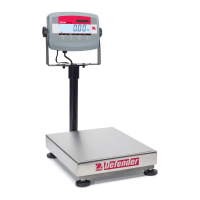
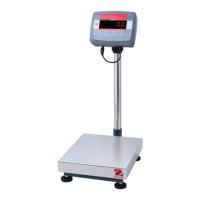
Ohaus DS Series Bench Scales Instruction Manual

Unpacking and Contents

Leveling the Scale

Power Options and Battery Usage

Connecting the AC Adapter

Connect the power adapter/charger to the display unit and a convenient AC outlet.

Turning the Scale On and Off

Performing a Weighing

Using the Tare Function

Technical Specifications

Troubleshooting Error Messages

Service and Support Information

Replacement Parts and Accessories

Limited Warranty Details

Calibration Procedure

Changing Units kg;lb

Troubleshooting Common Issues

Understanding Error Messages

Interpret and resolve error codes such as Overload, Underload, and Low Battery.

Parts Information and Ordering

Summary

Ohaus DS Series Bench Scales Instruction Manual

Unpacking and Contents

Leveling the Scale

Power Options and Battery Usage

Connecting the AC Adapter

Connect the power adapter/charger to the display unit and a convenient AC outlet.

Turning the Scale On and Off

Performing a Weighing

Using the Tare Function

Technical Specifications

Troubleshooting Error Messages

Service and Support Information

Replacement Parts and Accessories

Limited Warranty Details

Calibration Procedure

Changing Units kg;lb

Troubleshooting Common Issues

Understanding Error Messages

Interpret and resolve error codes such as Overload, Underload, and Low Battery.

Parts Information and Ordering

OHAUS DS Series Specifications

General IconGeneral
DisplayBacklit LCD
PowerAC adapter or rechargeable battery
Units of MeasurementGram, Kilogram, Pound, Ounce
Operating Temperature40°C
InterfaceRS-232
MaterialStainless steel platform

Related product manuals