EasyManua.ls Logo

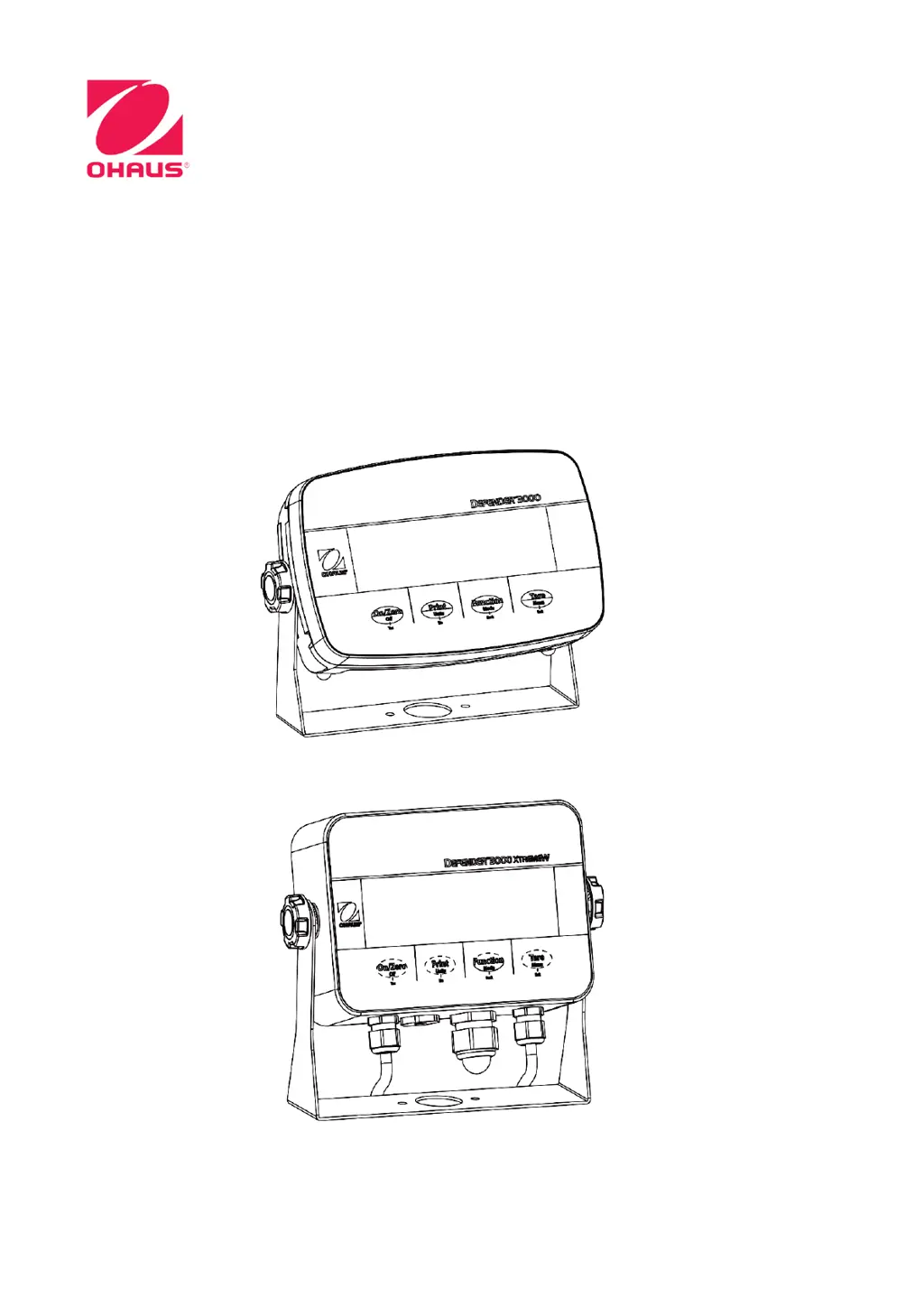
OHAUS Defender 3000 - User Manual

OHAUS Defender 3000
60 pages
Print Icon
To Next Page IconTo Next Page
Loading...
Defender
TM
3000 Indicators
Instruction Manual
i-DT33P
i-DT33XW
Manual_DT33-Indicators_V1

Table of Contents

Other manuals for OHAUS Defender 3000

Questions and Answers

  • A
    Alyssa WilsonSep 14, 2025
    How to resolve Error 8.9 on OHAUS Accessories scale?
    • K
      Katie ScottSep 14, 2025
      Error 8.9 on your OHAUS Accessories scale indicates a failure to read the serial number from the EasyConnectTM module, or the serial number does not match the LFT ON status. You can try to break the seal or replace the original base/indicator. If the problem persists, service is required.
  • A
    Arthur BaileyAug 25, 2025
    Why is my OHAUS Measuring Instruments unable to calibrate?
    • D
      daniel92Aug 25, 2025
      If you are unable to calibrate your OHAUS Measuring Instruments, ensure that the LFT security switch is turned off. Also, verify that you are using the correct calibration mass.
  • M
    misty16Aug 25, 2025
    What does CAL E mean on OHAUS Measuring Instruments?
    • R
      Richard AndradeAug 26, 2025
      If your OHAUS Measuring Instruments displays CAL E, the calibration value is outside allowable limits. Use the correct calibration weight.
  • L
    lauriebeckAug 26, 2025
    How to fix OHAUS Measuring Instruments when it is unable to turn on?
    • A
      Adam NewtonAug 27, 2025
      If the OHAUS Measuring Instruments indicator won't turn on, check the power cord connections to ensure it's properly plugged into both the device and the power outlet. Verify that the power outlet is supplying electricity. If using battery power, recharge the battery. If none of these steps work, service may be required.
  • R
    Robert EstradaSep 15, 2025
    What does CAL E mean on my OHAUS Accessories scale and how to fix it?
    • P
      Patrick JacobsonSep 15, 2025
      CAL E on your OHAUS Accessories scale means that the calibration value is outside the allowable limits. Use the correct calibration weight to resolve this.
  • M
    Marissa ZimmermanSep 23, 2025
    What does EEP Error mean on my OHAUS Accessories?
    • J
      Justin HudsonSep 23, 2025
      EEP Error indicates a corrupted EEPROM data.
  • J
    James PhillipsSep 7, 2025
    What does REF Err mean on OHAUS Measuring Instruments?
    • Q
      qhermanSep 7, 2025
      If your OHAUS Measuring Instruments displays REF Err, the average piece of weight (APW) on the pan is too small and less than 0.1d. Replace with a heavier batch of samples or change to a scale with readability suitable for your samples.
  • L
    Leonard ChambersSep 8, 2025
    What to do if my OHAUS Accessories indicator is unable to turn on?
    • T
      Theresa WalkerSep 8, 2025
      If your OHAUS Accessories indicator isn't turning on, there are several possible causes. First, ensure the power cord is correctly plugged into both the indicator and a working power outlet. Check the power source to confirm it's supplying electricity. If you're using a battery-powered model, try recharging the battery. If none of these steps work, service may be required.
  • A
    Andrea BuckSep 2, 2025
    What does Error 8.8 mean on OHAUS Measuring Instruments?
    • D
      dwilliamsSep 2, 2025
      If your OHAUS Measuring Instruments displays Error 8.8, the factory calibration data in the EasyConnectTM module on the load cell cable is not valid under LFT off status. Calibrate the scale.
  • M
    Michelle WellsAug 31, 2025
    What does Error 8.7 mean on OHAUS Measuring Instruments?
    • B
      Brenda HartAug 31, 2025
      If your OHAUS Measuring Instruments displays Error 8.7, the EasyConnectTM base is connected to a powered indicator. Power off the scale completely, reconnect the EasyConnectTM cable, and then power it on again.

Summary

Introduction

Safety Precautions

Defines signal warnings and symbols and provides critical safety precautions for installation and operation.

Intended Use

Specifies the intended applications and environments for the instrument.

Overview of Parts and Controls

Mainboard

Control Functions

Installation

Unpacking and External Connections

Details unpacking contents and connecting power supplies (battery, AC).

Internal Connections

Details procedures for opening housing, connecting scale bases, load cells, and RS232.

Mounting Bracket

Operation

Turning the Scale On;Off

How to power the indicator on and off.

Weighing Mode

Steps to enter, use, and configure weighing mode settings.

Counting Mode

Steps to enter, use, and configure counting mode settings.

Check Mode

How to set limits, perform checks, and configure check mode settings.

Totalization

How to set, enter, use, and print totalization results.

Menu Settings

Menu Navigation and Button Control

Guides on navigating menus and using buttons for input.

Calibration Menu

Procedures for initial, zero, span, linearity calibration, and testing.

Setup Menu Options

Configuration of units, ranges, graduations, and power-on settings.

Readout Menu Settings

Customization of display features like stability, zero range, and backlight.

Unit Menu

Activation and selection of available weighing units.

Communication Settings

Configuration for RS232, USB, Ethernet, and printing parameters.

Lock Button Configuration

Legal For Trade

Settings for Trade Use

Steps for setting up the indicator for trade use, including calibration and security switch.

Verification and Sealing

Procedures for verification by officials and physical sealing of the device.

Maintenance

Cleaning Instructions

Instructions for cleaning the indicator housing.

Troubleshooting Guide

Lists common symptoms, causes, and remedies for issues.

Technical Data

Specifications

Lists technical specifications for the i-DT33P and i-DT33XW models.

Table of Geo Code Values

A table mapping geographical coordinates to GEO adjustment codes.

Compliance

Appendices

Appendix A: Output Format Details

Details the MT Standard Continuous Output format and data structure.

Appendix B: MT-SICS Commands

Lists MT-SICS commands and their functions.

Appendix C: OHAUS Commands

Lists OHAUS commands and their functions.

Appendix D: Printout Formats

Details printout formats for Check Weighing and Non Check Weighing applications.

Limited Warranty

OHAUS Defender 3000 Specifications

General IconGeneral
DisplayLCD
PowerAC Adapter or Rechargeable Battery
ConstructionStainless steel
Operating Temperature-10°C to 40°C
ProtectionIP65
Units of Measurementkg, g, lb, oz
CalibrationExternal
ApprovalsNTEP
InterfaceRS232
Capacity3 kg - 300 kg (depending on model)
Platform Size300 x 400 mm to 600 x 800 mm

Related product manuals