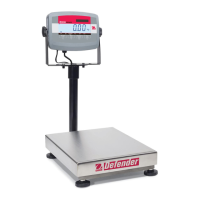
EN-26 Defender 3000 Indicators
4. MENU SETTINGS
The User Menu allows the customizing of scale settings.
Note: Sub-menu for options (USB, Ethernet and Print2 in the table below) will be active only when the specific
board is installed. See their separate option instruction manuals for additional setting information.
4.1 Menu Navigation
4.1.1 User Menu (in segments)
Notes:
Some modes/units may not be available in all models.
When LEGAL FOR TRADE is turned ON (the security switch S1 is in the locked position), the menu settings
will be affected as below:
Calibration function is disabled.
Zero Range setting is locked at 2%.
Stable Range setting is locked at 1d.
Auto-Zero Tracking setting is locked at 0.5d.
Filter and Units are locked at their current settings.
Stable Only is locked at On.
Lb:oz unit is locked at Off.
Power saving mode is disabled.
Note: Please refer to Legal for Trade chapter for the position of the security switch S1.



 To Next Page