Defender 3000 Indicators EN-39
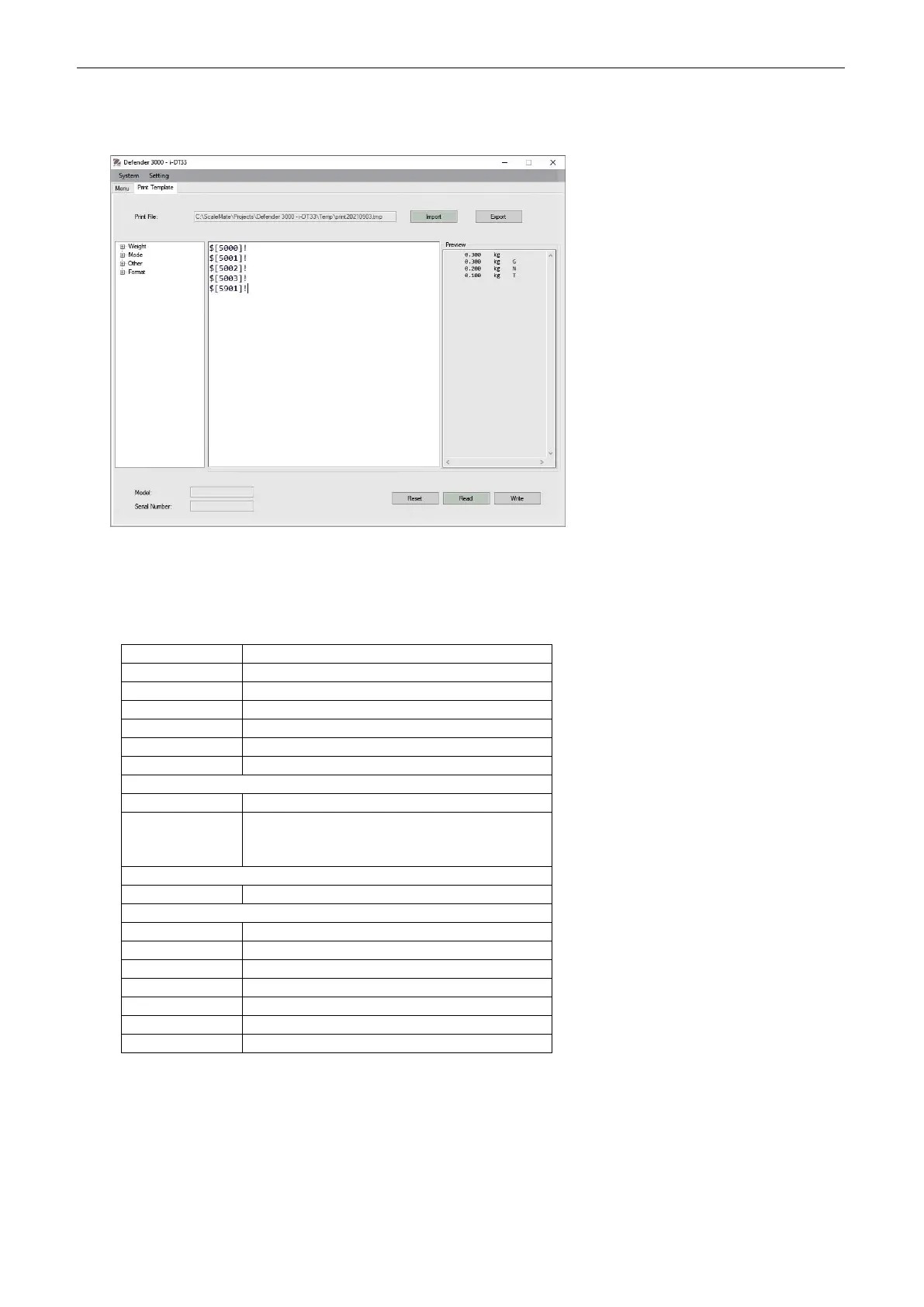
Connect the indicator to OHAUS ScaleMate software on a PC via the RS232 (or USB or Ethernet optional
ports). To customize print template, you need to go to the ScaleMate software, Select Print Template on
the top bar, and then double click items in the left column to select which ones you want to put in your print
template.
Note: Contact an authorized OHAUS dealer to obtain the ScaleMate software and learn more about the
software's other functions.
Alternatively, you can also input the index number of the print items in the middle column directly to
customize your print template in the software, using $[XXXX]! format. XXXX refers to the index number of
each print item. Please check the following table for each item's index number.
Information (APW value in Counting;
Under and Over Value in Check;
Totalization result in Total)
4.6.3 USB Configuration
Please refer to USB Configuration in the Defender
TM
3000 USB Interface Instruction Manual.
4.6.4 Ethernet Configuration
Please refer to Configuration in the Defender
TM
3000 Ethernet Interface Instruction Manual.



 To Next Page