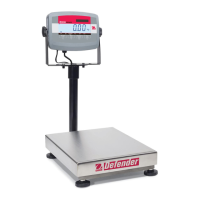
EN-38 Defender 3000 Indicators
MT-Continuous [mMt.Con]
If MT-Continuous is selected, the print output will be in the MT-Continuous format.
mMt.CON = printing occurs continuously.
Note: Refer to Appendix A for MT-Continuous format.
C.SUmM
Off = disabled
On = enabled
OH-Continuous [OH.Con]
If OH-Continuous is selected, the print output will be in the OH-Continuous format.
Note: Refer to Appendix D for OH-Continuous format.
OH.CON = printing occurs continuously.
lINktO
OFF = disabled
CUst1 = print using custom 1 template.
CUst2 = print using custom 2 template.
SICS [SICS]
OFF = disable MT-SICS command
ON = enable MT-SICS command
Note: Refer to Appendix B for SICS commands.
End Print [End]
Advance to the next menu or return to the top of the current menu.
Template [tEmMp]
This sub-menu is used to define the format of the data output to a printer or computer.
CUst1 = customized printout format.
CUst2 = customized printout format.
Print template example
:
0.000 kg
0.300 kg G
0.000 kg N
0.100 kg T



 To Next Page