
 To Next Page
S
Sarah CookAug 6, 2025
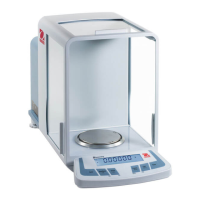
What to do if OHAUS DV114C Scales does not display accurately?
- PpmarshallAug 6, 2025
If your OHAUS Scales balance does not display accurately, several factors could be the cause. Start by performing a calibration. An unstable environment can also cause this issue, so move the balance to a more suitable location free from vibration and drafts. Also, make sure that the calibration menu and sub-menu are not locked. Additionally, ensure that the LFT setting is turned off. Check the pan: if the weight reading exceeds or is below the Power On Zero limit, clear the pan or put the pan on balance, respectively. Finally, if you experience an unstable weight reading when defining the reference weight, eliminate vibration and drafts.
 General