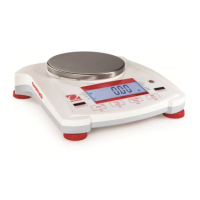
How to fix OHAUS Navigator NV621 that cannot turn on?
- Ttracey79Aug 9, 2025
If your OHAUS Scales won't turn on, the issue is likely due to a lack of power. Verify the connections and voltage to ensure the scale is receiving power.
How to fix OHAUS Navigator NV621 that cannot turn on?
If your OHAUS Scales won't turn on, the issue is likely due to a lack of power. Verify the connections and voltage to ensure the scale is receiving power.
What to do if OHAUS Navigator NV621 Scales cannot calibrate?
If you cannot calibrate your OHAUS Scales, the issue might stem from an unstable environment or using an incorrect calibration weight. Try moving the balance to a more stable location. If that doesn't work, make sure you are using the correct calibration weight.
What does 'Lo ref' mean on OHAUS Scales?
If your OHAUS Scales display 'Lo ref', it means the reference weight is too low. Increase the reference weight to resolve this issue.
Why can't I access a mode on my OHAUS Scales?
If you cannot access a specific mode on your OHAUS Scales, it is possible that the mode is not enabled. Enter the menu and enable the desired mode.
Why can't I access a unit on my OHAUS Navigator NV621?
If you cannot access a specific unit on your OHAUS Scales, it is possible that the unit is not enabled. Enter the menu and enable the unit.
Defines signal warnings and symbols used in the manual for safety information.
Lists essential safety precautions for operating the equipment.
Details the function of each physical button on the balance.
Guidance on selecting an optimal and stable location for the balance.
Details on connecting the AC adapter and installing batteries for power.
Step-by-step guide for performing the initial calibration of the balance.
Instructions for basic weighing operations.
Details the calibration sub-menu options like Span and Linearity.
Lists common symptoms, causes, and remedies for balance issues.
Provides contact information for service and technical support.
Defines signal warnings and symbols used in the manual for safety information.
Lists essential safety precautions for operating the equipment.
Details the function of each physical button on the balance.
Guidance on selecting an optimal and stable location for the balance.
Details on connecting the AC adapter and installing batteries for power.
Step-by-step guide for performing the initial calibration of the balance.
Instructions for basic weighing operations.
Details the calibration sub-menu options like Span and Linearity.
Lists common symptoms, causes, and remedies for balance issues.
Provides contact information for service and technical support.